




















Program Auto? Sport Mode? Shutter-Priority? Manual? What mode should I be using on my camera?
Well, no one mode will do it all for you, but it’s true enough that you can accomplish damn near everything with only two or three – I generally switch back and forth between Aperture-Priority and Manual, but that has quite a bit to do with my subject matter and shooting methods. So let’s look into these, bearing in mind that I’m not going to cover all of them because at this point, i don’t even know how many actual modes manufacturers have created. But we’ll hit the main ones for sure.
Specialty/Creative modes like Sports, Macro, Portrait, Scenic/Landscape, and so on, usually designated by a little picture/icon of some sort. I call these the ‘Ducky-Horsey’ modes, and I routinely recommend against them, for the simple reason that, if you don’t know exactly what they’re doing, then you don’t know how they’ll benefit you or what might even be working against you. Often, the camera manual will explain what they do, such as pushing the shutter speed as high as reasonable for Sports Mode, but this is also trivially easy to do on your own, or with Shutter-Priority. In general, they’re intended for the photographer that doesn’t want to learn how the camera works, and that generally translates to having as little control over our creative processes as possible. We can do better.
Green Square/Auto Mode/Intelligent Auto/etc. Note that this is differentiated from Program Auto, often designated with a P. In short, these are the ‘point-n-shoot’ modes when, again, you don’t know what you’re doing with a camera. The camera meters the incoming light and selects the shutter speed, aperture, and ISO (most times – not always) and allows you to just fire away. If that’s your bag, fine, go for it, but again, we can do better. At the very least, look at what settings the camera is producing and try to understand why, to begin to understand how to control things better, but overall, I recommend against this mode too.
Program Auto. I’ve seen this mode from numerous manufacturers, so while I doubt it’s universal, you will be able to translate it if necessary. I call this, ‘Auto With Benefits,’ and there’s a distinct edge to using this over the various full auto modes above. The main one is, you can use one of the dial controls (or occasionally, push buttons/rocker switches) to make adjustments without affecting the exposure. So let’s say you do that little half-press of the shutter button and the display shows that the camera has chosen 1/125 second shutter speed and an aperture of f16. But you know that you want a faster shutter speed to freeze action, so you roll that dial over, and the camera adjusts both the shutter speed and the aperture in equal increments to keep the same exposure. So if we want 1/500 second, four to six clicks on the dial (depending on our settings) will bring us to that, also changing the aperture to f8 – same exposure, using the wider aperture to account for the light reduction from a faster shutter speed. Usually, this mode also lets you select the ISO you prefer, rather than setting it automatically, and will also allow exposure compensation if desired. If you have to use an auto mode, use this.
Note that none of the Auto modes (or any mode) has anything to do with autofocus on the lens, which can be switched on and off at will regardless of the mode. ‘Auto’ is an overworked prefix in photography…
Aperture-Priority (AV on Canons). A semi-auto mode, this lets you select the aperture that will always be used for every shot, and the camera meter will set the shutter speed accordingly. Note that if the shutter speed is blinking in the display, this means it cannot actually go far enough to get a ‘proper’ exposure with the aperture (and ISO) you’ve chosen, and so the exposure will not be accurate. You may also occasionally get a blinking display or an annotating icon if the shutter speed drops so low that camera shake/motion blur is likely. This mode is best for situations where you want distinct control over the depth-of-field, which is primarily what the aperture controls.
Shutter-Priority (TV on Canons, for silly reasons). Largely the same as above, but this let’s you pick the shutter speed you will always use instead, while the camera selects the aperture. This one is far more likely to produce that blinking warning, since apertures have a lot less flexibility than shutter speeds. This mode is best for controlling action, whether it’s stopping/freezing it or purposefully blurring it. However, you may also use it to keep the camera within the flash synchronization speeds when using a flash, so you have proper coverage and not partially blackened frames.
The funny thing is, the two -Priority modes are largely interchangeable, if you know what you’re doing halfway decently. You’ll see what the shutter speed is while in Aperture-Priority, if it’s it not to your liking, you can change it easily by changing the aperture instead. And vice-versa of course. So if you prefer one over the other, or more of your shooting demands stopping action or controlling depth-of-field, use what works, and just keep an eye on the setting the camera chooses to accommodate it. Since a lot of what I shoot is macro work that demands as much depth as possible, I prefer Aperture-Priority, but ti doesn’t matter a whole lot.
Manual. This is it – we’re in total control now. The camera sets nothing, so we select the shutter speed, aperture, and ISO like the photographers of old. Exposure compensation is meaningless, since that depends on the camera meter, which is now coupled to nothing. The camera meter may, however, be using that same exposure compensation scale to tell us that it believes our exposure is inadequate – just, you know, FYI. We’d use this mode for several reasons: we know what the exposure really should be, or we’re aiming to do very long exposures, or we’re using studio strobe units with known light output, and so on. I use this most often for macro work, since the flash unit has a fixed output and so the shutter speed stays set at 1/200 and ISO typically at 250, while the aperture compensates for the distance (and increasing or diminishing light thereby reflected from) the subject. But it’s also useful for long night exposures, or esoteric techniques. For most of these, what the camera meter tells us is dead wrong.
And again, Manual does not affect lens focus – the lens can still autofocus in Manual mode, if desired.
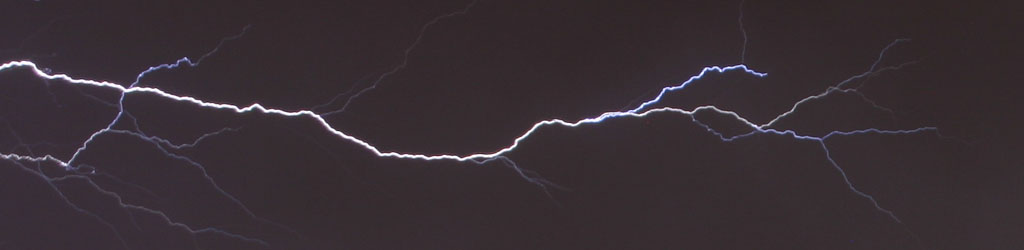
 Bulb (B). This term is a ludicrous holdover from a century or so ago, when a bulb was actually used, but it hasn’t been that way since the forties at least. Essentially, it’s full manual like above, but your only shutter option is the shutter stays open as long as you hold it open, by pressing the shutter release (not recommended) or using a remote release. Sometimes, this isn’t its own mode but rolled into the shutter speed options. Again, esoteric or experimental techniques lend themselves to Bulb mode the most – it works well for lightning at night, or manually-triggered flash in otherwise dark environments. And the reason that I don’t recommend using the on-camera shutter release is that you’re almost guaranteed to shake the camera doing this.
Custom Modes. Generally, if you’re at the level of experience where these are most useful, you probably don’t need me telling you what these are. They allow a collection of settings to be used, for circumstances where you might have use for them frequently and don’t want to have to adjust everything. Note that these modes may let you preset a lot of settings and functions, such as specialty options within the Custom Functions menu, white-balance, and so on. If this is something that you might switch back and forth between frequently, these custom modes may be a huge help.
A caveat, for all circumstances really: You may have noted above where I put quotes around ‘proper’ exposure. All of the modes except Manual and Bulb rely on the camera’s exposure meter to provide necessary info for the correct setting, but the meter has no idea what the scene is – it only tries for an average amount of light. If the scene or subject isn’t average, this exposure and thus the settings can easily be wrong. No mode will correct for this, so you’ll have to be on your toes for the situations that require compensation. There is a function called Auto Bracketing that can help, but switching back and forth between this and normal shooting can be fussy at times.
All that said, it’s up to you to pick the modes that work best for you – and know that, as experience grows, they won’t matter all that much, since you’ll adjust the settings to get the results you want.