






Four years ago, I posted a rant about smutphones, and why I wasn’t about to get one. And so we revisit the topic as times change, because now I own one.
If you’re expecting some epiphany, some radical change of opinion, even some abject hedging, well, I’m happy to disappoint you. Most of the stuff that I mentioned in that previous post still holds entirely true. There are just three things that are different now that caused, or permitted, or whatever, this change of heart:
1. I got it for $20;
2. I’m still using the same pay-as-you-go plan that I was using for the flip-phone, which means less than $15 a month for usage fees;
3. A few too many people that I know cannot grasp e-mail very well (in some cases, at all,) and have to periodically communicate by text message, which is inordinately painful on a numeric keypad.
I’ve had it for just six months now, and boy has my attitude changed! No, wait, it really hasn’t at all – I still find them almost as annoying as I did before I had one. I still refuse to use it in any way while driving, and don’t carry on conversations in public – the most I’ll do is make a quick call to, for instance, confirm details about something. Even with the advancements in technology in the intervening four years, touch screens are still ridiculous and awkward – versatile, from an input interface standpoint, but not really adapted to such a small size and poorly suited to the main purpose of entering text. I don’t have big clumsy hands or fingers, but they’re still far too large for phone screens.
My primary reasoning behind the purchase was, I intended to do some remote hiking and kayaking, and wanted to have something GPS capable. The cost was significantly better than any standalone GPS unit, though probably less capable and by far less rugged. And I will openly admit, it’s pretty remarkable to have a versatile computer that’s actually smaller than my wallet (no, I did not opt for a larger model.) So, how many ways have I found to enhance my everyday activities with this magical device?
Not many, really. And I could certainly be using more of the capabilities of the thing if I tried, but the demand really hasn’t been that great. Here are some (if not all) of the ‘major’ changes that are facilitated now:
1. A notepad. It’s fairly handy for notes that I’ll refer to frequently, or reminders of stuff that comes up occasionally, like the size of a picture frame that I’m keeping an eye open for.
2. Remote access to e-mail. From time to time, I have to refer back to a recent e-mail that I’ve received, like for a student’s phone number or meeting time. However, I don’t read e-mail on the damn thing, much less write or reply. Those still wait until I’m at my workhorse desktop computer.
3. Voice recorder. I use this less than imagined, but still occasionally.
4. Weather. Sometimes it’s handy to know what’s coming my way, and even handier to have something that syncs to my current location.
5. MP3 player (especially Bluetooth.) At my other job, we have a Bluetooth receiver/speaker system, so I can play tunes easily. However, it’s more often the tablet that fulfills this duty, because it has a heartier battery. The car stereo has its own MP3 player.
6. Bathroom breaks. Yes. Primarily sudoku. The number of other games I have downloaded for the phone can be counted on one hand – the tablet has slightly more.
7. The occasional amusing photo to harass friends with. Maybe as much as once a week, but usually less. I can’t say my life would be poorer without this.
What it’s not used for:
a. Selfies. What an unbelievably vain and fatuous pasttime. And I say this knowing that this is the primary activity of a friend of mine.
b. Conversations. I have a landline for those, and don’t engage in them very often anyway. No, not even
c. “Important business calls.” When I’m out, I’m busy, and especially when I’m out with a student or client, I’m not interrupting them for another call – I find it inexcusably rude. But even if I’m ‘free,’ I won’t have a notepad, calendar, or anything else at hand to handle business calls, so those go to voicemail and I get back to them when I’m in my office.
d. Boredom. I can usually find something else to do.
e. Social media. It’s even stupider now than it was four years ago, so no.
f. Watching movies and video. Holy shit, no. Why would I inflict such a tiny screen on myself in this manner?
g. Car GPS. I already had one for the car, and it’s far better than the phone. By the way, I still look up my route at the desktop before I leave, and generally use the GPS only to know when the turns are coming up, since the route-planning logarithms in GPS units invariably suck.
h. Remote web access. I have used this a couple of times successfully, and attempted it several more. The interface is abysmally bad, and the results rarely ever useful. It is far more likely to greatly increase my annoyance than to provide some useful information.
“But Al,” you say, “haven’t you discovered the plethora of apps that can be downloaded that are tailor-made to your own lifestyle?” And I thank you for implying that I can in any way be said to have a style. Yes, I’m familiar with apps, and have even selected a few that add a small amount to my nature photography pursuits – not a lot, mind you, and perhaps I’m missing some real gems. First off, I have to say that I have installed and subsequently deleted at least four times as many apps than I have retained, simply because they didn’t work as intended or had poor interfaces. It can get kind of tedious. And this says nothing of the huge number of apps that I looked at but never installed, because they wanted far more in the way of ‘permissions’ to snoop around on my phone and usage history than was warranted by the ostensible functions of the app.
[Before you ask, I’m using Android, for reasons that should be obvious if you look at the costs above, but also because nothing that I have ever seen from Apple in the past fifteen years has been impressive in the least, while numerous traits have been serious game-stoppers, like ‘proprietary’ horseshit and their attempts at exclusivity.]
But here are a few apps that I have found of some use:
Heavens Above – I’ve been using this on the desktop for years, and the app is even cooler. Let’s you find visible passes of satellites, including the ISS, and will even give you a live pointer if you hold your phone up to the sky (and have the necessary hardware, which most have nowadays.) But much better on a bigger screen, so the tablet is the go-to device for this app, really.
3D Compass Plus – Not just a compass, but will overlay the pointer of your choice onto the camera’s view, so fairly useful for orienteering when you have to plot a precise compass direction – say, that tree is right at 272°, so we walk in that direction. There are a ton of other options out there of course, but I settled on this one from among those that I’d tried.
GPS Status – A very fast and handy plotter; no directions, but good for precise location as well as speed, altitude, magnetic declination, and so on. Good inclinometer too, which means it can be used to level the camera for those crucial applications.
LightMeter Free – Knowing how to use an ambient and reflected light meter can be fairly handy for photography, especially in situations where the camera’s onboard exposure meter can be easily fooled. Dedicated meters can be bulky and awkward, so this is a nice little substitute, and so far, has proved pretty accurate.
DoF – A handy little depth of field calculator, with a nod towards the crucial bit, which is how big you intended to display the resulting image (the bigger the enlargement, the lower the impact of depth of field – blurry stuff becomes blurrier with enlargement.)
Airport + Flight Tracker Radar – Nice realtime flight tracker, able to be used to know when someone’s flight is due in (before you get into the terminal snarl,) or just to see which aircraft are approaching the airport of your choice when you’re doing long exposures, as I used here. Not a huge help to most nature photography applications, but if you like light trails…
Timely Alarm Clock – One of perhaps a gazillion out there, but this one has been in use for a couple of years now, only on the tablet – I don’t leave the phone alongside the bed because I am not about to be woken up by cell calls or random alerts. Anyway, this alarm clock works great, especially in using a sound file of your choice as the wakeup tone. Years ago I had an alarm clock that played cassettes for just this reason.
And two more from the tablet:
ISS HD Live – Yep, realtime video from the International Space Station as it orbits, though occasionally defaulting to archive footage (courtesy of NASA, not the app.) Also plots the current position of the ISS on a map. Pretty cool.
QuickPic Photo Gallery – Mostly used for the students, but also just for showing friends (sometimes forcefully) a few of the images that I’m most proud of. I tried several different apps for photo albums but this one has been serving well for a couple of years now.
You are welcome, and in fact invited, to pass along anything in particular that you feel can benefit nature photography (or critical thinking, or wretched attempts at humor, et al) – I’m more than happy to examine the possibilities. So far, however, I just haven’t found any significant enhancement of my life from smutphones, even when I’ve embraced them – albeit distantly, like that aunt with the mustache.
Now, if there was an app that actually worked to market my images, well, then we’d see…

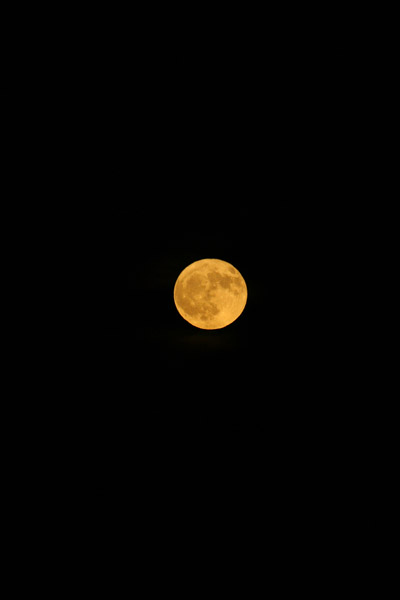 The moon, however, was more cooperative. As you can see from the widget on the sidebar there [okay, maybe not] the moon was full last night, and rose with a lovely golden hue. For reasons unknown, I hadn’t brought the tripod along, so I was forced to shoot handheld, not the best of options for clarity in telephoto shots. The old Canon 100-300 L lens was in my corner though, and I got more detail than I really expected. To give you an idea, the image to the right is the full frame of the detail crop that’s coming below.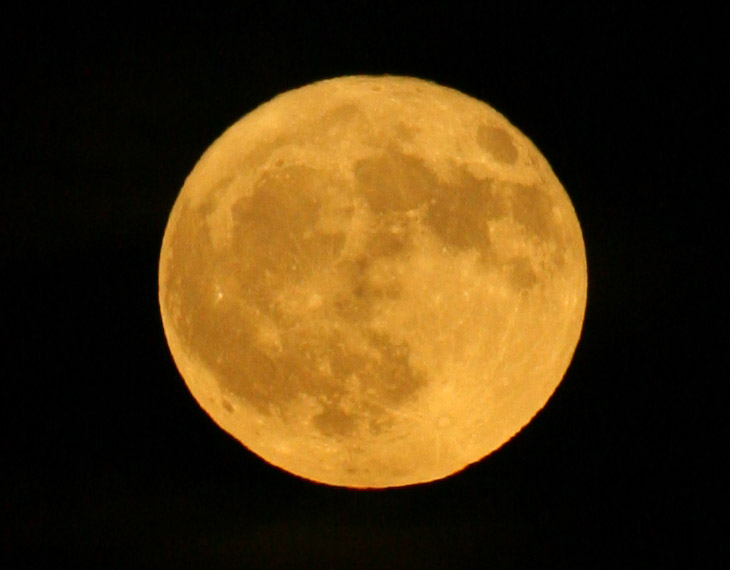
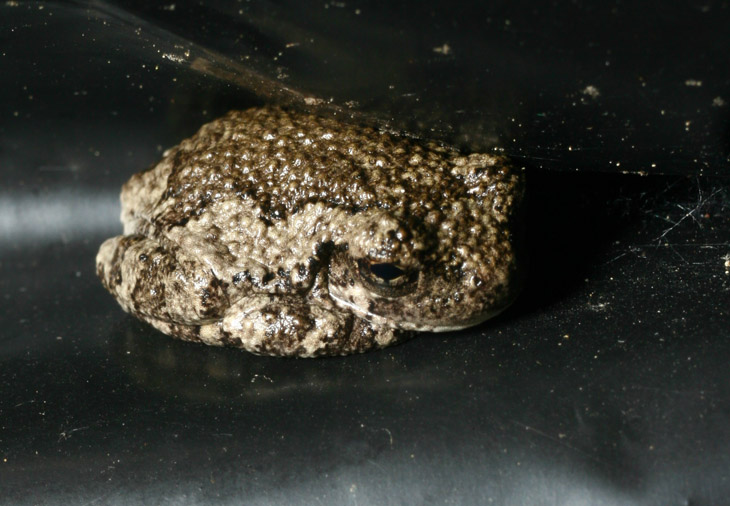
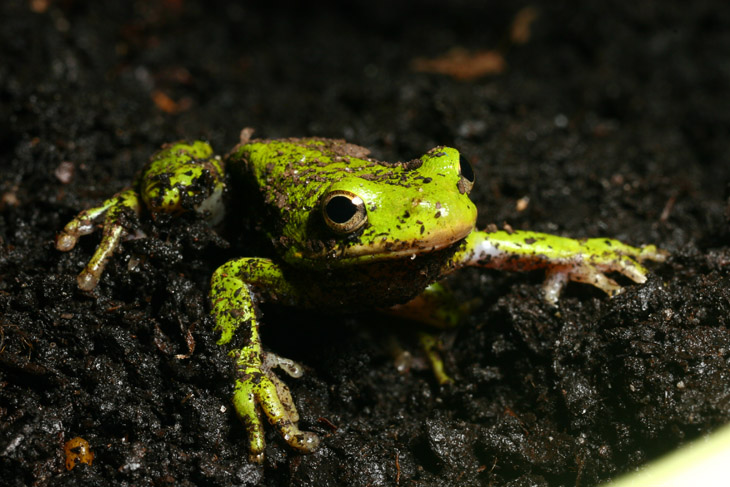
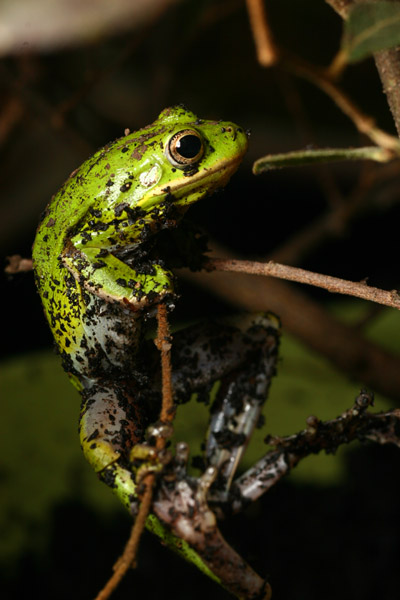 I quickly moved it to a safe location so we could continue our chores, but knew I’d be back to do a couple of photos. When I eventually returned, it had taken up a sleeping position against a rainbarrel, but I attempted to convince it to settle into the pot of the newly-transplanted bush, even very gently burying it to give it the idea – it was having none of this, and was making the effort to leave us well behind. After the images, we let it be and so have no real idea where it got itself off to, but I expect that we’ll see it again come spring, when perhaps it will have forgiven us. Or perhaps not. You know frogs and grudges.

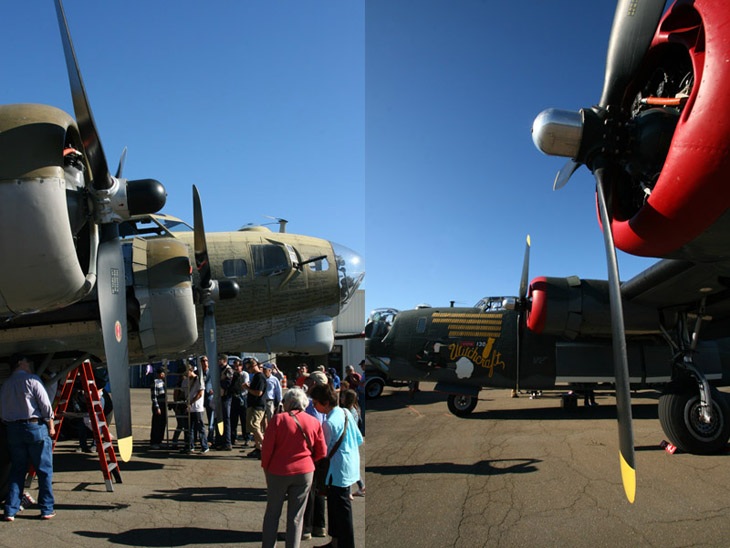
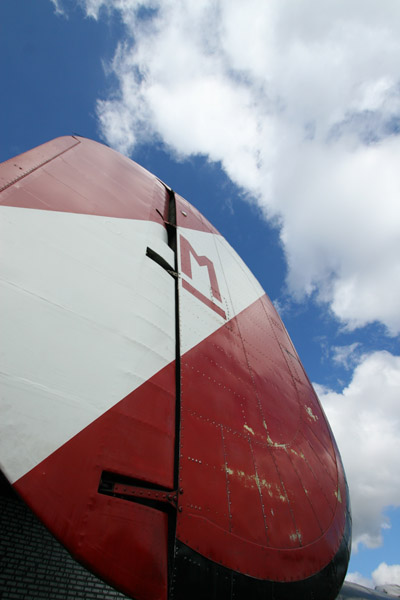 The day did indeed clear, so I have a nice mix of conditions from the Burlington session, but you’ll see shots from both – more fartsy stuff this time around, because I was experimenting a bit. This is the tail fin of the B-24J Liberator “Witchcraft,” which you’ve seen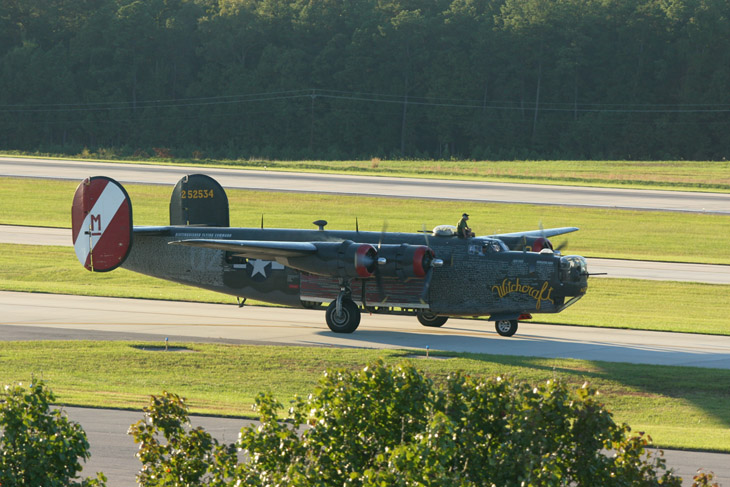
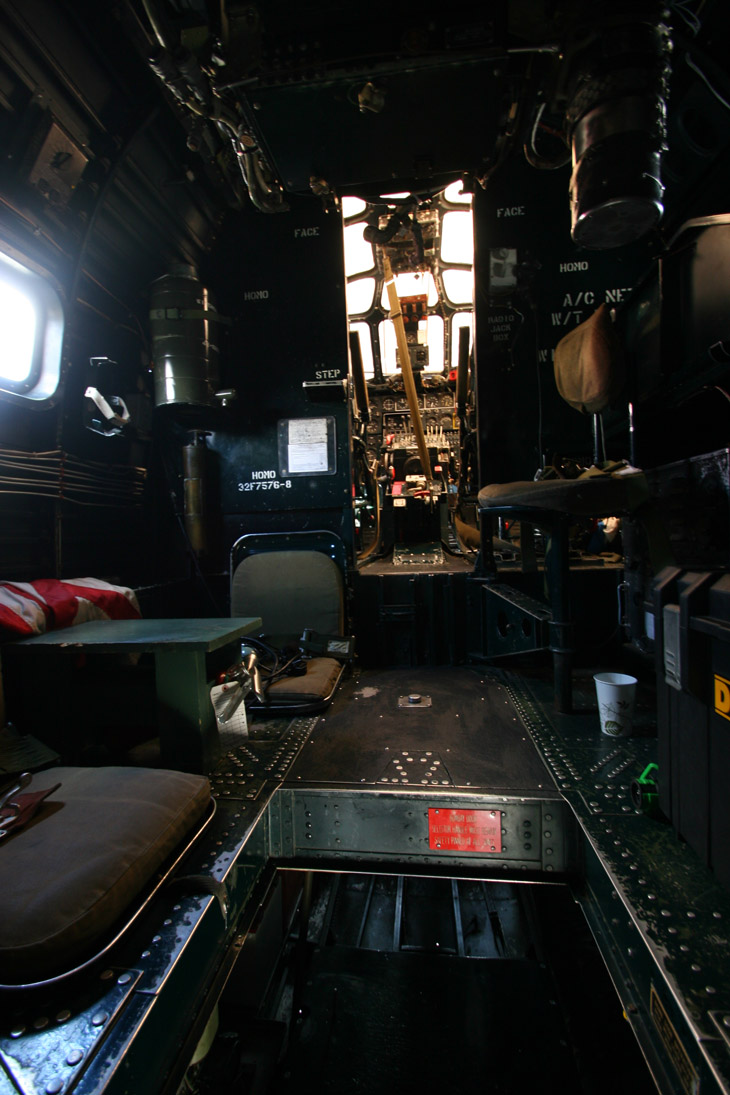
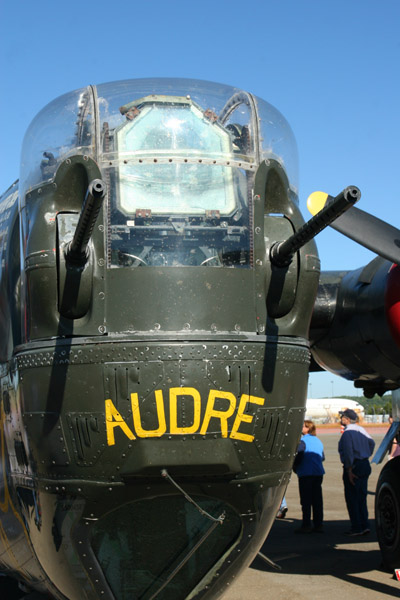 Above is a view of the interior of the B-24J, from the bomb bay looking forward; the bright area is the flight deck, while the immediate surroundings are the realm of the engineer (and top gunner) and radio operator. Further forward is the compartment that housed the navigator, bombardier, and nose-turret gunner – that hatch in the lower foreground allowed a tight access under the deck to the area, which sat below and in front of the flight deck. Using this access would have required one to crawl past the nose wheel, and I believe that the crew normally entered that section through the nose gear doors instead – still a tight squeeze. This area was closed off to visitors, so I simply poked the camera through the netting.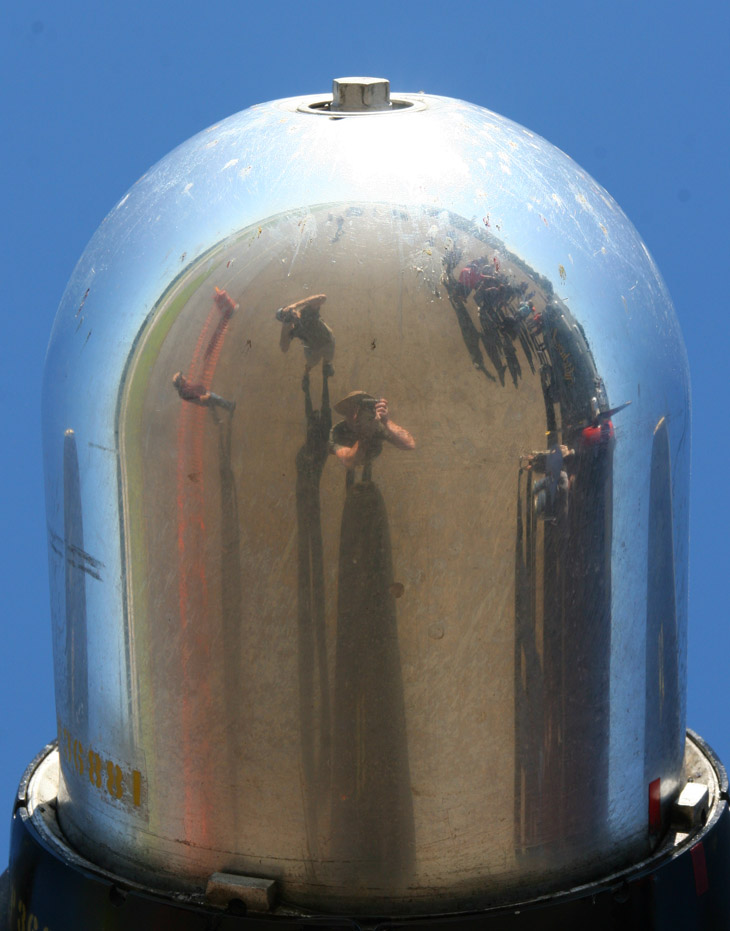
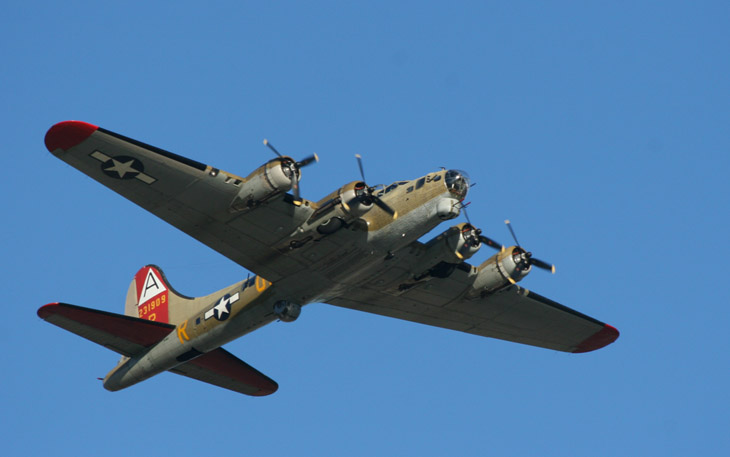
 A couple of very similar fartsy shots, as the weather at Burlington cleared up and became pleasant. The one to the left is the horizontal and vertical stabilizers (tail plane and rudder) of the B-17G “909” – it’s easy to see that the plane’s name came from the serial number, the other markings identify the bomber group and squadron, in this case the 91st Bomber Group (‘A’ in triangle) and 323rd Squadron (‘R’) within that group. High visibility markings permitted quick identification of aircraft for rendezvous, such as with fighter escorts or multiple squadrons meeting for the same mission. I incorrectly surmised in part 1 that the markings were fictional – I should have checked my pics of the placard that accompanied the plane, because it clearly says they’re based on a real aircraft that completed 140 missions without a loss of crewmember! This is, alas, not the same plane, which was eventually scrapped, but a stateside model later restored as a replica of a combat aircraft.

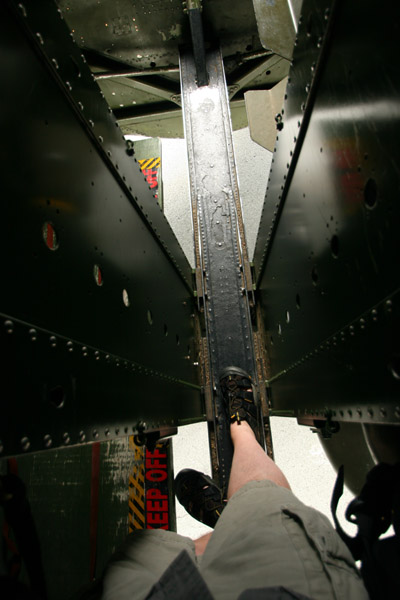 This is a view down at the catwalk through the middle of the (open) bomb bay of the “909,” the call sign of this particular B-17G, and yes, it’s only wide enough for one foot at a time. My main camera bag, a holster-style with two attached lens cases, was too wide to fit between the supporting frames of that catwalk, and it had to be turned sideways. To get here, one has to clamber awkwardly into the forward hatch, using something between a tight crouch and a crawl, then pass through the top-turret gunner’s mount that was stationed immediately before the forward bomb bay access door – those quarters were too cramped to actually allow any decent photos of this. The top-turret had a superstructure for the guns and turning motors, plus a platform that the gunner stood upon, and getting between these required crawling – I actually had to pull my knees through by hand to get them onto the catwalk, since they no longer will bend that tightly and readily on their own power. The only saving grace that I can offer about such tight access is that the crew almost never had to pass through the bomb bay during normal operations.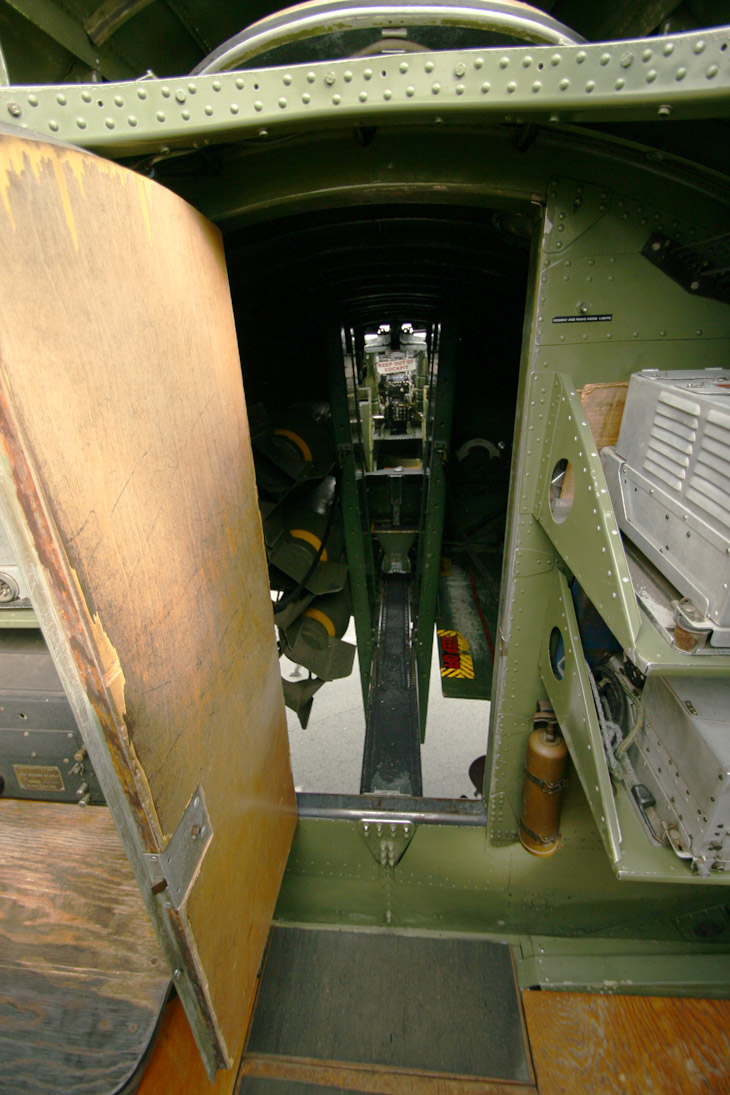
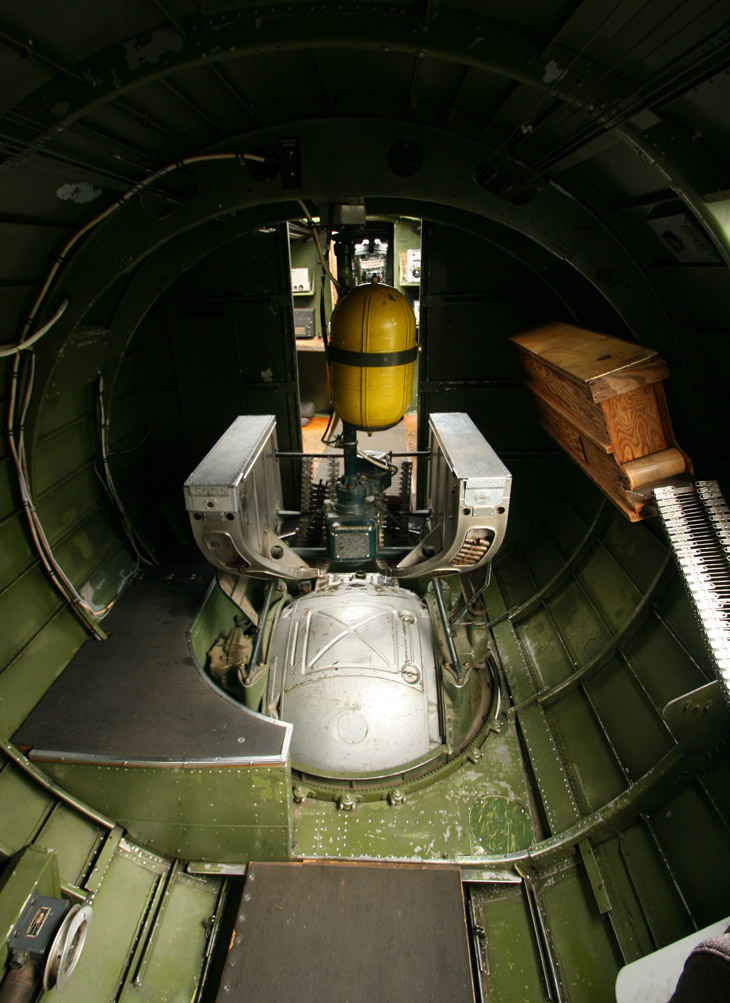
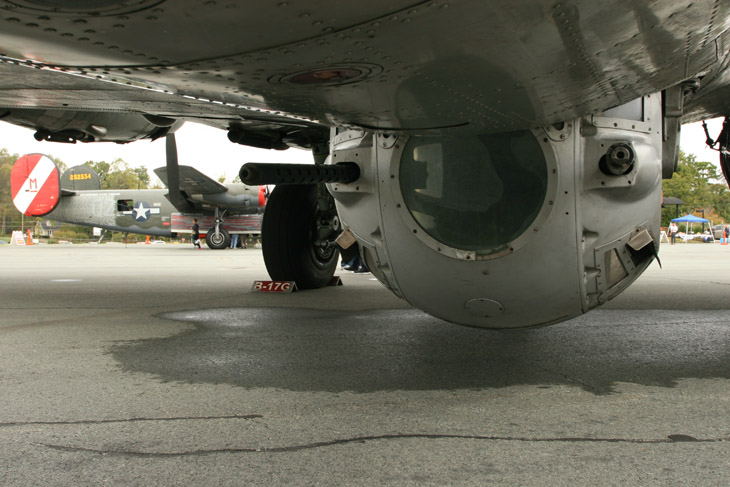
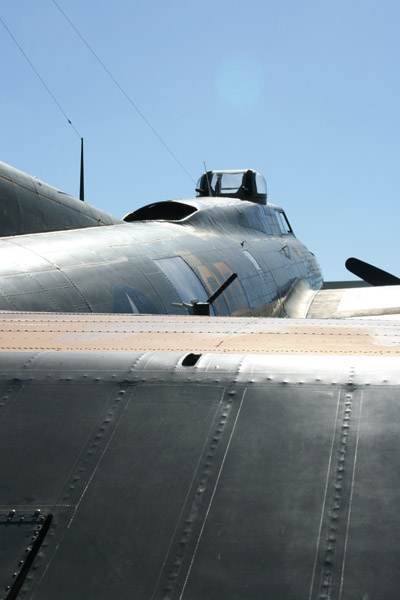 This is the first of my fartsy compositions, shooting over the horizontal stabilizer (tail plane) of the B-17G towards the nose, showing the starboard waist gunner’s emplacement and the open hatch over the radio station, with the top turret in view beyond. Notice how the waist gunner station is enclosed, with the gun projecting through a gimbal-mount port; this was a new addition to the G model, and earlier models (and the B-24J Liberator seen in the background of the pic above) had open windows. Freaking frigid operations in those.
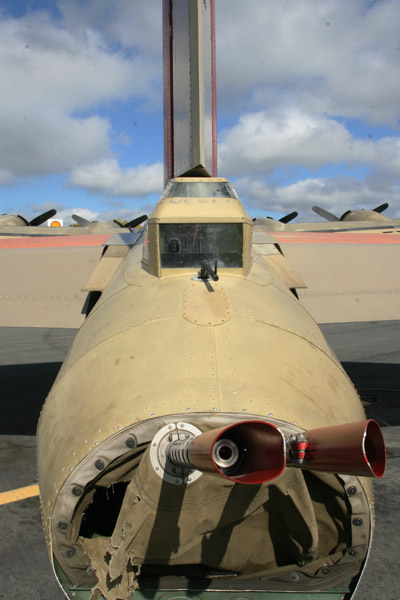 Moving just a bit further back and to the left, we have the tail gunner’s position; the fuselage has narrowed so much at this point that it’s just wide enough for someone to fit in there, and the sighting windows for the guns are not a whole lot more than a helmet. My interior access to this point was also denied – it actually stopped at the rear crew hatch that exists just behind the USAAF insignia and under the tail plane in the pic above. Most likely, between the tight quarters that people would have to back out of and the need for clambering around the tailwheel structure, it was deemed just too much of a risk and hassle.