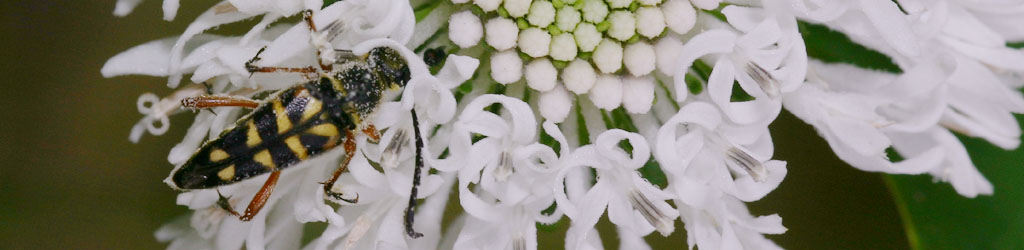
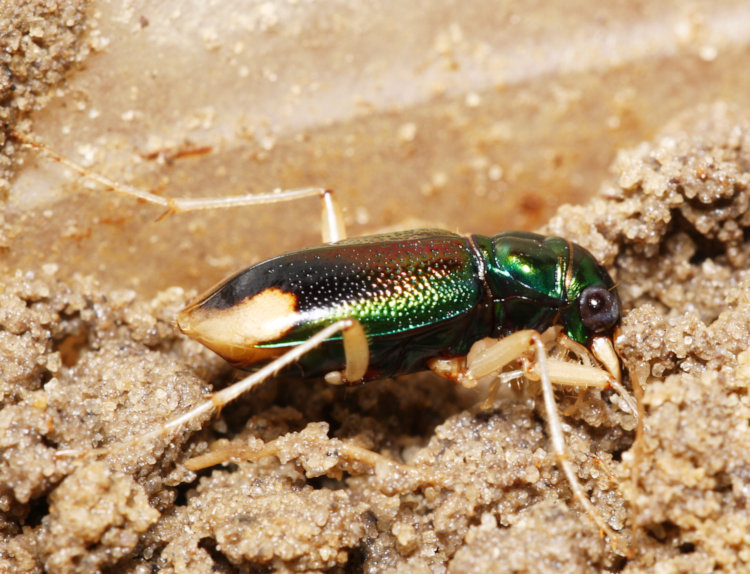
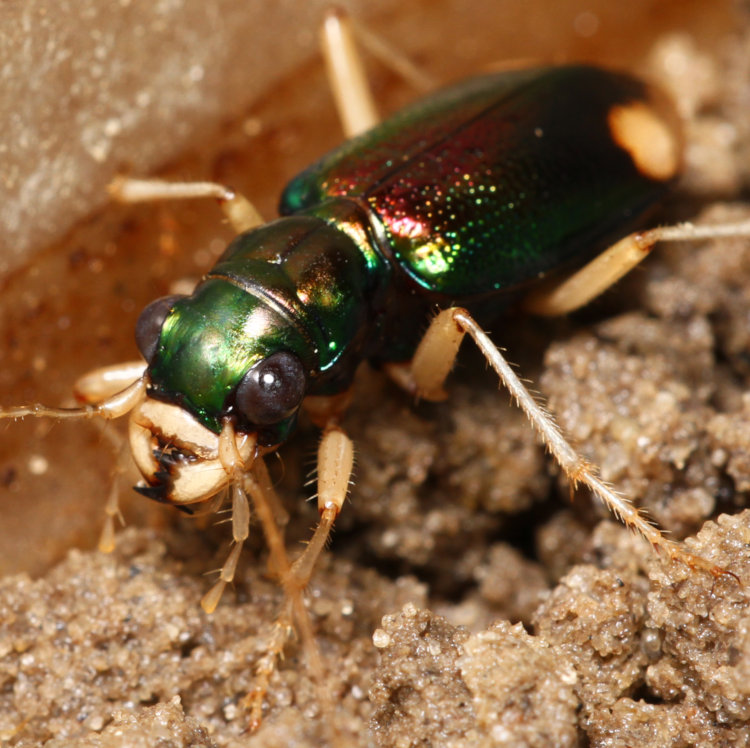
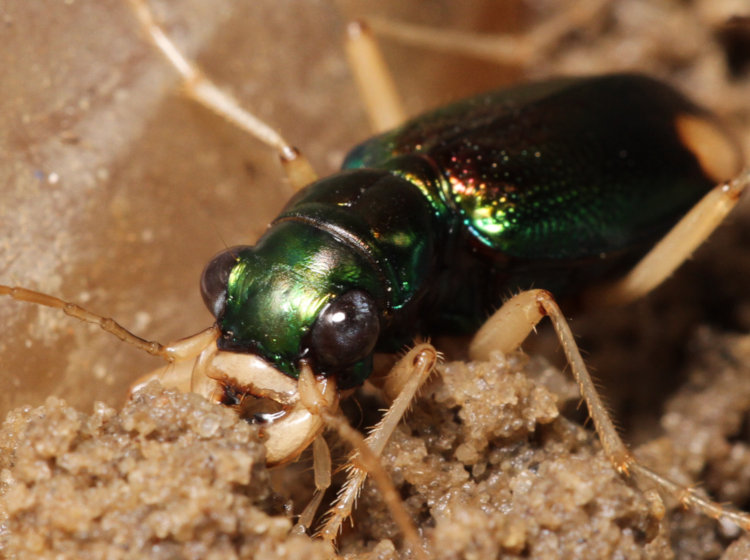
It’s been a while since the Magic Bucket of Variety has caught anything more than beetles, and in fact, it’ll be a while longer, since this is a beetle. But it’s a beetle I haven’t seen before, so it’s getting featured here.
I knew right away this was a tiger beetle, since they have some distinctive traits like the spots on the abdomen and the eyes and chelicerae, but a species I hadn’t seen before. It was easy enough to find, but not through BugGuide.net – they have a weird thing where too many hits on the search term will stall their servers or something, and the page comes up blank, so I found this with a basic Ecosia search and then plugged in the appropriate scientific name, which is Tetracha carolina, more commonly known as the Carolina metallic tiger beetle. The species I’ve always seen before, and featured just once herein, is the brilliant green six-spotted tiger beetle, a bit larger than my specimen here.
Tiger beetles are hyperactive, which makes doing macro work rather challenging, but at least this one wasn’t inclined to fly off like the six-spotted variety – I probably wouldn’t have found it in the bucket if it had. BugGuide notes that it not only is attracted to lights, which means it likely dropped in there last night after banging around the glass on my office door right above the Bucket, but “Apparently, does not fly often.” Still, it didn’t like holding still for very long, so while it remained in the shallow dish I was using as a macro studio, it frequently scampered out of focus range before I could trip the shutter. It’s overall length was probably in the realm of 12-14mm, so I was aiming for high magnification, and that means the range of sharp focus is measured in a couple of millimeters at most.
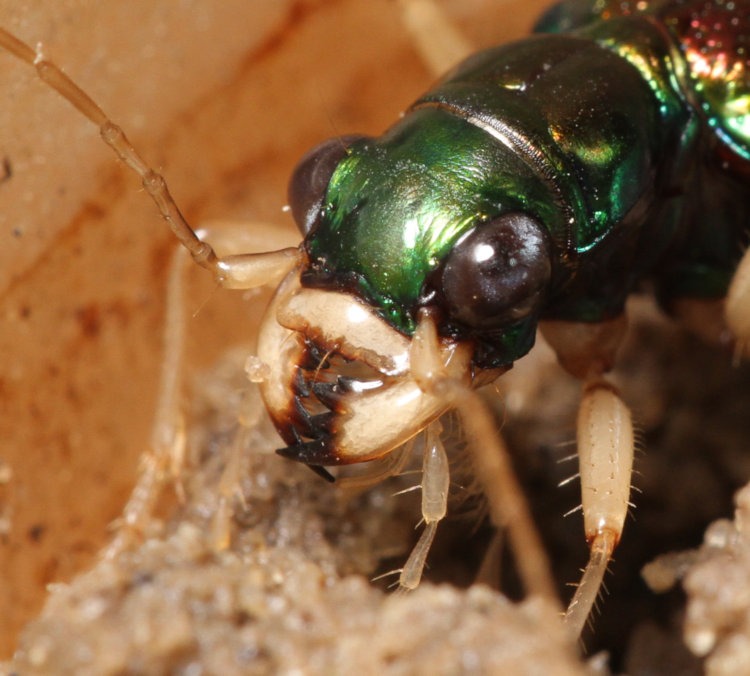
It also tended to plow through and rearrange the soil that I was using, obviously unimpressed with my interior decorating skills. Since I wanted detail shots of the head and especially those mouth parts, this wasn’t helping at all. I also need to look into making a light tent to go over such subjects, to diffuse the light more than the custom softbox – which may or may not work with such reflective and iridescent chitin.
I did finally get some detailed shots of those nasty little jaws, or chelicerae, which it uses to snag other insects as food. There’s an interesting trait seen here, too, in that the sharp-serrated bits of those jaws are dark reddish-brown. I’ve seen this in spiders, where no matter what color variation the spider has, the fangs are always reddish-brown. This may indicate that the harder, sharper chitin for such things has to be that color, by nature, but that’s only speculation based on observed similarities, though I’ve observed it a lot.
Once I was sure I had a few detailed frames, I let my subject go its own way, though not until after I’d unearthed it from beneath the soil where it had secreted itself. You know you got wings, right?
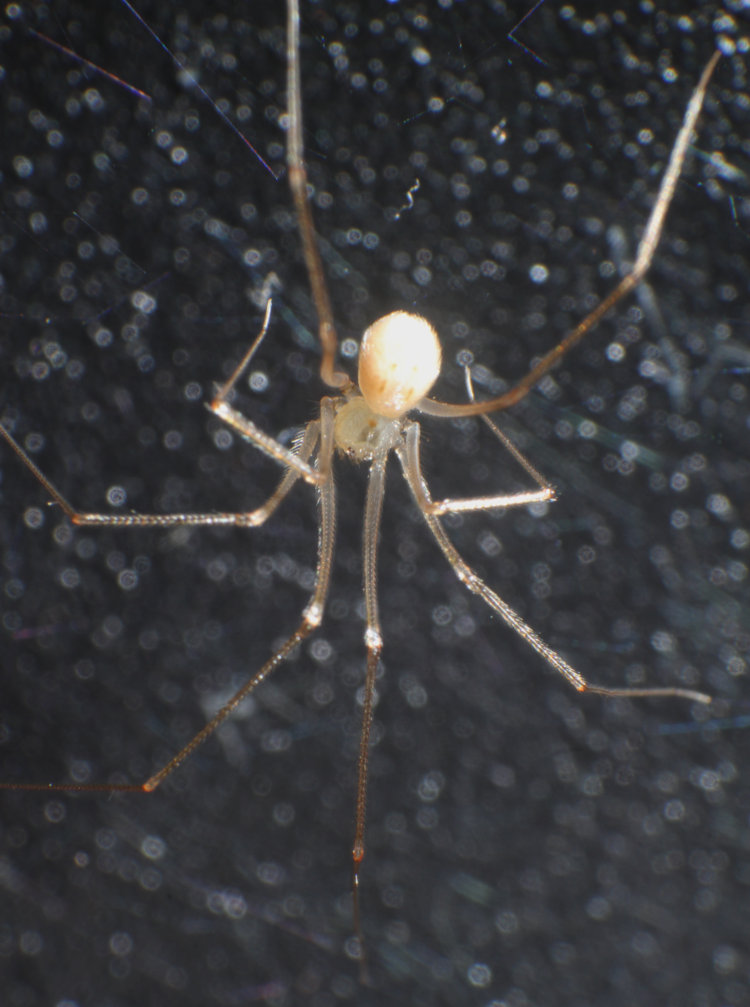
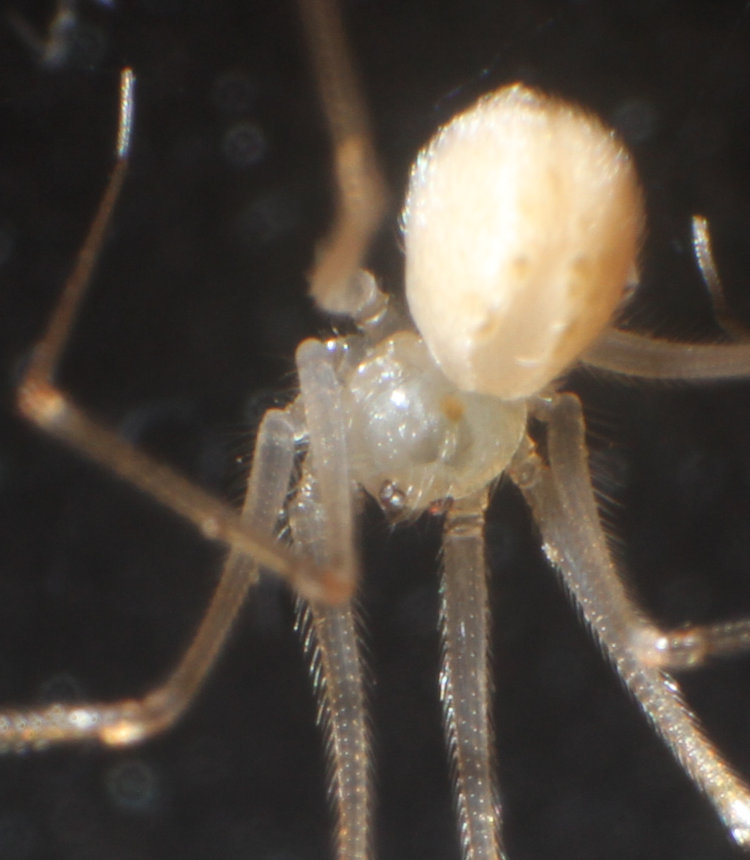
While troubleshooting the 3D printer the other day, I flipped the entire chassis up and discovered that, in a hollow under the main deck, a tiny spider had made its home. This is not particularly surprising, since plenty of species seek out little undisturbed dark spaces like that to make their webs, intent on capturing, I dunno, dust and ghosts it seems – it’s hard to say what kind of insects can be found there, but enough spiders use such areas that something must be edible therein. This one, however, was a proud mother, or at least a successful one.
I never got scale for the mamma, but I suspect the abdomen there is less than 2mm long, overall body length under 5mm – it was not a big space, and she had lots of room. I was using the reversed 28-105 just to get any detail at all, but what I got was enough to point me in the right direction in regards to identification.
To identify any spider, you start with the eyes, and while I didn’t have a very good angle on her, this is just enough to make out what seems to be two clusters of three eyes. That, and the body length, suggested that this was a shortbodied cellar spider (Spermophora senoculata.) This certainly fits with the location found – to a degree. They’re not native to this state, or indeed this continent, having been introduced from Europe. “Introduce” is perhaps a misleading term, since it probably wasn’t intentional or at a party or anything, but simply riding along underneath someone’s furniture while it was shipped over – cellar spiders (Family Pholcidae) are the typical spindly, often semi-translucent species that leave behind little white egg case balls under dressers or that old chair in the garage.
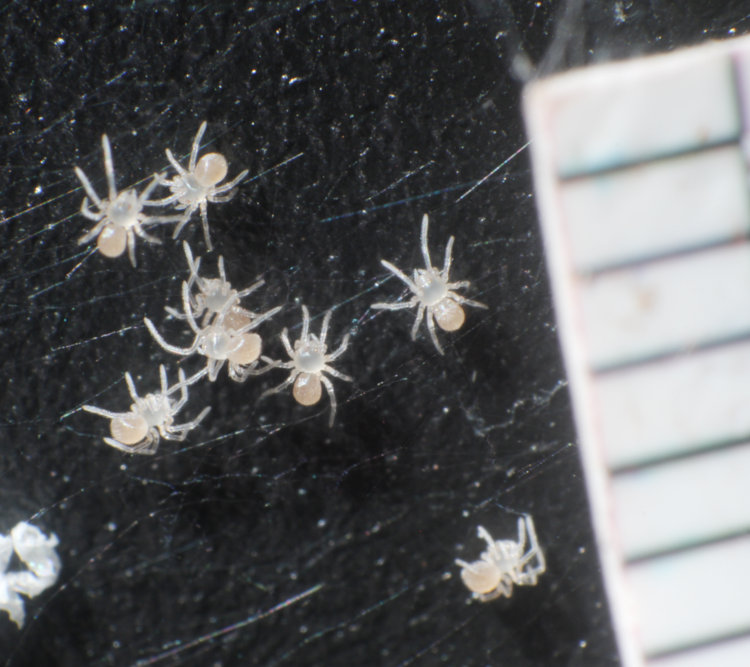
Now let’s see the newborns. Bear in mind that, from my examination at a standard viewing distance, they were mere specks that I wasn’t sure weren’t just the empty eggshells from the hatching – I had to poke gently with a needle to provoke some movement from them and confirm they were the actual bebbies.
I also got a paper millimeter scale in there, suspended from the web and thus slightly closer to the camera than the spiderlings, but it was enough to confirm that their body length was less than a millimeter. Get out your own ruler and look at that – and then, again, ponder just what the hell they were feeding on.
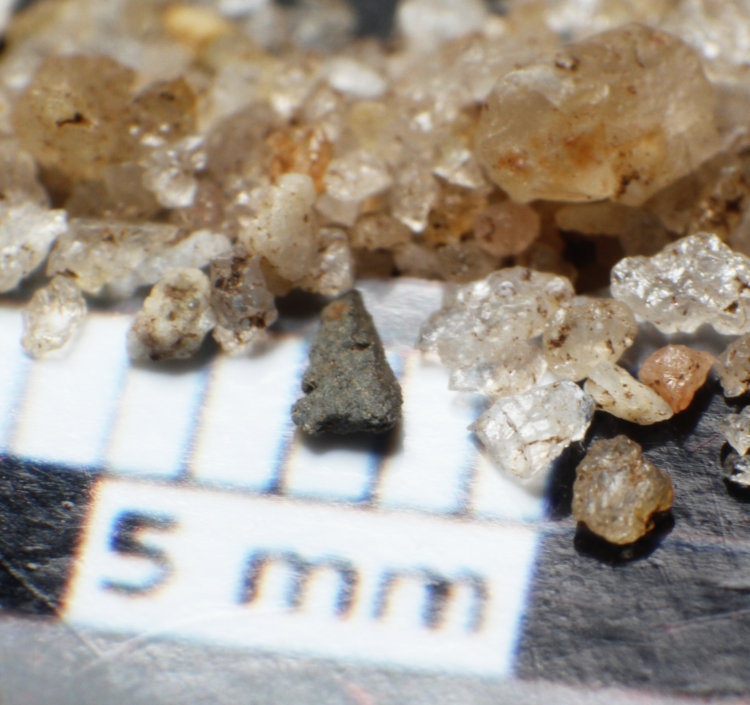
Aw, hell, here’s another scale shot I just did:
That’s just sand on the same scale – granted, it’s the coarser North Carolina quartzite sand, but still sand. You could roll some of these at all those little Indys, send them fleeing in terror from the temple…
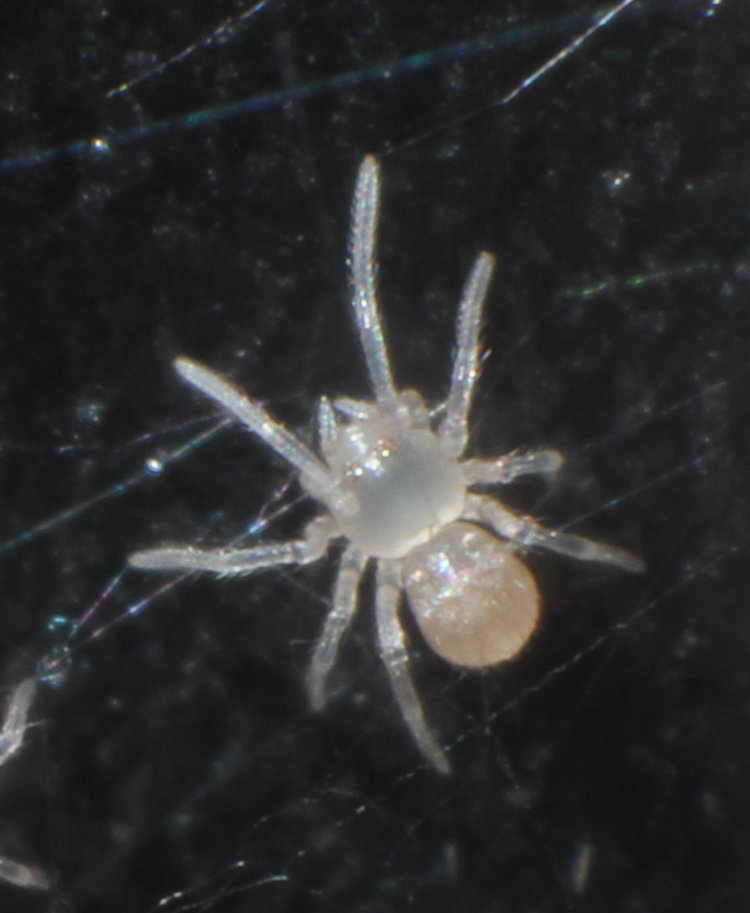
And closer to a newborn, for detail:
I’m playing around with getting sharper, more consistent results at this magnification, so we’ll see what happens, but for now, this is what we have, with eye reflections anyway. Those hairs on the legs are just a few microns in diameter, if that – perhaps less than 1 µm. I’d still like them to be sharper, but that’s what macro photographers do. “I just want to see the electron orbits…”
… which only means two nights ago now, since these got bumped by a heron.
Did a nighttime patrol, specifically looking for something since The Girlfriend and I saw evidence while we were out on the deck grilling steaks (back when it was daylight.) However, we’re going to build rather than doing them in order, because dramatic writing (well, typing) and all that.
I had the 180mm macro lens affixed, so this is better than the normal 18-135, but certainly not up to the 150-600.
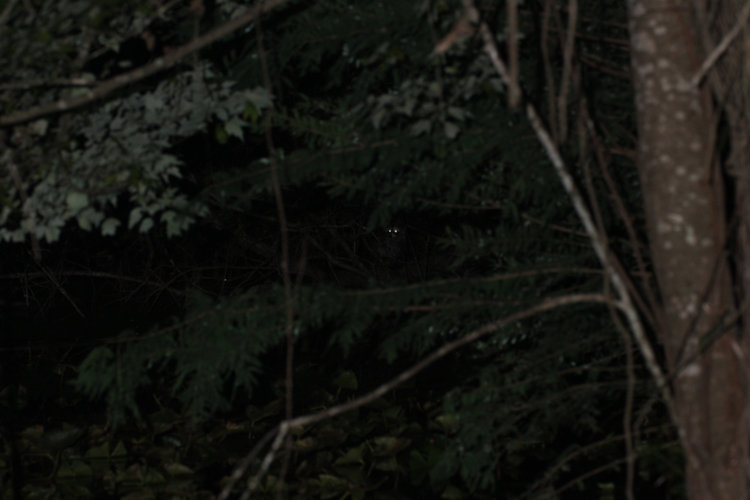
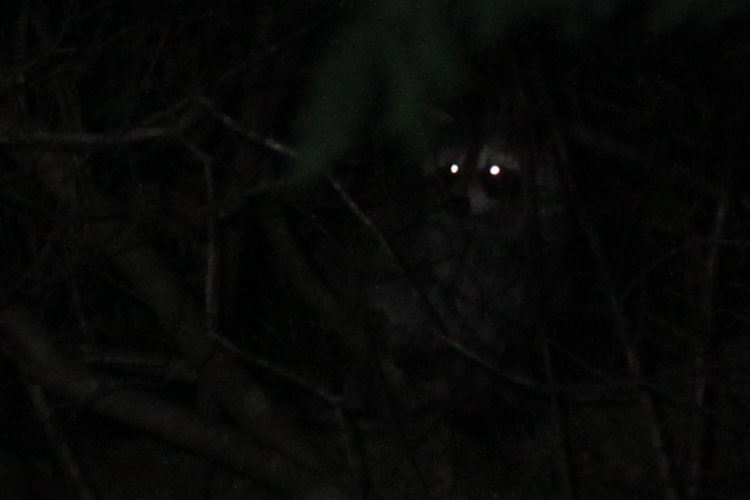
It’s a fairly regular occurrence to have some eyes reflecting the headlamp back to me from somewhere around the pond edge, and these were holding reasonably still, allowing me time to focus and adjust the flash for maximum power – since it’s a small flash for the macro rig, that’s not a lot, probably 1/4 what the Vivitar 285 would do, but here we are. Still, it was enough to reveal some further detail when we crop a bit closer.
A North American raccoon (Procyon lotor,) which it almost always is, since they’re routinely foraging around the pond at night. Occasionally it’s an opossum, but that’s rare. Since this one was maintaining ‘eye contact’ for so long, I’m guessing its one of this year’s brood, since I mostly see them glance at something that might be a threat, then move to a safe location, then glance again to confirm – brief contacts that don’t draw attention. A pair of kits went waaayyy up the tree on the point one evening when The Girlfriend and I took corn down after dark, then had a brief squabble up there over footing I believe. The sounds raccoons make when squabbling are way out of proportion to the usual seriousness (lack thereof) of it, chittering higher-pitched howls that carry quite well – I hear them through the office door 2-3 times a week.
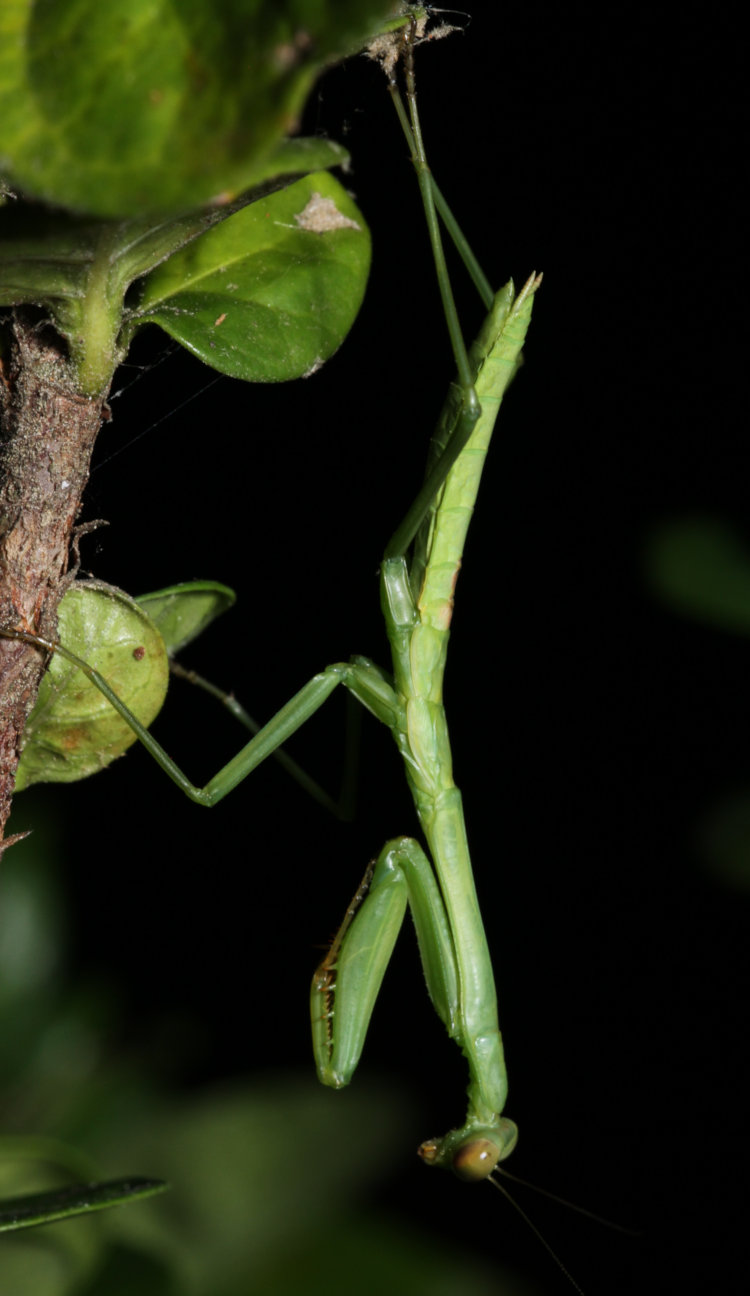
One of the diamond-spire gardenias (seriously, the scientific name is Gardenia hybrid ‘Leefive’ PPIP) has been hosting a resident for the past few days.
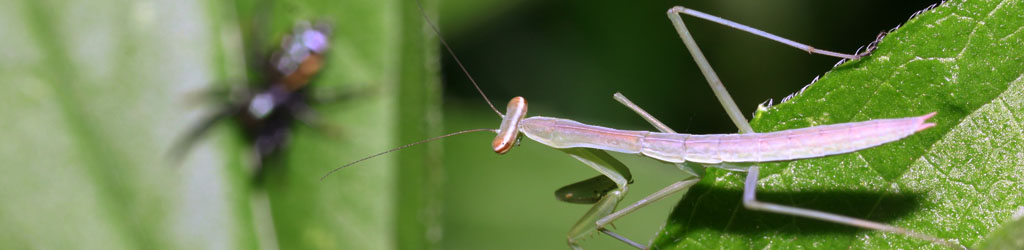
That’s a young Chinese mantis (Tenodera sinensis,) or at least I’m assuming so – I have yet to see a European one around here, despite hoping, and the identifying characteristic is between the two forelegs, so hidden here. Maybe about 40mm in length. I went in for the closeup, but this is also cropped a bit:
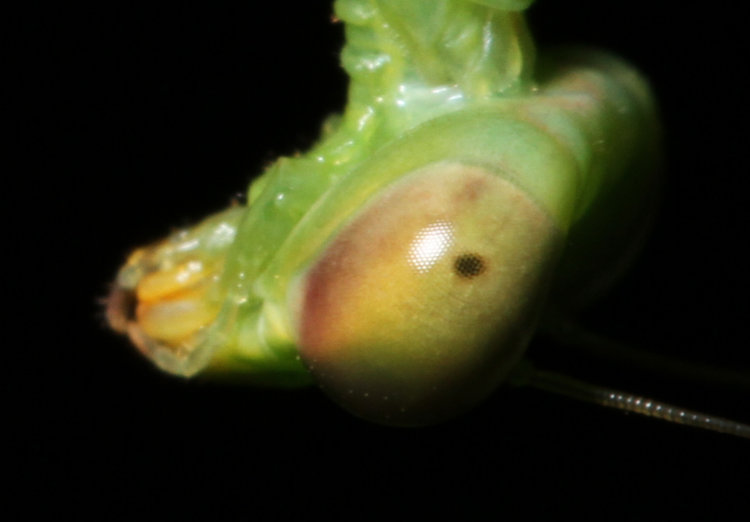
Little peek at the eye facets there, and I’m realizing as I type this that these should be black, the colors mantid eyes change to in the dark, but perhaps it’s too young for that? I need to go back and check my stock.
I have to note, while I was maneuvering for the best angle, one of the barred owlets was in the tree over my head, rasping for food, but it had moved on a little by the time I stood up and began searching the branches. They seem to be sticking around the area, though.
Okay, now on to the topic that I was actually out there looking for.
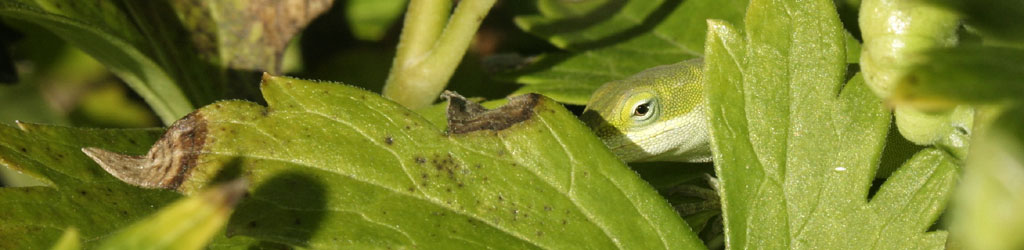
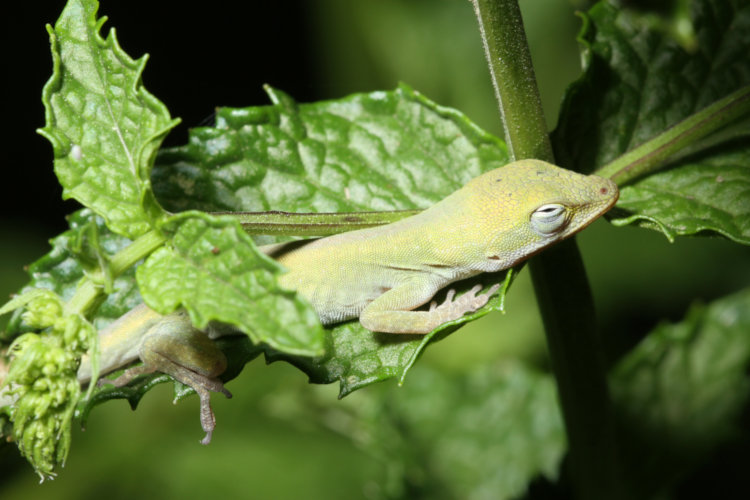
It’s about that season, and they’re starting to appear. The Girlfriend and I had seen a newborn Carolina anole (Anolis carolinensis) running along the railing of the back deck, and so I went out to see how many I could find sleeping, as they do, on ideal leaves. This was certainly not the one we’d seen, being on the other side of the house on the spearmint plants, but it shows that the hatchings are now taking place. I don’t have scale for this one, though you can see the new leaves and flower buds of the spearmint to the left there. I did better for the next.
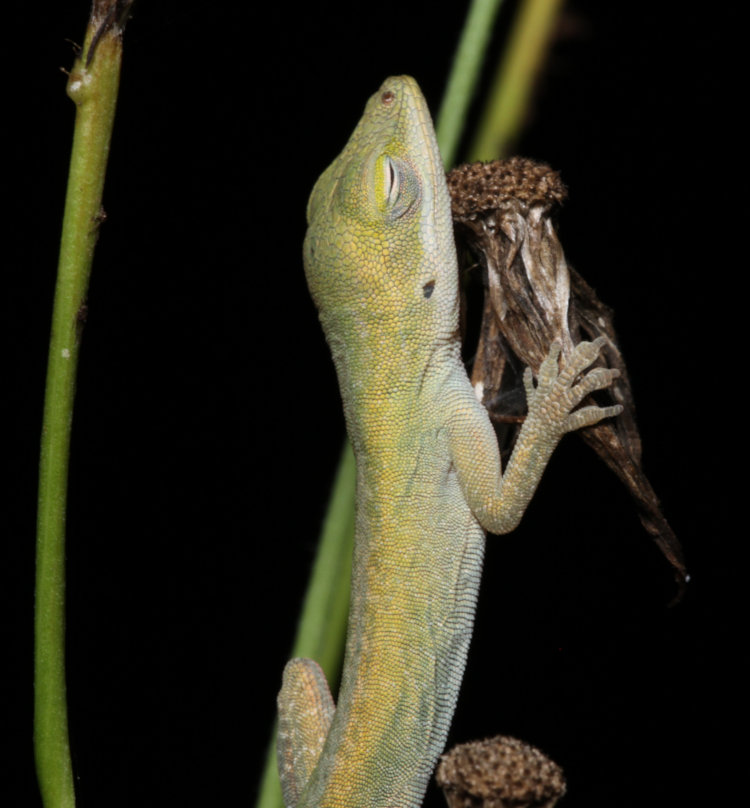
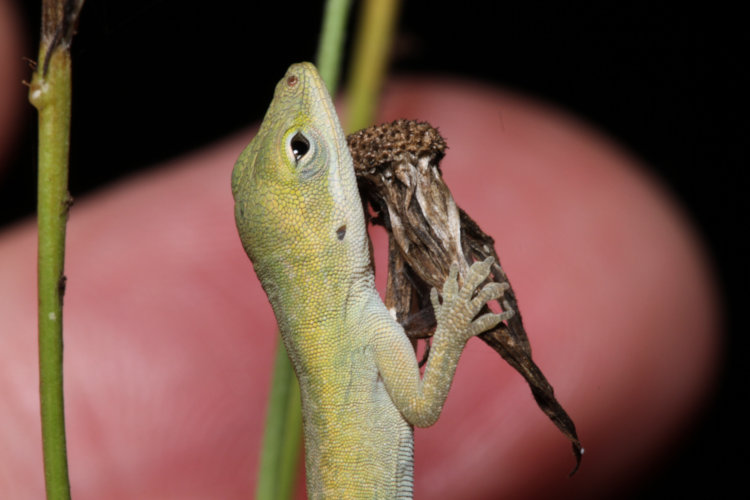
This one was even smaller, and I wish I could tell you how long after hatching this might have been, but I’ve never seen them when hatching or just afterward, and I don’t know if they’re running around immediately afterward or remaining secreted in the leaf litter that the eggs were hidden within. That is a tiny dried flower bud that it’s clutching, but I did a better scale shot.
I hadn’t touched the weed or the anole while doing this – my finger is still nearly 2cm behind it – but it was catching the headlamp and so the anole could see it and was getting suspicious. Gives you a decent idea, though.
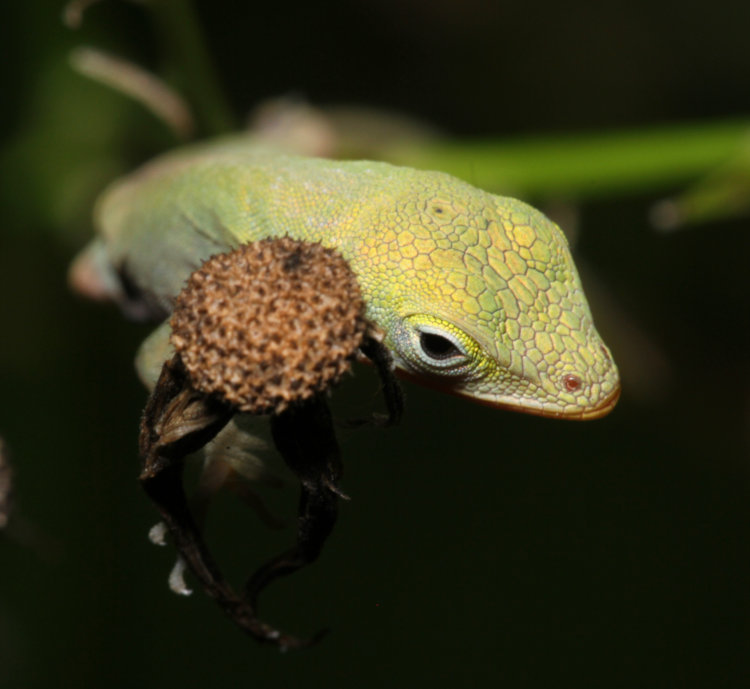
And the fartsy frame:
I just went out to measure that bud, since I know right where that weed is – goes to show you how dedicated a researcher I am, since it’s hot as fuck out there right now. There were several candidates for this particular bud, but they ranged from 4-5mm across, so there you go.
I made another pass again last night, not finding this particular anole on this plant or anywhere near it, but did see the mint one again and found yet another. We’ll see how many really start to show up. And I’m still watching for bebby turtles…
This one really should have been covered earlier, but it’s not like people have signed up for a course or anything, nor did earlier posts rely on it. So let’s look at stability, or steadiness, or bracing, or reducing camera shake.
From working in a photo lab (you know, back in those film days, before cellphones even,) I can tell you the number one cause of poor photos is motion blur, the majority of that from the camera itself – or more specifically, the photographer. Lighting follows close behind, and the two are often related, but we’re dealing with camera shake right now. The shutter is open as long as it needs to be to let in adequate light for the exposure; sometimes this is extremely brief and camera shake is highly unlikely, and sometimes it’s notably longer and shake is virtually guaranteed without some kind of stabilization, the best choice usually being a tripod.
There used to be a common rule on avoiding camera shake/motion blur when handholding a camera:your shutter speed should match or exceed 1/[focal length] seconds. This means, with a 50mm ‘standard’ lens, your shutter speed should always be 1/50 second or higher, but with a 200mm telephoto lens, it should instead be 1/200 second, or higher. The reason being, the more the magnification, the more the shaking is magnified too. While not as distinct a rule now with electronic lens and camera stabilization, it nonetheless is not a bad rule to follow – it can’t hurt, in other words.
Also note that, below 1/30 second, you’re venturing into the realm of almost always having some motion blur – some people are better than others, but below this point, you need to be aware that you’re now actively attempting to avoid it with, at the very least, conscious efforts to remain still.
[Side note: moving subject matter is going to make things worse of course, and ‘motion blur’ can be caused by either the photographer or the subject, but at the lower shutter speeds, the likelihood of ‘both’ is significant. Not a lot you can do about moving subjects, except either getting the shutter speed higher in various ways, or using that motion to your advantage.]
So first, good stable handling. Right hand firmly on camera, thumb against thumb rest on camera back if it has one, palm down right side of camera body. Left hand underneath camera body, fingers extended forward to operate zoom and/or focus rings on lens as needed. If it’s a longer lens, this hand goes under lens instead, as far out as feasible, still within reach of rings as needed, but the hand can even extend out to the end of the lenshood if no adjustments are needed – just keep your fingers from extending into the frame over the end of the hood. Arms down tighter to body, elbows against ribs (except where the hand on the longer lens prevents this.) Camera up to eye, further bracing against face. Gently press shutter, don’t slam it – this won’t get the photo any faster and can easily jiggle the camera through the tension. When needed, especially when the shutter speed is dropping low, exhale gently and let the camera ‘settle’ in your hands as you lead up to the shutter release. And preferably, do this every time. At the least, it develops good habits and automatic awareness.
One technique that has helped me, with longer lenses, is to aim slightly above the subject/framing and slowly let the lens descend into position, that ‘settling’ above. This seems to relax the muscles better than having them all fighting one another through being too tense – this is also what exhaling does.
Still, this isn’t enough to prevent shaking in many situations, so what else can we do?
Tripod of course. There’s a posed question and answer often used in these regards: How often should I use a tripod? As often as you can. Most especially, the more value you’re placing on your images, or the more you might want to enlarge them, the more you should use a tripod. And, the best one you can afford and reasonably carry (which is not always the most expensive.) Even a cheesy little department-store tripod will help in some situations, but they’re deceptive – they can make you think you have more stability than you really do, and can even vibrate in a stiff breeze.
Sturdier means heavier, unfortunately, and there really aren’t ways around this. That weight is part of what keeps the tripod steady, through mass and inertia and even settling into the soil better, which is why the lightweight options like carbon-fiber can’t replace the heavier versions. Also, carbon-fiber tripod legs almost always have twist leg locks instead of levers, and these are more prone to both slipping and jamming – levers are far superior.
Heads are varied, and must be suited to taste. What they are and what this means:
Pan/Tilt. Typically what you get on those department-store tripods, often with a crank for at least the center column. Each axis is adjusted independently, requiring the loosening of multiple screws/levers to make any adjustments, so the slowest of the options, and usually do not tighten very well. Will almost always ‘settle,’ or shift from the weight of the camera after tightening. Also cannot handle a camera and lens with any decent weight to them at all, most times. Still, usually the lightest option available, often the smallest, so if these matter, it’s still better than going without.
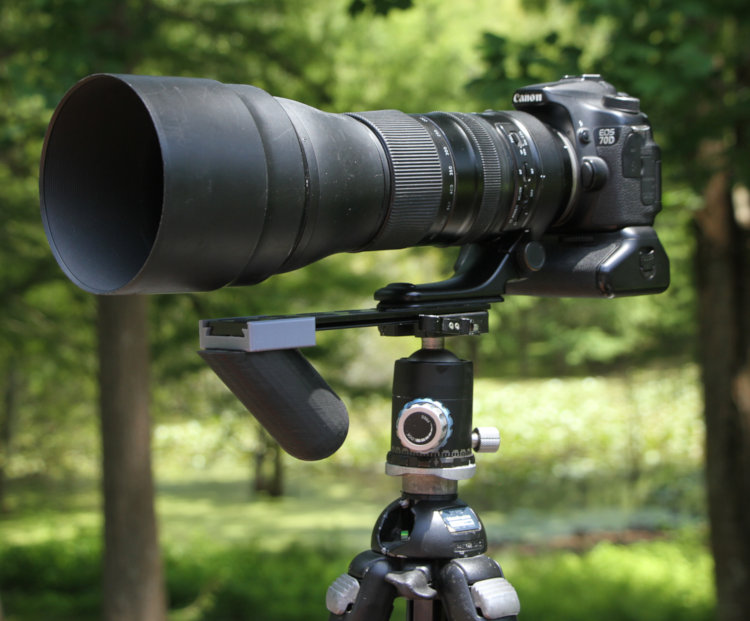
Ballhead. [Seen at top] Often considered the best for overall purposes, and certainly nature photography. One locking lever/knob loosens everything but the center column, allowing movement in all axes; many also have a separate pan lock to just allow rotation around vertical axis for panning. Re-aiming is quick, but a firm grip must be maintained on the camera when doing so. Ballheads come in a variety of sizes and strengths – the more weight they have to carry, the larger they should be. Many suffer from ‘settling’ under weight, especially at odd angles, though not as bad as pan/tilt heads usually are. It’s not quite a heinous as, “You get what you pay for,” but trying to go as cheap as possible will not help. The gold standard is Arca-Swiss, usually the B1 – also among the most expensive. [I have not used one, because I am cheap, and cannot vouch for their value, but I get by with one less than 1/4 the price, so…]
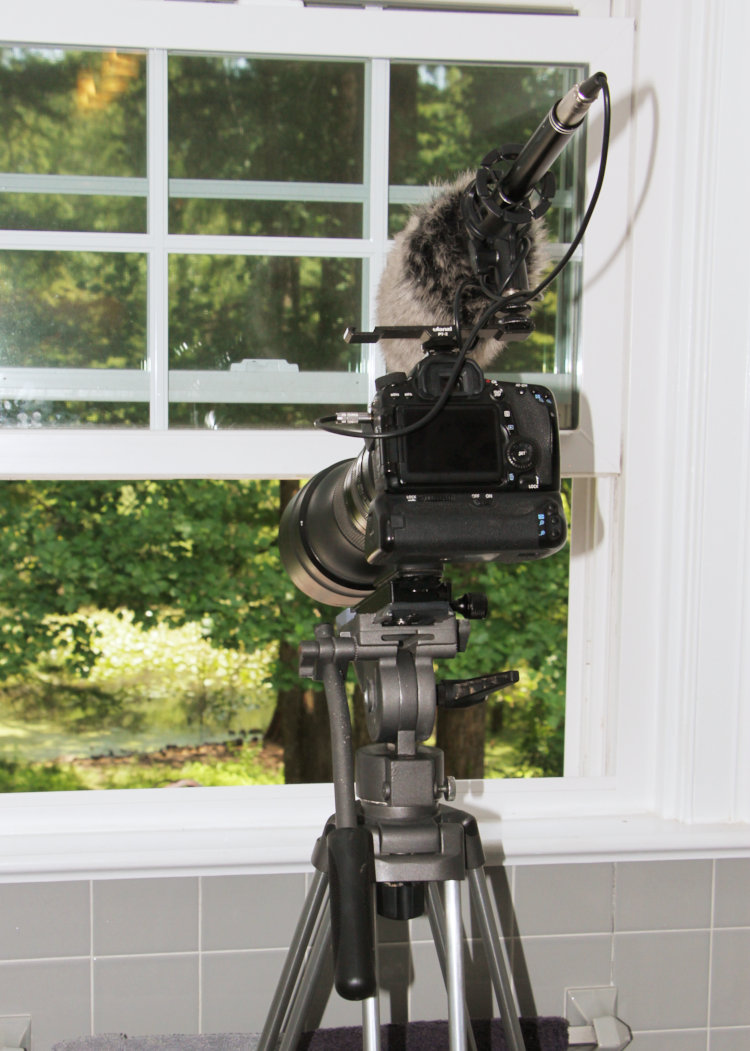
The rig for the pond edge by daylight: unknown fluid head and video tripod in bathroom window Fluid Head. A variation of pan/tilt, but intended for video, these have dampening to help reduce or prevent sudden movements and jerks. They also have a long arm out the back to help with aiming, though this gets in the way when aiming high enough. A light camera rig can get by with an inexpensive fluid head, but the heavier your camera and lens, the more you’ll want a decent head. There is a careful balance point between the length of the lens and the tension to prevent sudden movements in the video.
Geared head. Used mostly in precision camera work where minor adjustments are crucial, perhaps even measured by degrees. Geared heads are a variation of pan/tilt but all adjustments are made by turning knobs or wheels – very slow, but not intended for quick re-aiming. Chances are, if you need a geared head, you’re well beyond needing my advice here.
Tripod Legs. If you’re looking at the different heads above, you’ll want legs that allow switching them as needed. Your uses will dictate what you’re looking for. Travel and backpacking photography will necessitate a smaller, lighter set, while long telephoto will virtually demand a heavier set. The tripod at full leg extension should bring the camera to eye level without raising the center column, or close to it at least. The center column is the weakest link, allowing the most vibration even when the legs are firmly planted and stable, so extending this is the last resort – you are better off sitting on the ground to aim the camera rather than extending the center column, especially when the shutter speed gets slower. Also, the least leg extension you can use to get the job done, the better, especially with telephoto lenses which magnify those little vibrations. Lever locks on the legs, as mentioned above, are far better than twist locks, also usually allowing tension to be adjusted on ‘full tight’ – you shouldn’t have to crank the levers too hard, but you also don’t want the legs to start slipping, especially as they get colder and contract a little.
More leg sections mean a shorter tripod when collapsed, but also more instability, and more time to extend. A non-geared center column is fastest and easiest to adjust, but again, hand on the camera when loosening.
Independent spread legs (meaning you can open/spread each by whatever amount works best). Yes, get them, especially if you might work anyplace that doesn’t have level, prepared surfaces. Far too versatile for the minimal extra cost, but most decent leg sets offer this anyway. Linked legs that all open together by the same amount are usually found on department-store tripods, video tripods, or telescope tripods, but really, there’s no compelling reason to have them, even if they open slightly easier.
Center columns that pivot or can be removed and mounted sideways. I’ve had these on multiple sets of legs, and use them less than I thought, mostly because the subjects that benefit the most, like macro work, don’t permit the leg spread that keeps the camera stable too often. And mind that leg spread, because using such columns changes the balance hugely – it becomes very easy to bump the tripod and send the whole rig tumbling. A counterweight on the opposite side is never a bad idea. Overall, the option can’t hurt, but may not help nearly as much as imagined; they’re useful for straight-down things like copy work though.
Multiple tripods. Not a bad idea, especially if your uses are varied – I have several, and several different heads. Importantly, if you have any kind of quick-release (which is very useful,) all heads need to be compatible or you’re negating the value of leaving the plate on your camera(s).
Tighten those quick-release plates on the camera(s) periodically, too. I made a mini-screwdriver for my keychain that fits the locking screws better, and is always on hand.
Add-Ons. There are several different things that can be added to tripods, from straps, to weight hooks on the bottom of the center column for added stability, to leg padding (I just use pipe insulation, many times cheaper,) and so on. Only one, that I know of, is aimed at addressing one of the more common issues when using long lenses.
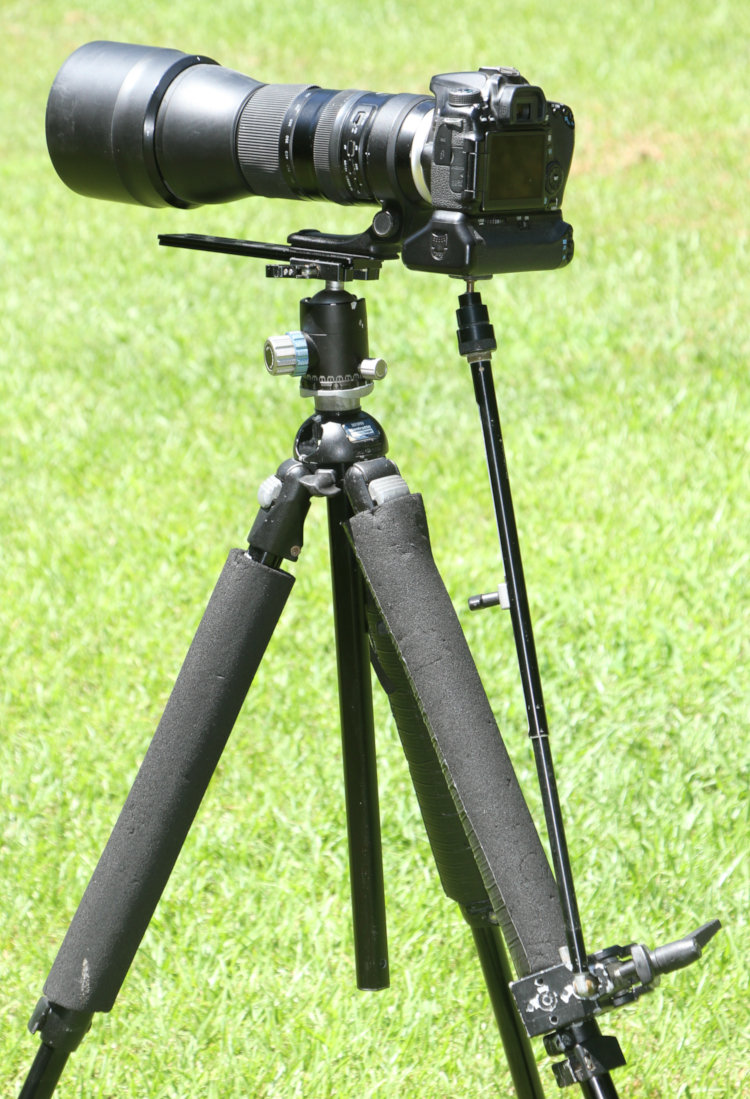
Any decent-sized lens offers a tripod mount that keeps the entire rig more balanced, rather than relying on the camera body to hold it all up – they should always be included in the cost of the lens as a standard accessory, but not every manufacturer does that. The problem is, support at the balance point means any force on the ends, camera or lenshood, sets up vibrations that can soften the shot, especially if the shutter speed is slower – and merely tripping the shutter (with the reflex mirror slapping up suddenly) is enough to do this. Using the mirror lock-up option can help, but it means a delay in every shot as you wait for the vibrations to die down. Manfrotto, however, makes a long lens support (Manfrotto 359,) an additional stabilizing arm that goes between tripod and camera body to dampen those vibrations down significantly.
This does help significantly – but generally in pretty narrow circumstances. It has to be tight of course, but there are three things to loosen to adjust it, not counting the tripod head itself. So for tracking wildlife, well, you’re not, not and getting any benefit from the LLS, so it’s pretty much for fixed subjects, and works better for shutter speeds between 1/15 and several seconds – this is more like astrophotography. It’s also a significant addition to the stuff that’s carried, so I usually end up putting it away and the forgetting to get it out when it’s really useful for those moon shots. I’m, again, endeavoring to do better.
Non Tripods.
Monopod. One leg, straight under the camera (more or less.) Obviously not as steady as a tripod, but surprisingly useful and easy to maneuver, handy for sports and occasionally video. While supposedly preventing movement only vertically, they hold the weight of the camera and so a lighter touch is needed to keep it from moving in any other direction. In short, I recommend having a decent one, especially when hiking or when setting up a tripod is detrimental (noise, time, space, terrain, etc.) The number of leg sections is less of an issue here simply because they’re usually vertical, so saving some space is easier. I would recommend one with at least a tilt head, because shooting at anything other than level is problematic without it – you end up leaning the entire monopod and negating a lot of the value. My biggest issue right now is, I have not upgraded to one that has the same quick-releases as my tripods, and so have to remove those plates when I use one. I know, I know, do as I say, not as I do…
Bean bags/sand bags. Just what they say, a loosely-packed bag that can nestle the camera when used on the ground, or a surface at a convenient height. Never used one, can’t see the value (especially when lugging it along.) Good, I suppose, for when you’re crawling through the undergrowth to shoot that shy subject unobtrusively from ground level, but I’ve done that maybe twice – I know I balled my fist under the telephoto lens tripod mount one time…
Step strap. I don’t know what you call these properly, if they even have a name – they’re mostly homemade. A strap or rope that attaches to the camera tripod screw and dangles; step on it, pull camera up to tighten strap, the tension is supposed to help stabilize it. Useful in places that don’t allow tripods or monopods, easy to pack into a bag of course. I’ve made two of these, never used them. Perhaps a help, but they don’t have the weight-carrying ability of a monopod, in fact making it worse since you’re pulling against the tension of the strap too.
The environment. You’ll end up using this from time to time, perhaps often. Just lean against a fence, tree, post, other person (permission is advised) – whatever works. Slightly worse than a monopod, but still helpful in a pinch. With a long lens, bracing the end of the lens works better, helping to prevent pitching, but be careful of how much lateral pressure you put on the lens, since it won’t help the zoom function or the camera mount itself – I usually brace the side of my hand on the tree/post, and then rest the lens on my extended fingertips.
You can also lean against a wall, especially if you’re like me and can’t stand upright without faint swaying (I would have been a big target for drill instructors in the military, had I been stupid enough to enlist.) Sit on the ground and brace on your knees. Prop on your bag or pack. Any little bit can help.
Technology. By this I mean, stabilizing systems in the lens or camera – there are a lot of them now. They work amazingly well – just, not to the extent that they’re usually advertised, unless you’re allowing for a lot of slop from the weasel wording of “up to four stops.” Typically, cut their claims in half and you’re more in line with what they can actually deliver, but this is nothing to sneeze at.
Here are the limitations, though. If you’re on edge or venturing over that guideline I gave first about shutter speeds, you’re probably fine, especially so if you’re maintaining the other advice about keeping the camera steady. So let’s go with the claims of “up to four stops,” which likely means just two. We have a 100mm lens on, which would mean, without accounting for the stabilization, we shouldn’t drop below 1/100 second shutter speed. Halved, and halved again (two stops) would make that 1/25 second – we could probably get away with that with the stabilization. Three stops is 1/13, maybe. Four stops is 1/6, doubtful.
Let me put it this way. I decided once to attempt a moving water shot without a tripod, setting the camera Shutter Priority at 1/5 second shutter speed to get the water blur I wanted. The Canon 18-135 IS USM lens managed it – for one out of four frames, and that was if I didn’t blow it up too far. I was endeavoring to remain steady, and was shooting at 19mm, so by the rule I should have been set for 1/20 second – 1/5 is only two stops below that.
Macro work. Definitely crucial insofar as both magnification and focus distance go, macro should benefit from a tripod every time. But that focus distance throws a wrench in the works, as do most macro subjects not being someplace where a tripod can be set up easily – more often than not, the close distance means the legs will be right at or even underneath the subject, probably disturbing the very branches its on when trying to set the tripod up. Then, you have a useful working distance of perhaps 20cm, likely less, which means fine adjustments of the tripod to get within that narrow range, and worse if you’re doing very high magnification.
Enter the macro slider, a device between camera and tripod head that allows fine adjustments at least forward and back, but also side-to-side for the better ones. Slick, right? Yeah, their actual adjustment distances are usually less than 14cm (mine maxes at 6,) so you’re still having to get the tripod in too close, and at the right height, and at the right side-to-side position – by this time your subject has buggered off. I usually just go freehand and have an adequate flash to keep the shutter speed at 1/200 second, and with high magnification, I’m often weaving gently and firing off the shutter just as focus closes in. It’s hit-or-miss, certainly, but far less involved than using a tripod – I can fire off ten to twenty frames in the time it takes me to try and set up ‘properly,’ and that still means the subject might get disturbed by the very action.
Studio macro is a little better, and can take advantage of a tripod, but that’s slotted in for it own Tip Jar topic later on, so I’ll go into detail then.
So what’s the overall advice? Well, like most of these things, a lot of it is up to you, your shooting style, your subject matter, your willingness to carry extra equipment, and your budget. I’m here to try and help you understand what those decisions might mean without you having to find out through trial-and-error.
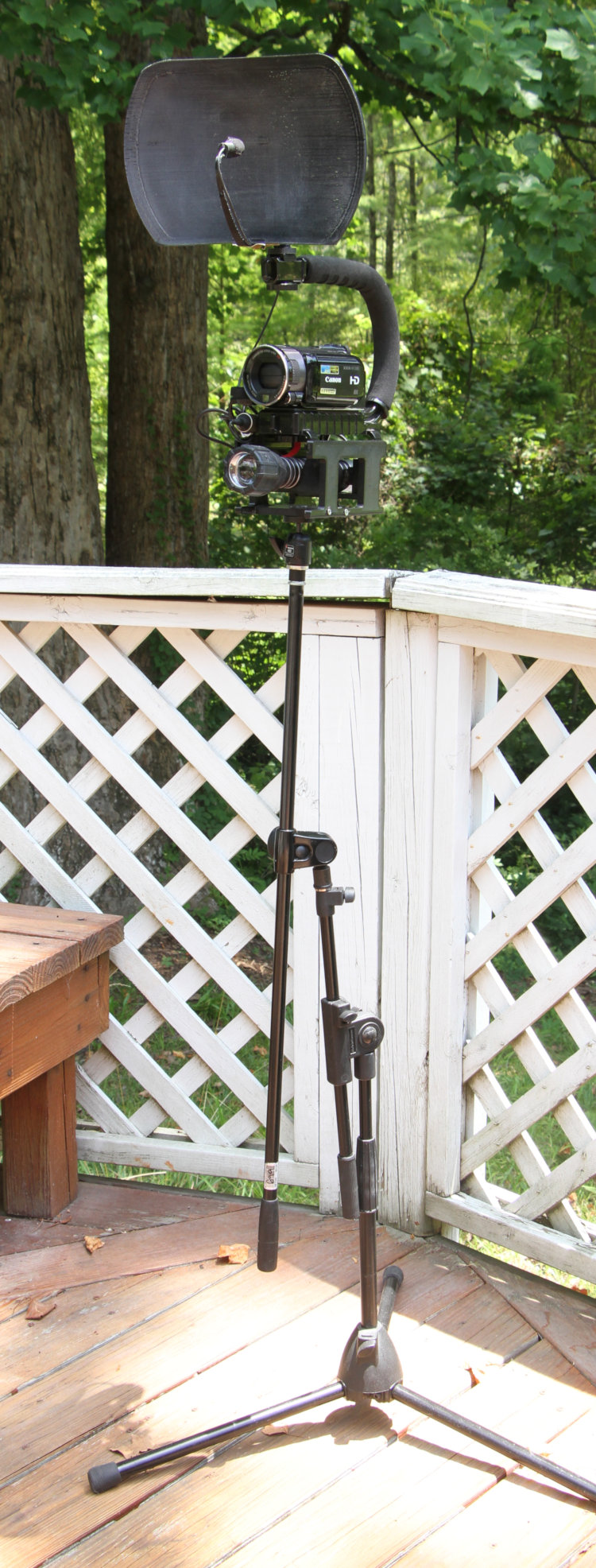
Here’s a silly, perhaps interesting example. After chasing night video of the pond denizens with a handheld camcorder, I switched to a monopod, which greatly increased stability. But it also meant the rig was constantly in my hand, which hampered distributing corn or, really, doing anything else. So at the moment, I’m using a microphone stand, with an adapter to permit the mounting of a small ballhead, one just adequate for the weight of the night video rig. This allows me to simply stand it up out of the way when not immediately in use, but the offset arm also allows me to get lower for macro work, albeit with a bit less stability – I have to support part of the weight by hand, but at least the rig is limited in its movement.
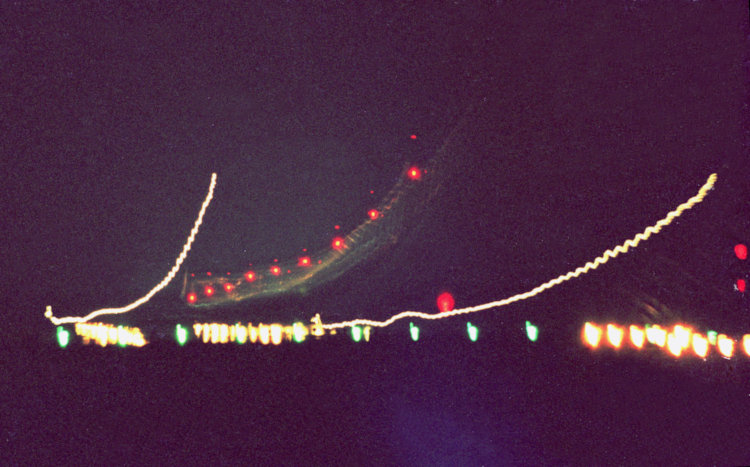
I scanned this one many moons ago just to illustrate the failure, and never ended up using it, but now it will serve as the lead-in to this week’s Tip Jar. This is, the weakness of a cheap tripod.
Let me explain what you’re seeing here. First off, from way back in the days of shooting print film, so this is a scan from a negative that didn’t age well, probably around ’93 or ’94. This is a time exposure at night of course, of a plane landing after having passed almost directly overhead – you see the lines of the wingtip anti-collision lights and the fuselage-mounted red strobes, as well as the taxiway light appearing more green than the blue that they should, but this might have simply been my scan settings or the film.
The distinct part is the wobbling of the yellow wingtip lights; that shouldn’t be there. However, I was alongside road construction, so up on top of a bulldozer on top of a mound of fill dirt, with the tripod at full extension, including the center column, trying for the highest angle I could – which, give me credit, got the taxiway lights. However, the slight breeze demonstrated that I was using the tripod in the worst way possible, maximum instability, and it was simply vibrating regularly just from that scarce wind. I had believed I had a decent tripod at the time, something I’d ‘splurged’ on at Wolf Camera when I’d broken my previous one and needed it the next day. Plastic pan/tilt head, thin aluminum legs and center column, probably weighed under a kilogram.
It was some years later when I started getting serious about photography, buying a better camera than the Olympus OM-10 used here, and began reading articles and books about the pursuit. I realized than that the tripod was junk (this image helped,) and that I was pushing the limits of any tripod by doing things like this. The one I got as a proper replacement in the late ’90s was a Manfrotto at least four times the cost, three times the weight, and capable of splitting someone’s skull. No tripod is 100% stable, but that one showed me what it should feel like, anyway.
Curiously, I also caught something unexpected, which was the reflection of those wingtip lights onto the fuselage of the aircraft, which are the wispy squiggles in the middle of the frame. You can also look at the different sizes of red dots, cast by the fuselage and tail strobes, and see they diverge towards the left as the plane flares, nose rising so the main gear contacts first, on touchdown. I really should revisit this subject some day, but the bulldozer has probably been moved since then…
I have a small collection of photos taken last night that I need to put up, and they were bumping four others from a few nights ago, but they all got kicked out of line by what I took this morning. These are the privileged piccies, the ones too good to wait in line. Yes, I’m terribly classist about my photos…
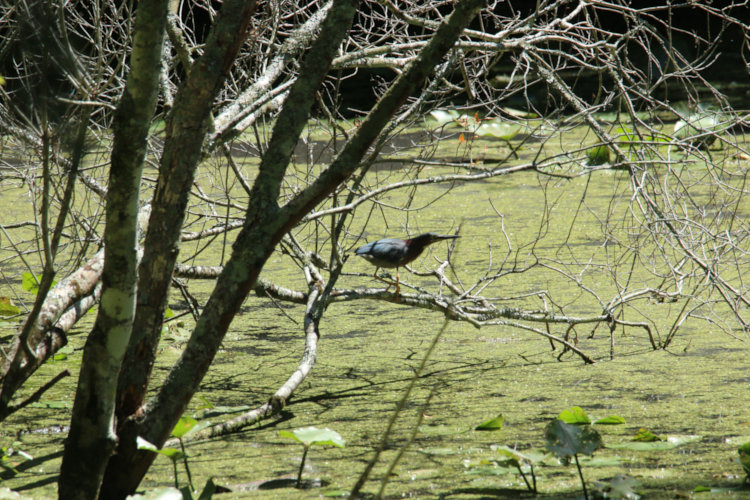
I was just setting up to reshoot an illustrative image for tomorrow’s Tip Jar, when I glanced out the back door while I had the 70D with the Tamron 150-600 in hand, and said to myself, Hmmmm – that kinda looks like the green heron. Stepped out onto the deck and aimed the camera, and confirmed this.
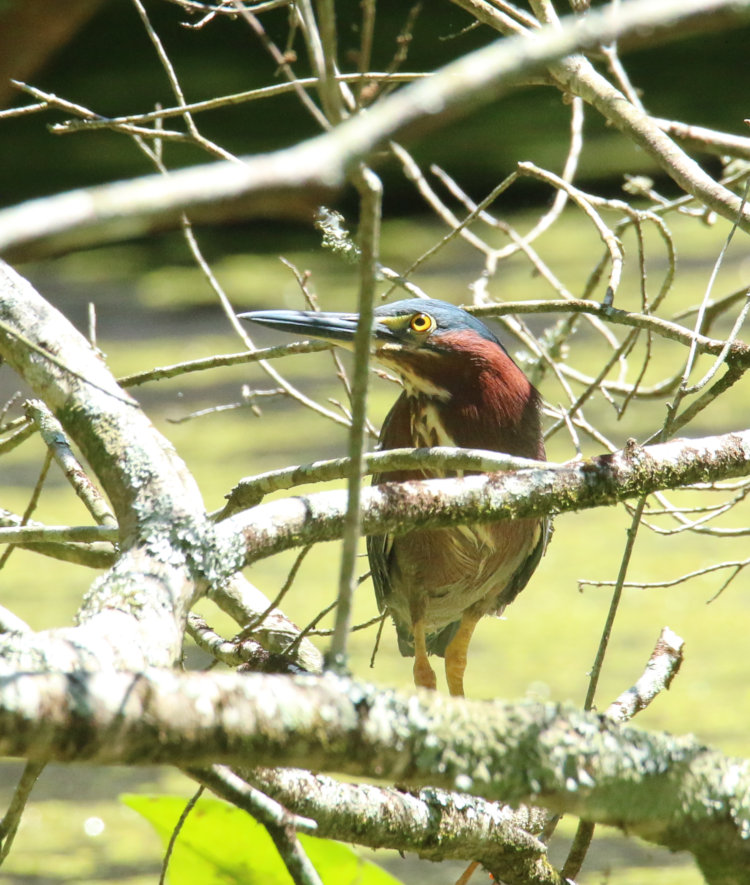
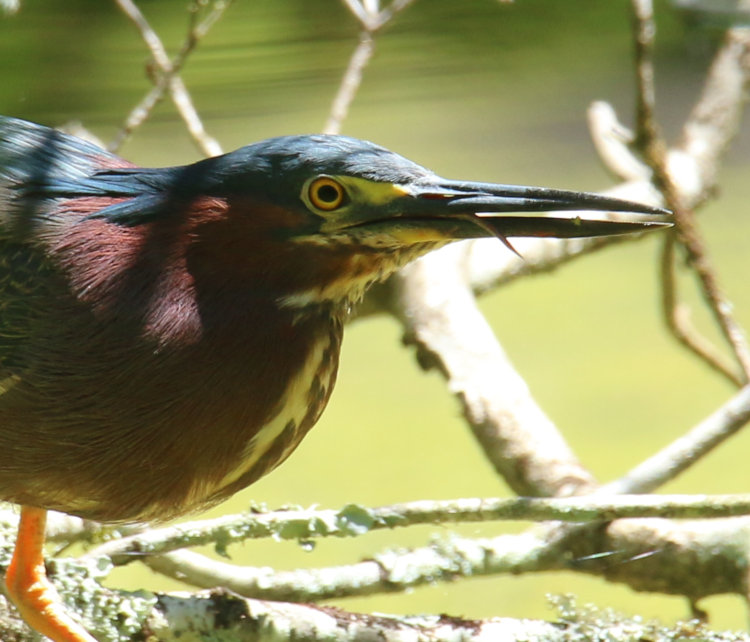
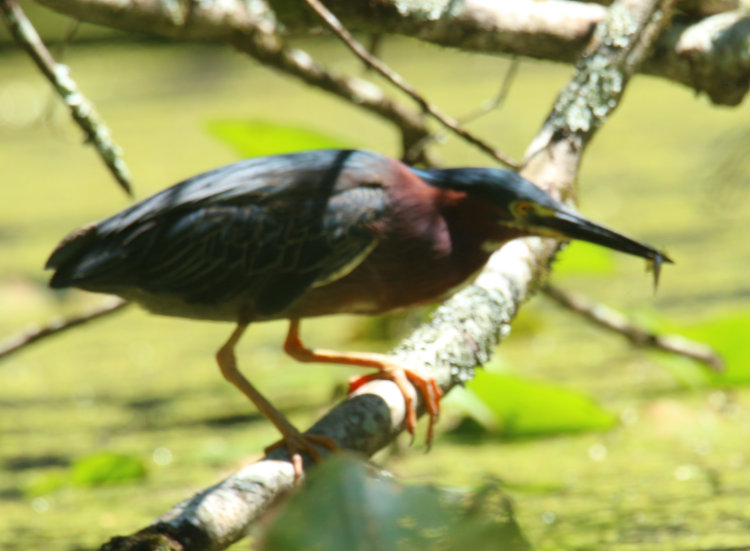
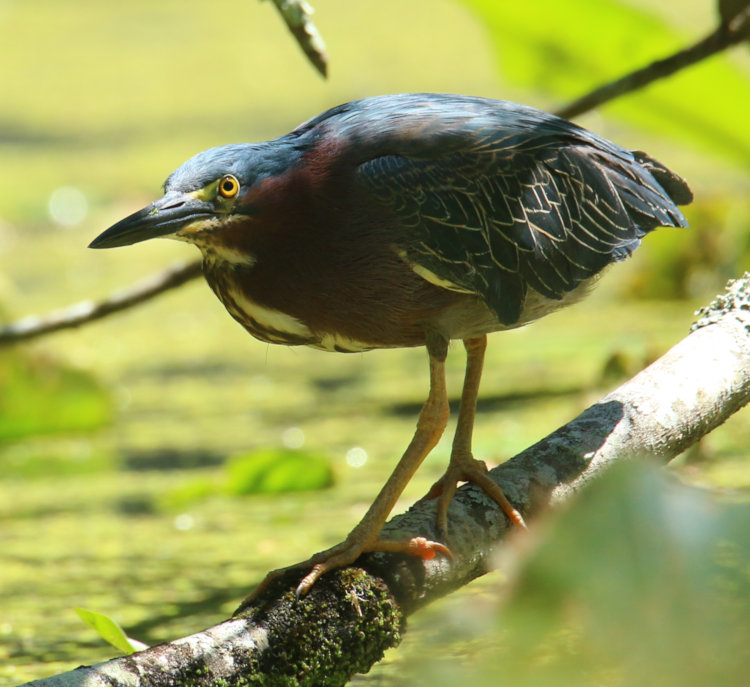
Yep, that’s the green heron (Butorides virescens,) or at least, one of them. I’ve seen two on several occasions, but always in pursuit mode, so I’m surmising that we have one resident and one frequent interloper. Judging from the behavior and how long it was in view, I’m going to call this the resident, the one we saw just a few days ago.
That was taken from the deck, and I watched for a minute to see if it was settled into this spot to hunt (this is a tree on the former Turtle Island, now totally submerged.) And then began to creep down there, switching image modes and eventually setting exposure compensation for the lighting conditions – the pond surface was bright enough to darken the heron a bit, so I added 2/3 stop overexposure after the following frame.
Only part of the path could be done under cover – the rest was wide open on the back ‘lawn’ (if we had an HOA, I’d be fined for even calling it that, but we don’t – woot!) only passing in and out of open shade. The heron could easily see me, and paused from time to time to evaluate my presence, which was largely motionless and unassuming while I was under its gaze.
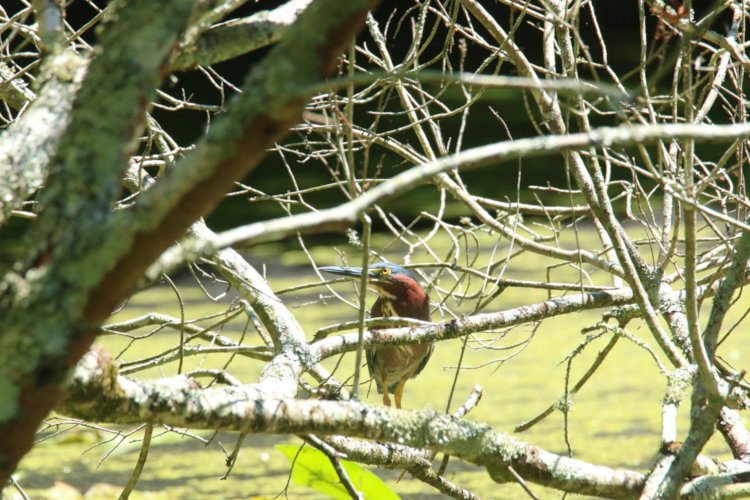
Over a period of about ten minutes, I sidled ever closer, taking frames as I went, convinced that at any minute, the heron would spook and fly off – or, see the interloper and do the same. This is full-frame, showing my view as I was approaching – these are all at 600mm, of course.
Now the detail crop of the same frame:
I had changed a couple of settings on the autofocus, and it’s been behaving much better recently, as this demonstrates. There were plenty of things for it to lock onto instead, but I was keeping the focus point right on the heron as much as possible, and it was working. The good light certainly helped, and who knows? The color of the heron might have been ideal for the contrast detection function that drives the autofocus. Not questioning it.
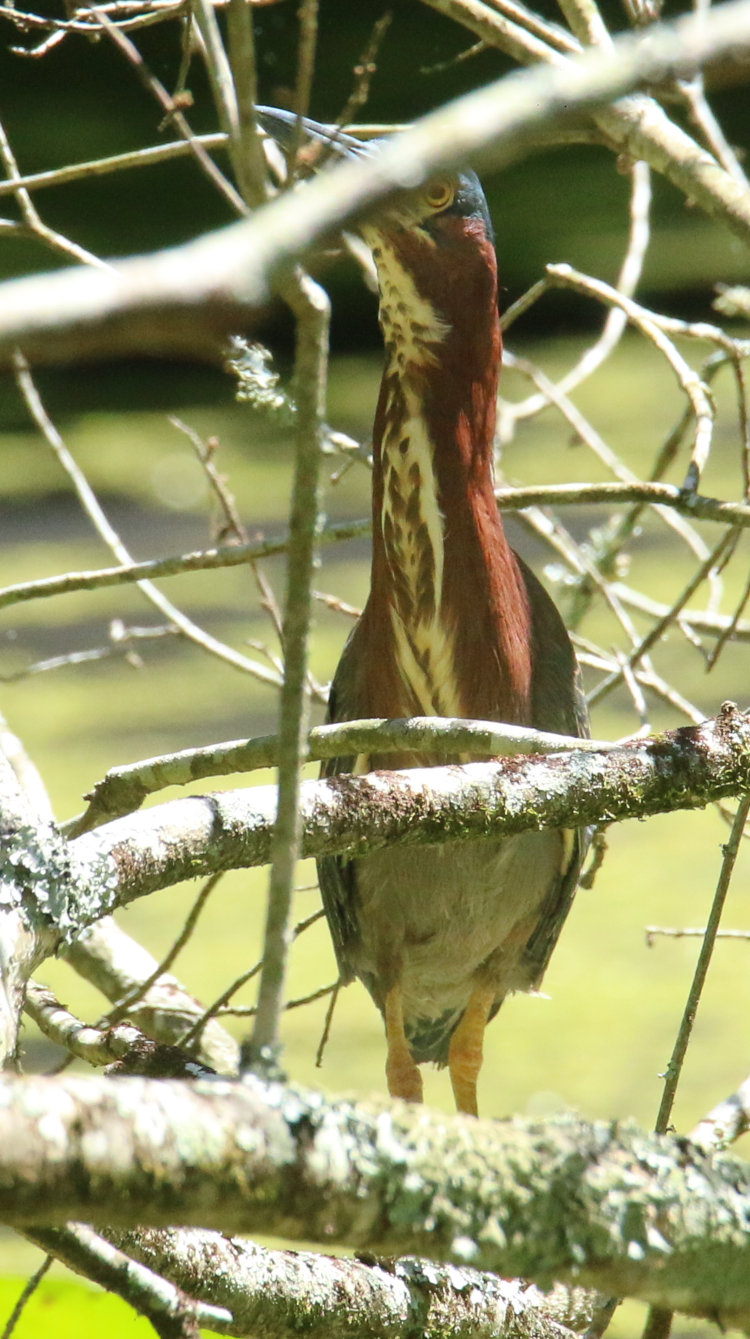
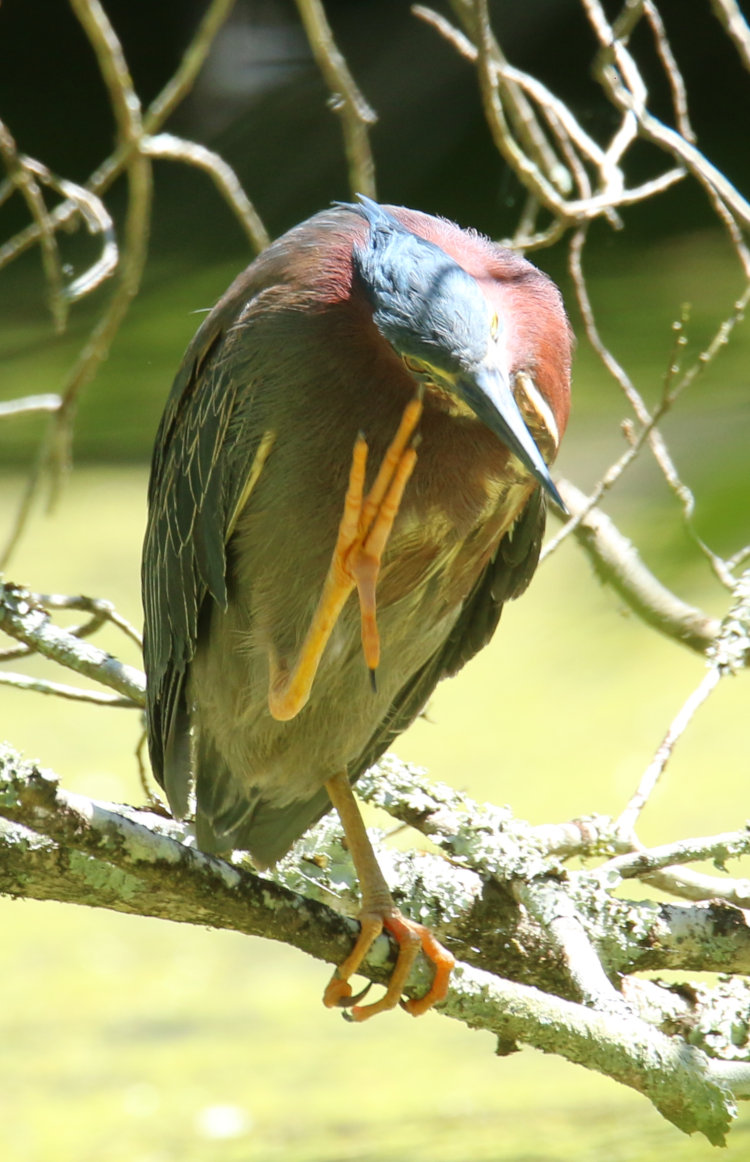
This was just after making a slightly more conspicuous move closer, and was likely the heron’s reaction to seeing this, though curiously, the eye is almost blocked. I’m not sure if it was stretching out in preparation of flight, or if it was attempting to camouflage itself by mimicking water reeds – I’ve seen bitterns do that as a standard response, but never green herons.
I held still and let it calm down again, which really didn’t take more than a minute or so.
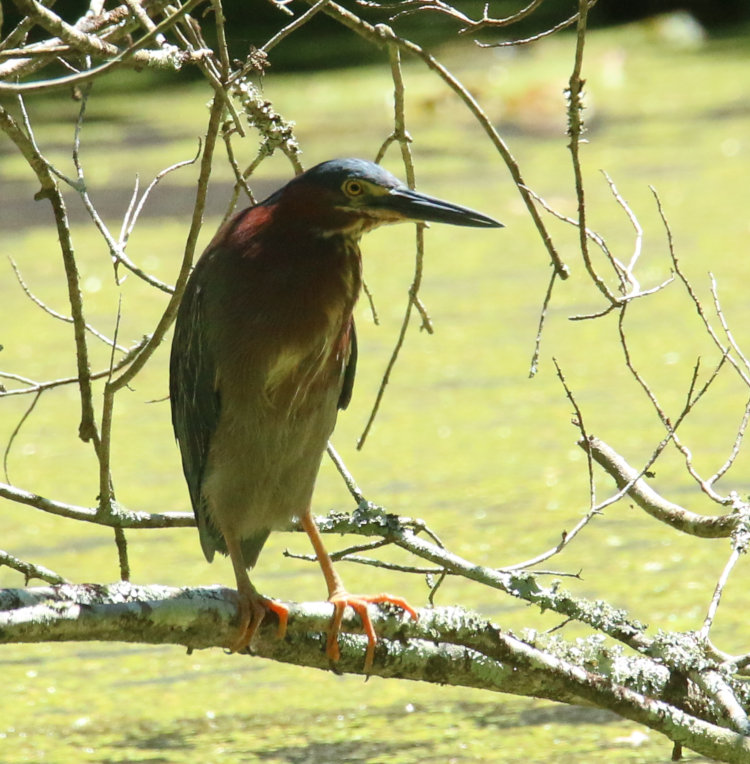
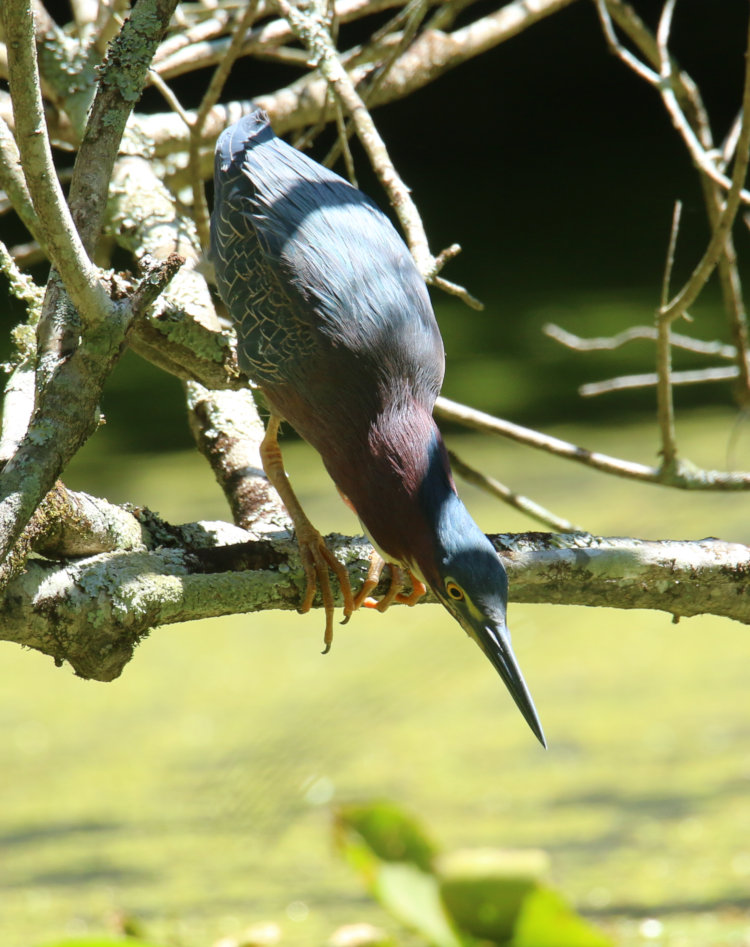
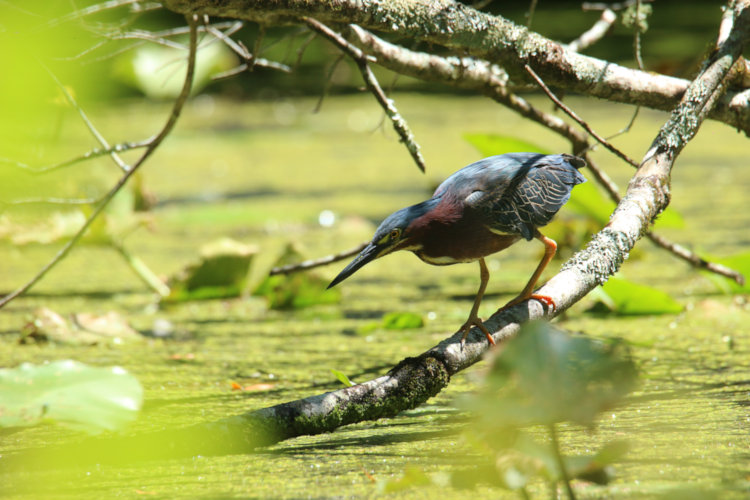
Now it’s resumed hunting, and we get a good look at the coloration – which doesn’t seem very green, does it? So why isn’t it a blue heron? Well, there are already great blue herons and little blue herons, which probably got there first, but this is also a trick of lighting and the feather qualities. They do actually appear very deep green in the shade where they tend to stay; it’s only in bright sunlight that you get this dark slate color. I have never collected a feather from one, but if I come across any, I’ll do some photo experiments with it.
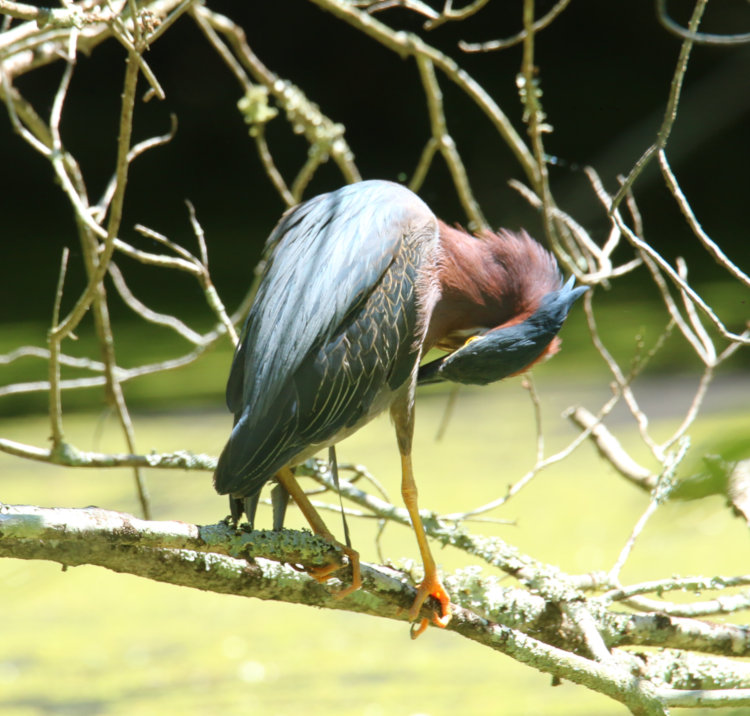
Again, I’m standing upright in the yard, probably about 16-20 meters distant, so the heron knew I was around – that wasn’t enough to forestall it preening a bit.
Quite a bit, actually – it went through several different short sessions while I was there. These are cropped, of course, but c’mon! Look at the feather detail! Now you know why these images took precedent.
Let’s have some more establishing views:
Again, full frame, now at my closest approach not too far from the edge of the pond, and giving an idea that I was doing careful shifting to prevent my view from being blocked by intervening leaves and branches on the pond edge, not at all helped by the heron wandering back and forth in search of that key spot that would reveal all the fishies. And now, a full resolution inset of that same frame:
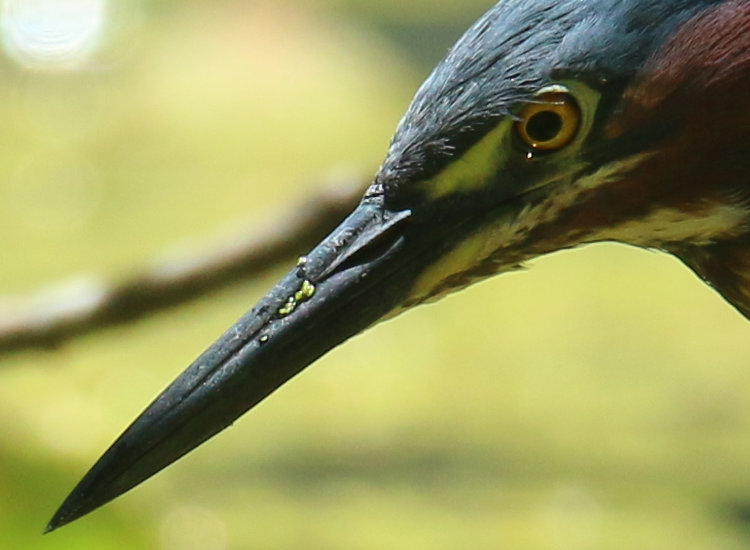
The little feathers over the eye. The optical hotspot from the sun refracting through the cornea even though the iris remains in shadow. The duckweed on the bill. I’m chuffed, is what I’m saying.
[So you know, 267 images over the space of 40 minutes, though I’ll likely only keep half that – I’ll try to tally them during the sorting. But some of that quantity was solely to ensure that I had at least a few like this.]
But it wasn’t all wine and roses.
There were times when the view was obscured, and by this point I had sat down in the grass in a persistently shady spot, so this necessitated careful shifting on my bum to try and maintain a decent view, without the heron getting too spooked. It would notice, but by now it seemed to accept me and only paused long enough to confirm that I was not about to launch myself at it.
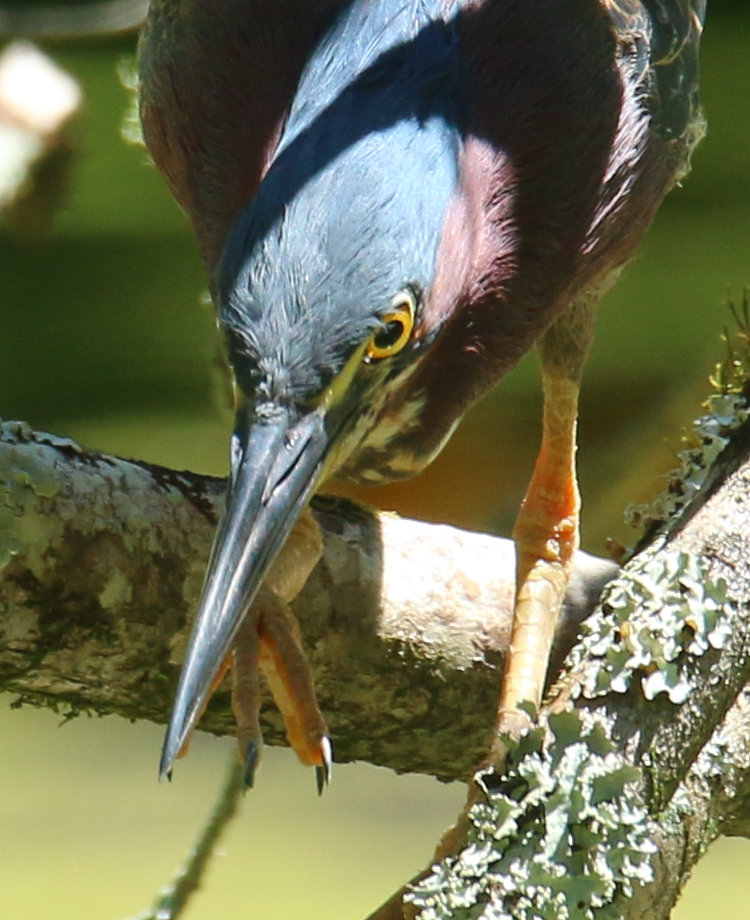
Tight crop here, after an unsuccessful strike at a fish, where it was likely clearing duckweed or algae or grit from its beak, but yeah, that’s the tongue, and I’m pleased I caught it.
Of course, it had to happen. There were several unsuccessful attempts at a snack, but when the heron finally snagged one, then the autofocus decided to wander off and pay no attention – this entire sequence will be discarded, because all nine frames look like this. This is perhaps partially my fault; the strike took the heron out of the autofocus zone momentarily, and when I saw it had a fish I cranked off the frames, without pausing to ensure that the AF had locked back in. I know better, but I was thinking that with such a small fish, the heron would swallow it in seconds (which it did.) Yet, without that pause for AF to lock on, none of the shots is useful so I still missed the action.
It’s not like I don’t have any decent keepers, though.
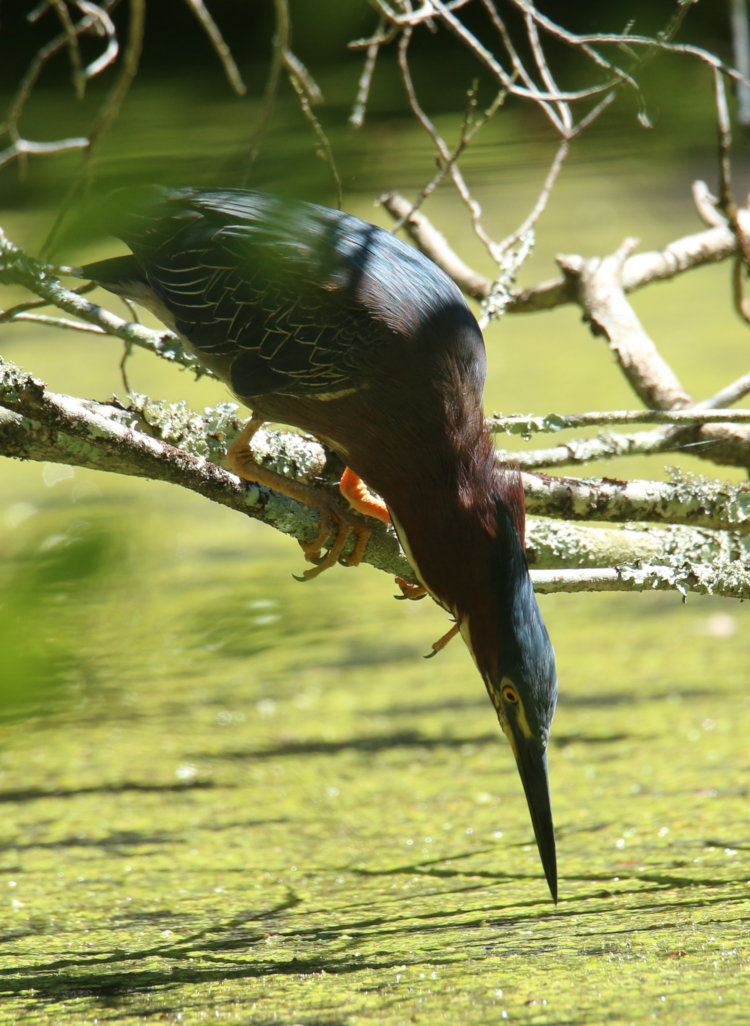
Yeah, the tip of the beak really is only about 2cm off the water’s surface. Look at the feathers on the nape of the neck.
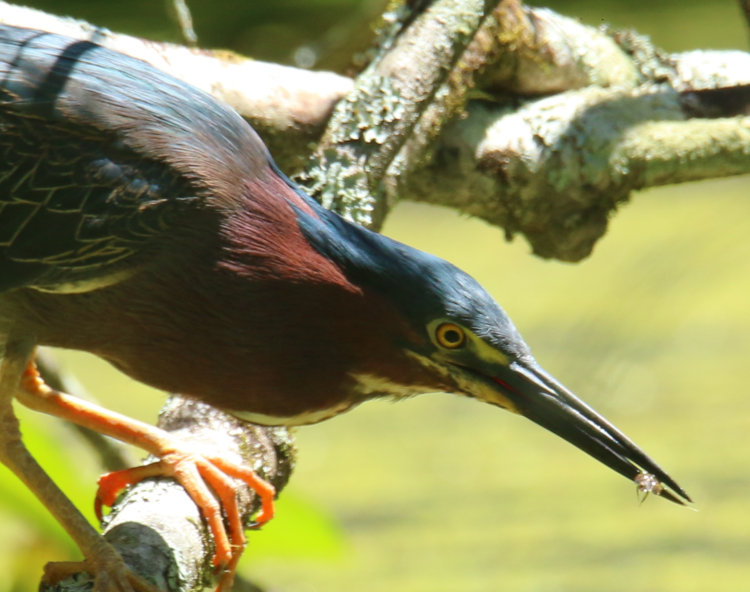
The focus could have been a tad sharper, but now I got one of its capture, kinda. The snack isn’t terribly well-focused and I can’t make out what it is, but from the few details I suspect a dragonfly nymph – there should be thousands in the pond, because there are nearly that many adults winging over the surface. Fine by us – there are too many other insects down there, so eat all you want, guys.
When I decided I’d gotten enough frames and it was clear the heron wasn’t going to take flight and give me an opportunity for in-flight photos, I rose slowly and made my way straight back to the house, though I checked partway back: the heron had not spooked at my rising and remained in place, so perhaps it got slightly habituated to me. It was still there as I went indoors.
We’ll close with two portraits, because fifteen pics wasn’t enough for a post.
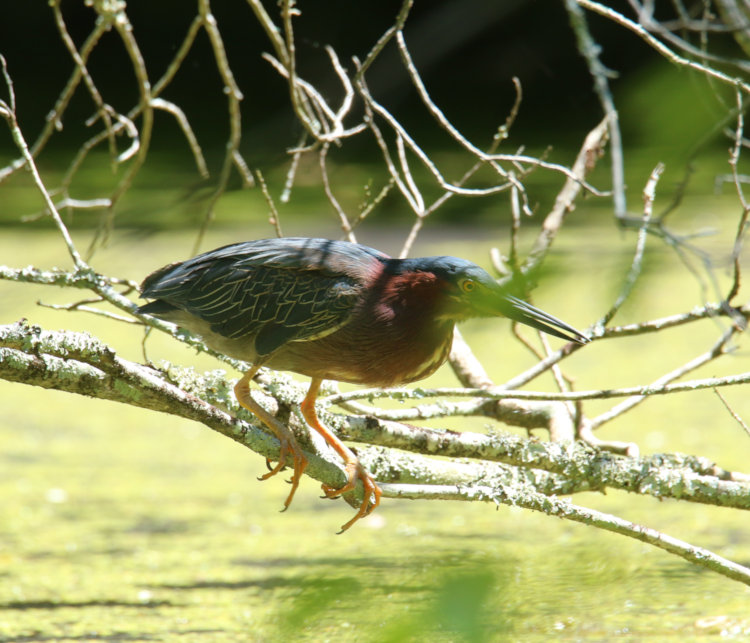
This is the representative heron shot, full body pose even showing the edging of the body feathers pretty well, good overall light, even on the clear eye looking at us and all that. The neck is tucked in typical fashion, by the way, disguising how long it truly is, which you only get to see occasionally.
But I also like the drama of this one, the intensity and the visual impact of that beak. At least one from this session will be a framed print soon enough.
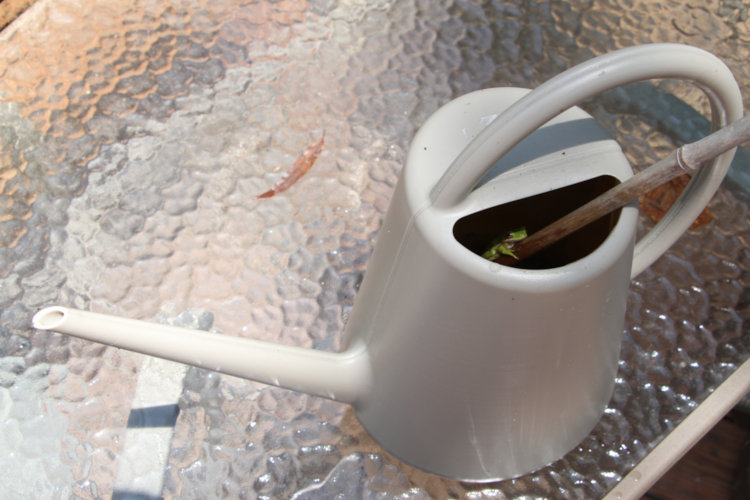
It’s always nice to have your own pool, but you have to factor in the fencing around it to keep the neighbors’ prying eyes out, of course. Out on the beck deck today, I found that a watering can featured a new detail.
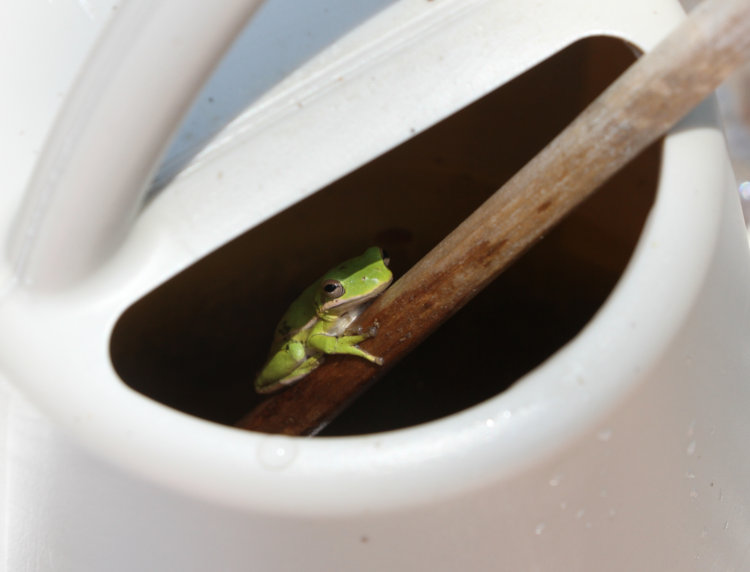
Now, I know, every time we go to use the grill, I have to remove the cover and then chase three green treefrogs (Dryophytes cinereus) out from the space underneath, because they find the cool(er) dark hollow under the cover a nice safe place to sleep during the day. This always results in a rodeo, since I don’t want them getting someplace where the heat will be detrimental, and that’s exactly the directions they go – and this keeps happening because they return to the grill underside each morning.
So this one is likely to use this spot for a while – at least, until it gets tired of seeing me checking on it.
We are partially to blame for this as well. The stick is in there, just like all of our watering cans, because the Carolina anoles can’t swim but still venture in sometimes, so we try to make sure they can get out if necessary, and the treefrog found this to be quite handy.
Earlier this year, I was trying to water some plants and the watering can kept getting clogged, a fairly typical occurrence when leaves have fallen within. I shook it, started pouring again, and it clogged again within a couple of seconds. On the second repeat of this, a Copes grey treefrog leapt out, having sheltered in the spout until I kept flooding the damn thing on him. It’s like that around here.
When doing the end of the month tallying for the ol’ Walkabout blogaroosta, I found that I had uploaded 497 photos for the first half of the year. Three more, and I would have had a nice even 500 – I even had three waiting in the blog folder for a post! You can imagine the pain that this caused me.
Which was, not much at all. ‘Round’ numbers are a conceit, little more – cool if you like math tricks, but ultimately meaningless. I’ve gone into this before. Even as an average, it doesn’t mean I’d hit 1,000 images by the end of the year, since these are highly variable depending on both the subject matter that I discover and my mood in pursuing such. Even having a certain number as a ‘goal’ can be good or bad: forcing me to seek out more to photograph, perhaps, or on the other hand, making me settle for something I otherwise wouldn’t have, just to meet this arbitrary number.
Anyway, let’s look at those three images, shall we?
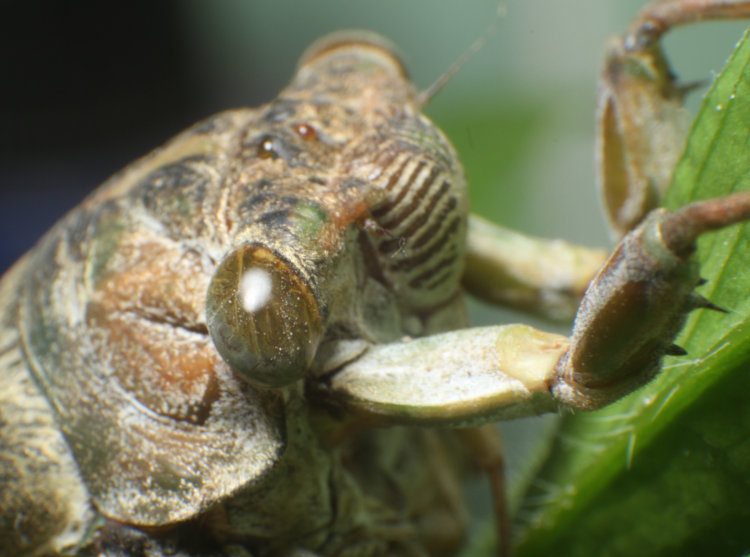
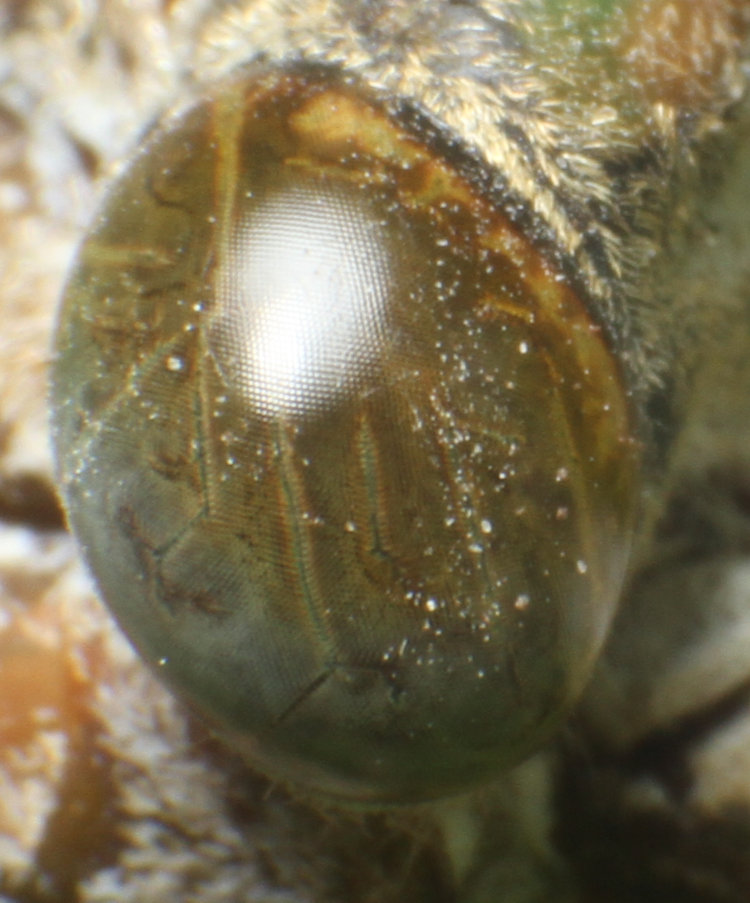
Found this largish, greyish specimen of a cicada, a species I don’t recall ever seeing before, and brought it in for some detail photos. It will remain unidentified, however, because the distinctions within the Family Cicadidae are numerous and, really, not worth the effort. But we do need a closer look at that eye.
Now, here’s something I was just thinking about: This is a pretty complex, large eye for something that consumes plant sap, especially in the adult phase which only lasts for a few weeks at most. Do they need these to find mates? Escape predators? It’s a puzzle, and more so when you realize that the nymph form has only slightly smaller eyes and they spend months to years of their lives completely underground. Contrast these with the eyes of butterflies, which are more active and more visible, and thus more of a target for predators, while also needing to find the flowers that they feed upon right at the peak of their nectar production. It’s not making sense to me right now.
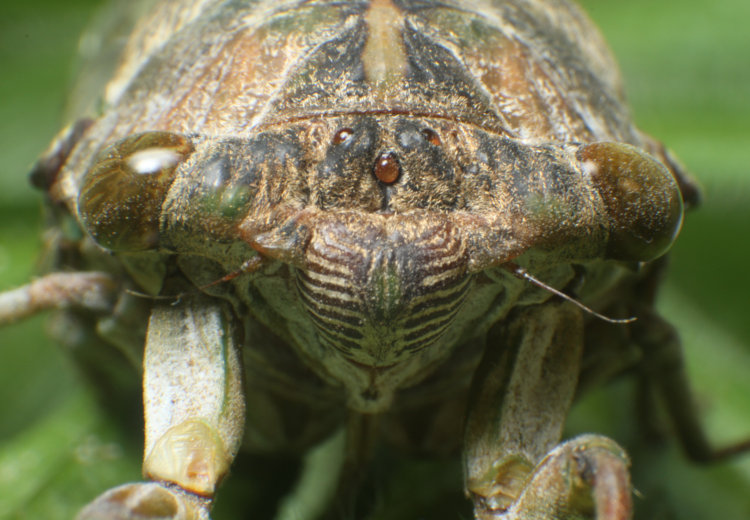
And here we see three ‘simple’ eyes clustered in a triangle on the frons (forehead.) These are, I believe, only used for flight, mostly in staying level – they can’t use their ears for that like we can since they’re stone cold deaf from hearing their own songs at close range. No, I tell a lie – being deaf doesn’t affect the vestibular system in most cases, but cicadas probably don’t have such anyway. We’re wandering…
Regardless, pretend these went up at least four days ago, and then join me in celebrating this remarkable achievement. I mean, what else ya gonna celebrate?
I’m quite pleased to have gotten this. I was up yesterday at first light, not exactly intentionally, but used the opportunity to watch for duck and geese raids on the pond edge. Instead, I realized I was hearing the juvie barred owl (Strix varia) calls from right in the backyard again, so I gathered the long lens and tripod and went out looking.
While two were in evidence from the calls, I only saw one, and that one was flitting between perches a little anxiously – perhaps because of my presence, perhaps not, I can’t be sure. I was locked in on it just barely appearing from behind a trunk, terrible conditions, when it left that perch and took this one. A small movement of the tripod gave me a clear view – headphones are recommended for the faint calls:
It was just a week ago when I considered myself incredibly lucky to get the siblings preening and hanging around right out back, and now I snag one in daylight. Even better, I’ve now uploaded two videos in sub-two-minute, TikTok-attention-span lengths! I wouldn’t count on this becoming a habit, though…
I attacked the audio to see if I could isolate those calls a bit better, and it wasn’t too hard to get it to this point; the calls are very high-pitched while most background noise is pretty low, which is why low-pass filters are common. I simply wiped out everything below a certain frequency threshold, but don’t ask me what that was since I didn’t take notes. Enhancing it further is presently beyond my skills, since the frequencies of the calls are varied and overlapping other bird calls. I made an attempt to drop the pitch as well, simply to get it into the range The Girlfriend can hear, but this didn’t work well enough.
Still, I’ll be happy to continue this trend as long as I can.
Within two days, I had two similar subjects to work with, with rather disparate cooperativeness, but it gave me the chance to catch up a little on the image count for the month.
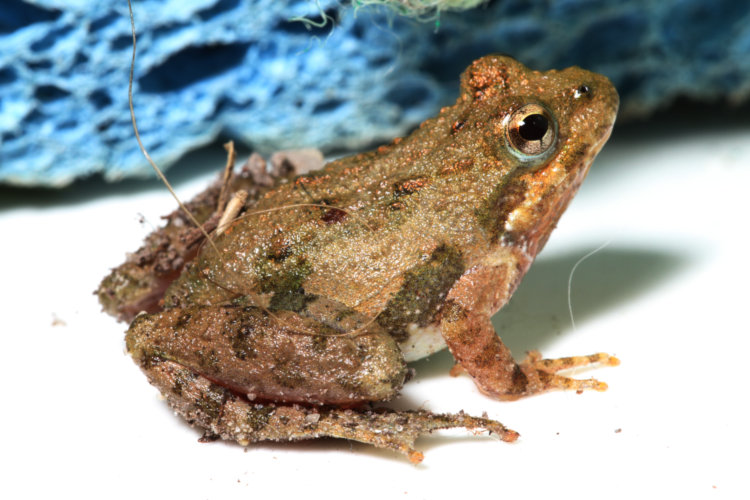
The rains came in this past week, too many cloudbursts to count, but it made the amphibians happy, and we all know how important that is. One decided to come in the front door as soon as I opened it, though it likely regretted this immediately after, because I collected it and took it into Walkabout Studios’ Amphibian Branch, otherwise known as my bathroom.
The reason I do this is because such subjects typically leap away every chance they get, and the bathroom gives them a lot fewer places to hide themselves while also being easier to pursue and recapture. And it was necessary for this one, since it leapt away at least eight times.
The setting here, by the way, is a simple weed plucked and held in an alligator clamp, in front of one of my prints as ‘appropriate’ background color – you can see that it’s not as natural green as it should be, and I need to try another print. But this was the bare ten seconds that the frog was in place before it abandoned its perch.
Here it is after the first or second recapture, having immediately disregarded my setting and pausing on the sink, still sporting the debris it picked up during its tour of the bathroom corners – since I had the camera in hand, I went ahead and got the single frame, but it’s also the best scale shot with the sponge in the background. Far less natural-looking than the print, of course.
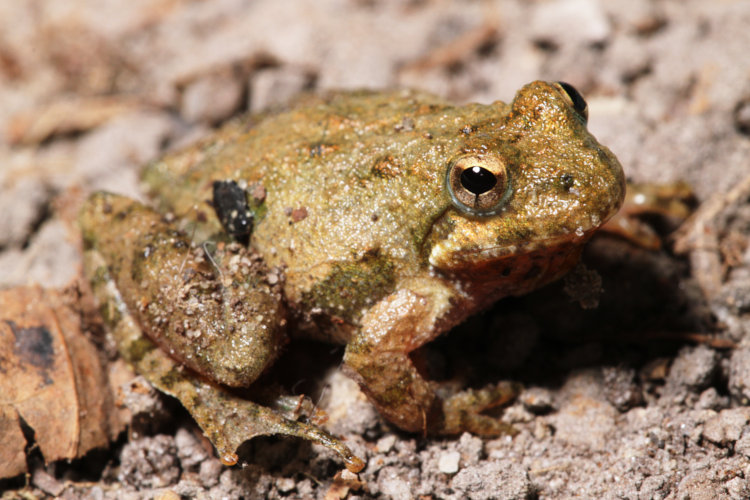
Another momentary success, probably after recapture three or four, in a small tray I use for such ground-dwelling subjects. Bear in mind that I still hadn’t identified the species, attempting to get something that would indicate this. It’s a juvenile, so adult markings aren’t developed yet, and at this age it might be anything.
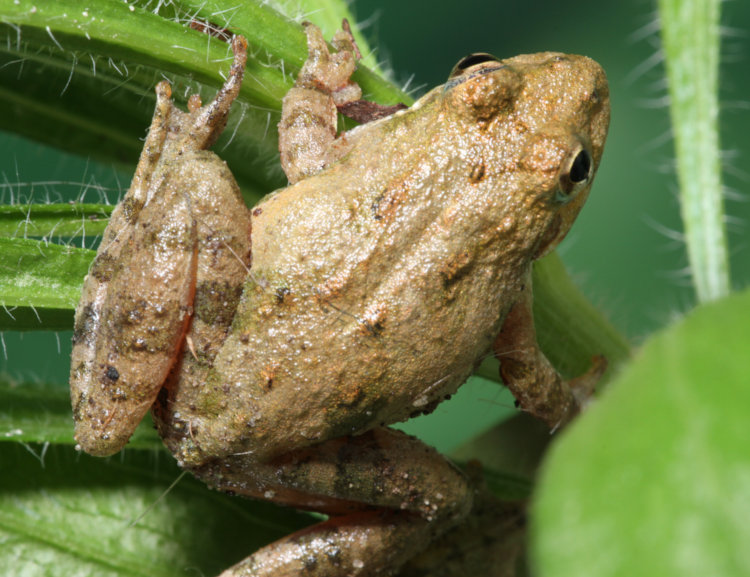
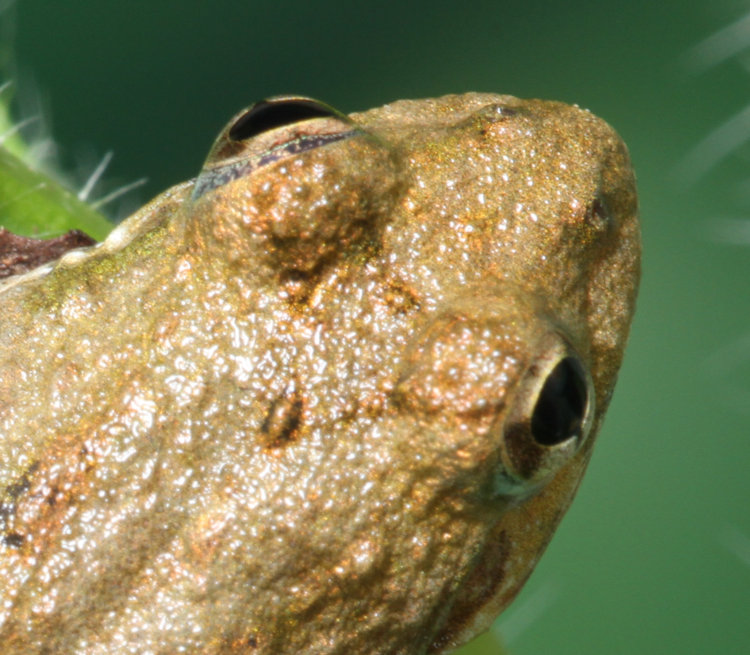
Once again back in my portrait setting, this is where any identifying markings would show, and are not. Or are they?
Cricket frogs, both the northern and southern variants, have varied markings but most frequently a triangle on the back of their head, and this inset shows that there is the faint vestige of one able to be made out. We’re in the range where the two variants overlap, but the calls are distinctly different, and they were sounding off right at the pond out back as I obtained these shots, the only calls I’ve ever heard from the cricket frogs. Verdict: northern cricket frog (Acris crepitans.)
Once I had enough frames, I returned my hyperactive model to the sodden environs whence it came, perhaps convinced not to venture too close to doors anymore.
The next subject was also a door dasher, though in the daytime and much more complacent for the images.
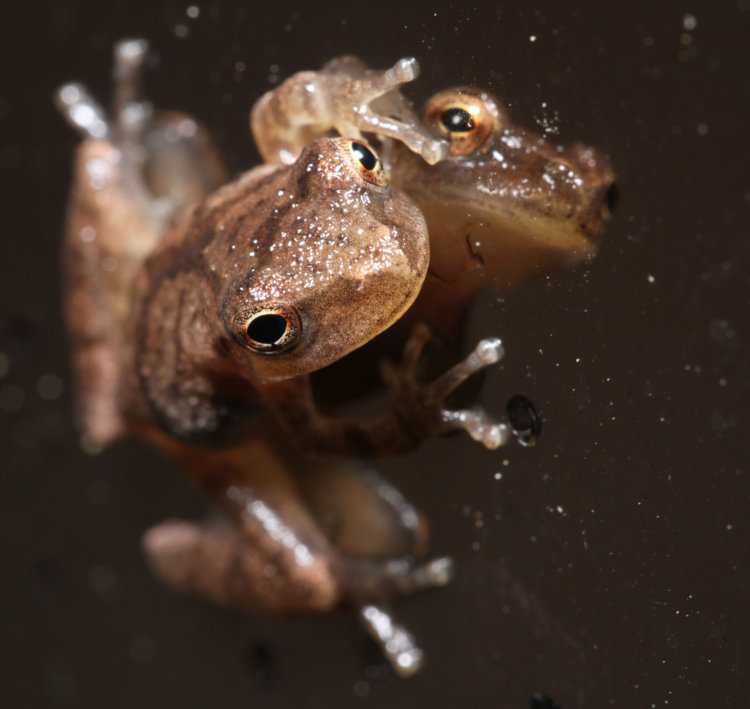
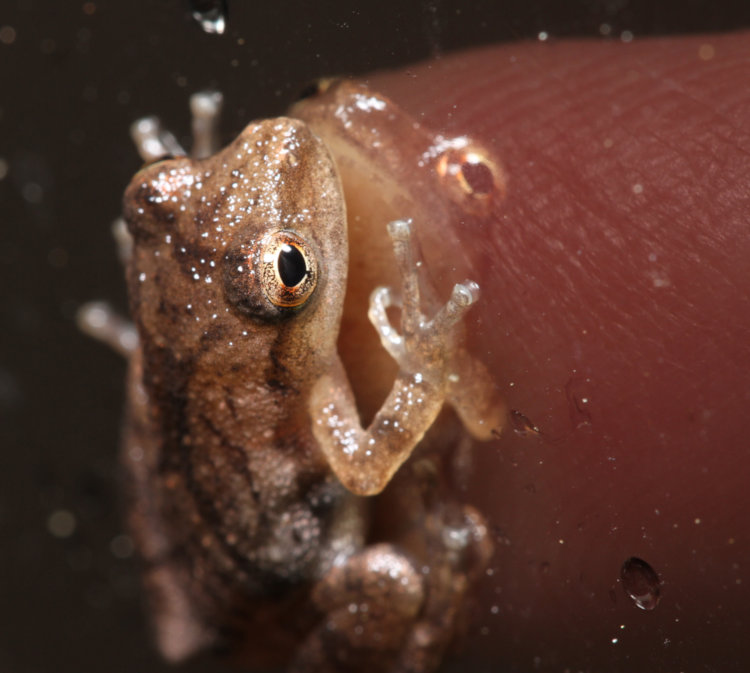
On the outside of the back storm door, the one featured so distinctly in the previous post, we have this little spud in a dynamic pose on the reflective film. Also a juvenile, we need something for scale, and The Girlfriend obliged.
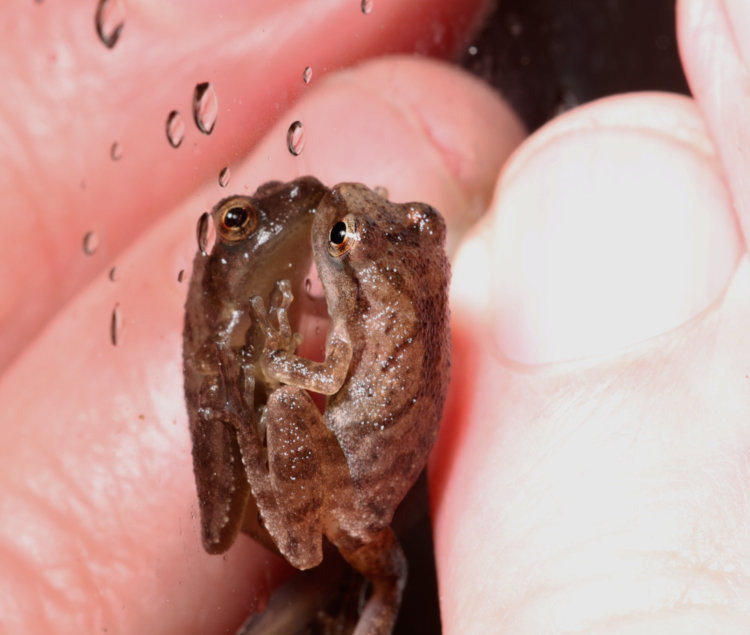
That’s her fingertip, on the opposite side of the glass – we’re talking smol here.
I also got my own fingertips into the frame, on this side of the glass this time, as the frog stated getting wary of all this attention. However, unlike the cricket frog, it never leapt away at all. In fact, the crappier end-of-month abstract earlier today was taken from the other side of the glass, with the flash barely making it through the solar film to illuminate the frog.
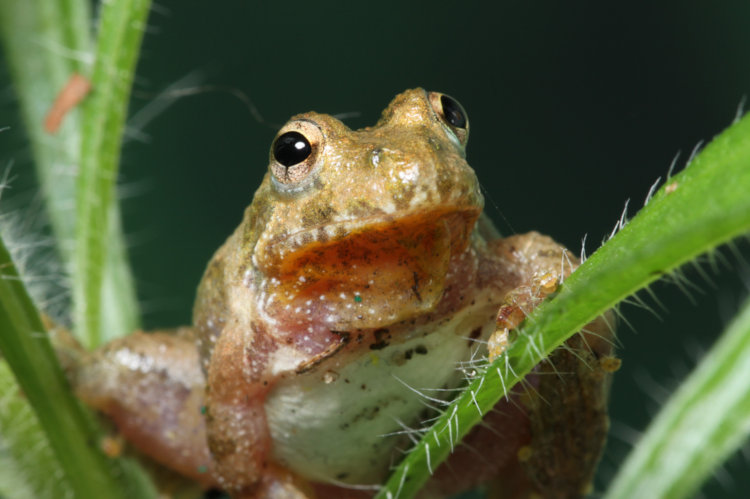
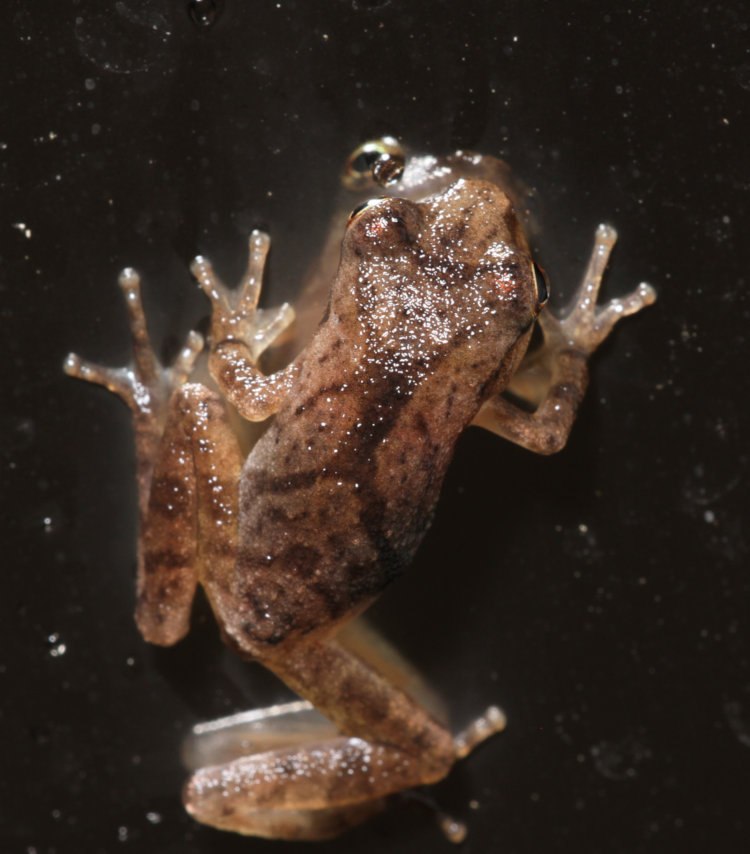
Boring dorsal view, but again, identifying markings, and the ‘X’ across the back is clear enough even when it got partially obscured by the bright reflection from the wet body. That identifies this as a spring peeper (Pseudacris crucifer) – quite common around here, and quite vocal in these conditions. I have plenty of frames of them, but not with their own reflections so fartistically as some of these, so there we go.
I have still more (of other subjects) that could be put up, but they’ll likely wait a day or two. Back in the swing of things, though.