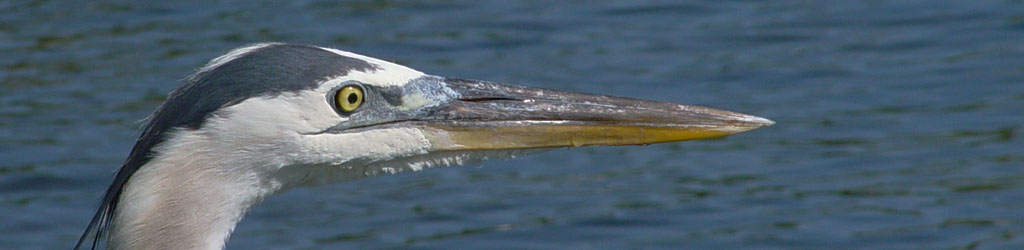
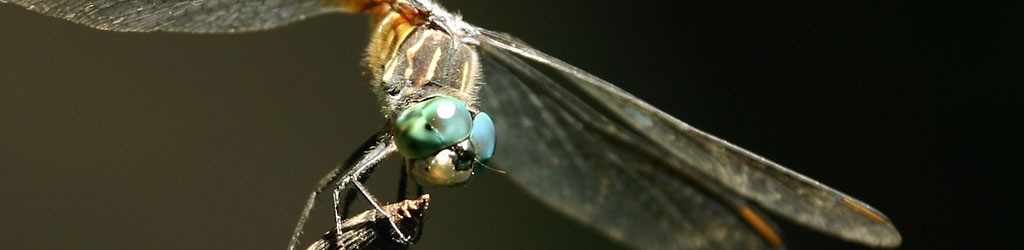
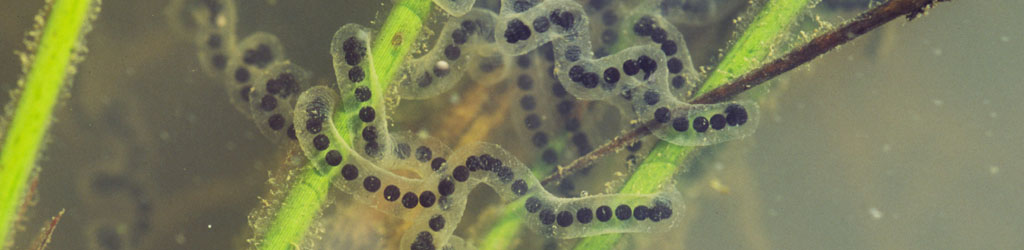
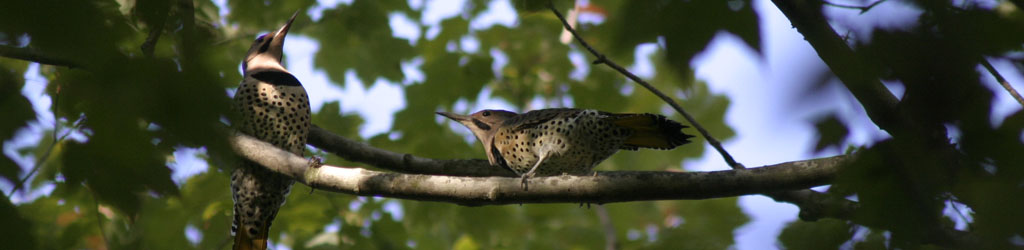



Tip Jar 4: Bokeh

cherry blossoms against blue sky with good rendition of bokeh
“Bokeh” is one of those photographic terms that’s a little obscure, defined at times in different ways, and has a varying impact on composition. Basically, it refers to how the out-of-focus portions of the image look, especially the highlights. In the case above, it applies to the branches in the background, which we know are branches because we have a focused example that has the same colors and patterns; without it, we might be struggling to know what those were, and see little of value to them. Yet they’re an appropriate background, filling in the blank space and keeping the focused branch from being isolated, but they’re not otherwise distracting. And that’s the main point of bokeh: its presence helps the image, but it remains only subconsciously recognized (unless we talk about it, as we’re doing now.)

To achieve it, we need only one thing: very short depth-of-field, to permit the background to go soft and indistinct. Some people swear that specific lenses are the best, even necessary, for ‘proper’ bokeh, but this is hogwash – you just have to know how to use them, and I suspect that a lot of the reputation of lenses (most often, Leica brand) is mere confirmation bias. To get a really short depth-of-field, however, you need slightly specific conditions, to wit, a much greater distance from the focused subject to the background, than from the focused subject to the camera; your subject should be as close as possible, and so this often (not always) means macro or closeup work. And of course, the other factor for a short depth-of-field is using a large aperture, preferably wide open, and so this is easier with ‘faster’ lenses that feature a wider maximum aperture, such as f1.2, f1.4, or f2.8. But again, this is not necessary.

raindrop image showing starbursts and pentagonal bokeh circles
You can easily achieve short depth without a wide aperture, just with that distance disparity, but here’s what can happen: the bright portions of the image that are defocused end up shaped like the aperture opening, in this case pentagrams because the lens used had only five aperture blades. This is a most noticeable case, because the bright reflection from the raindrops that are out of focus stand out well against the dark background, but even without both the bright spots and the dark background, defocused elements still retain a portion of that blocky shape and can make the bokeh blotchier, so it’s better to be shooting wide open where the bokeh is affected by the shape of the lens barrel itself and will be round. However, a lens with more aperture blades, and/or curved ones, can help with this.

Note, too, that the smaller aperture used here (it was not recorded in the EXIF info, but probably at least f8, more like f16,) produced star patterns from the focused highlights on the drops, another compositional trick that has its uses, though it was overpowered and defeated by the noticeable pentagrams.

dewdrops on pine needles showing clean bokeh circles
This was taken in the same session but now wide open, very short depth-of-field, and this makes me think I was using an f2.8 lens, probably with an extension tube to get even closer focus. The circles look quite crisp, but also pay attention to the rest of the background. The other needles there leave faint traces of their lines across the frame, especially against the open sky, and this might be considered a little ‘busy’ or it might simply be considered appropriate. Either way, the effect is subtler than the other elements and so doesn’t draw much attention.

Notice, too, the effect with distance, as the circles get bigger and dimmer, but this is distance from the focus point; it can also take place with drops (or other elements) that come closer to the camera. And by the way, a dirty lens will often show distinct and fairly sharp shapes within those circles, so if you’re specifically after bokeh, it’s best to do a cleanliness check.

animated gif of two images showing difference in bokeh with different aperturesHere’s an animated gif (pronounced, “JEM-uh-nee“) comparison of two images shot back-to-back on a tripod, just different apertures. No real macro work here, nor specifically close, but the distance between elements is large enough. [I also used a handheld flashlight for one of the frames, which added highlights that did nothing for the image.] This begins to show another factor that affects bokeh, which is background contrast: the varying brightness of the leaves back there produces more blobs, and since the difference in distances isn’t as great as the image above, they have more distinction, not overrunning each other as much. For really nice smooth bokeh, the background should be as low contrast (in brightness or color variation) as you can achieve. This would have made the focused, foreground leaves stand out more and have a more distinct demarcation between them and the background.

This also shows a trait that is very hard to predict, and only occasionally appears in the viewfinder when composing the shot: you can see things blocking the bokeh circles in the frame that has shorter depth. The lights that produced the bokeh circles aren’t actually blocked by those intervening branches or leaves, but they are when defocused, leaving sharp silhouettes across them. Sometimes this is distracting and takes away from the overall composition, sometimes it isn’t, but if you really don’t want them, you should probably shoot several frames with slight differences in position between them, and this is one of the few circumstances where chimping at the image in the LCD of the camera afterwords can tell you something useful.

A more egregious example of bad background contrast is below.

bad bokeh from too short distance disparity and a too complicated background
So, two factors that produced the wrong kind of bokeh here: not enough distance between subject and background, and most especially, way too much contrast in that background. Bright sunlight will often do this, so it’s something to avoid or at least be aware of, but really, even in low contrast light, the colors themselves, from the moss and the branches, would be clashing. Overall, this is a situation to avoid, since no amount of tricks or technique would render decent bokeh in such conditions.

Yet, there’s a simple trick to improve it: crop tightly to enlarge a smaller portion of the image. This will increase the apparent blurriness of the background and set it further apart from the sharper elements. It won’t always work (and not very well with this one,) but it can sometimes improve the overall appearance of your composition and the bokeh therein.

Chinese mantis Tenodera sinensis in extremely short depth-of-field showing only faint impressions from background of imageThis is an extreme example, and even though unrecorded in the info, I recall this lens – this is the Mamiya 80mm macro, likely with the coupled extension tube, wide open at f4. The color of the mantis matched the background so closely that there is only the faintest difference in hues between them, and the depth so short that everything went out of focus within a very short distance. The bokeh now provides only the barest of impressions of the back and the forelegs, producing a quite abstract image very simply. Luckily, most of the face of the mantis was flat to the camera so it wasn’t going out of focus from mouth to antenna too badly. But you can’t get much smoother bokeh than this.
And no, this is barely cropped at all, but it did indeed require a fast and dedicated macro lens to achieve. Longer focal lengths tend to help, because the shorter, wider focal lengths increase depth-of-field, making it much harder to achieve that crucial separation.

Bokeh is naturally an ideal element in portraiture, providing something nondescript and non-distracting for the background, and I can’t give you any decent examples because I don’t do portraits and I rarely feature anyone without express permission anyway, but we can do a similar example:

solitary dewdrop on tip of leaf backed by smooth bokeh
This, however, shows a small mistake, one that’s easy to make yet I should still know better. Even well out of focus, the background benefits the subject much better when it permits the subject to stand out distinctly and draw the viewer’s attention more, and contrasting color or light helps this. With the dewdrop lensing the background so well, especially the darkness surrounding the plant, it would have been better shifted slightly left to fall against the brighter leaves/bokeh there, instead of bordering a dark patch – it just would have been that much more distinct. There’s even a triangle of deeper green among the lighter, and the drop could have been positioned so that this ‘pointed’ to it. However, if I read the conditions right (since I don’t recall the circumstances of this image at all,) I was also using a flash, and so this appears in the image much different from what I was seeing through the viewfinder, and thus I remain completely blameless.
I’ll close with two of my favorite abstracts demonstrating bokeh handily, and while they both look digitally edited, these are exactly as shot save for cropping; they’re what can be done with short depth-of-field. Both are macro, one much tighter than the other. The first is simply dewdrops in a dense cobweb, with the backlighting causing numerous internal reflections form the drops. The second is flowers on a streambank with the glitter trail of sunlight off the water directly behind.

Good luck with it!

extreme closeup of dewdrops in spiderweb with widely varied defocus and bokeh effects

bluet Houstonia caerulea flowers on streambank against bokeh circles of glitter trail on stream

Mistakes were made…

I would like to add, “… but not by me,” to that, but I share the blame, albeit a much smaller percentage. Hopefully, this will help you to avoid the same mistake.

I mentioned about getting together some framed prints for a contest at the end of this month, and so I selected a quartet (still unsure of which exactly would be entered, since I could only enter 3) from one of the online photo printing services, in this case Winkflash – I’ve used several before, and they was among them. There’s a balance point I try to walk: not too expensive, but quality work and decent turnaround time. Unfortunately, I balanced in the wrong direction this time.

inadequate and bendable packaging from winkflash showing kinks from bending
The 11×14 prints arrived in completely inadequate and slackass packaging, an envelope of single-layer cardboard with no stiffener, padding, or any other packaging whatsoever. Moreover, the bold printed “DO NOT BEND” was only on one side, which was the side the idiots chose not to put the mailing label on; you can see that someone wrote it again in pen, which of course guarantees that handlers will pay attention to it. You can also see that the USPS carrier in town bent it to get it into the mailbox, rather than bringing it to the door. This resulted in exactly what you’d expect.

11x14 print kinked in two places by being bent to fit into mailboxAll four prints had two kinks each in them, and if you haven’t had to deal with this yet, kinks in photos simply don’t come out. They will be visible as soon as the light angle gets right, and attempting to flatten them out virtually never works and you can damage the print by trying. This is an extremely well-known hazard of shipping prints, and as such, any reputable company takes steps to ensure that this cannot happen.

To give you an example, below is the package that I received from someone else, containing my dry-mounting pages:

double-layer six-sided corrugated cardboard shipping box for prints, properly done
Double-layer corrugated cardboard, six actual sides, next to impossible to bend. Could be marked a bit bolder, which won’t necessarily cause postal workers to give the faintest shit about their job, but it does provide recourse when taking it to the office and inquiring why they hire the grossly incompetent.

One more thing, too. I ordered all prints in glossy, since it’s sharper and retains more detail – “lustre” or “satin” finishes are for snapshots that are handled, not for enlargements, and I’ve found that matte papers are hit-or-miss. I also ordered a single 8×10, and that arrived in a different envelope (also inadequate, but at least it fit in the mailbox) and was probably done at a different lab. It arrived with a cover page in the same paper, so how do the two portions of the order compare?

comparison of two Winkflash prints supposedly both done on 'glossy' paper
Well, those sure as hell aren’t the same finish, and when I pointed this out to Winkflash, they maintained that this was ‘glossy,’ but it appears they have two different definitions of the word, and one of which matches the definition of ‘satin’ or ‘lustre’ from every paper manufacturer out there.

There are quite a few companies out there that cut corners everywhere they can and don’t bother themselves with customer satisfaction, much less doing a professional job, in the hopes that the unhappy customer won’t bother pursuing the matter, and this is exactly what that kind of attitude produces. So my advice is, don’t ever buy from incompetent companies such as Winkflash, and go someplace that wants your recurring business and means to keep it.

I originally wrote this earlier, when I’d done the replacement order with a different printer but it hadn’t arrived yet. I’m happy to say that the replacements arrived packaged more than properly, not just the three-dimensional double layer corrugated cardboard shown above, but with a stiffener inside and shrink-wrapped to that (within another envelope, a “glassine” one that’s safe for prints and even negatives.) And they were proper, full-gloss finish as requested. So while I rarely do recommendations here, I have to throw a shout-out to Printique, the printing subsidiary of Adorama Photo, who did an excellent job at a reasonable price and knows exactly what professionalism is – and who I should have used from the start. I have a touchup on a frame to do, but otherwise the prints are mounted and ready to be entered. We’ll see what happens…

That opportunity has passed

Today, on his birthday, we recognize one of the pioneers of camera equipment, specifically one Phatbingle Cupidsknot, creator (for want of a better word) of the external flash connection that bears his name, or actually just his initials, since no one wanted to call it either a phatbingle or a cupidsknot – thus it simply goes by the name of PC connector. Yes, Cupidsknot was responsible for the little nested plug that forms the backbone of flash photography even to this day, and in recognition of the holiday, we’re going to delve into the history of this.

In the earliest days of photography, everything was done with available light, since the glass plates that were used had an effective ISO of 0.72 and consequently would take hours to expose, and shutter speeds were thus slow as fuck (and seriously, don’t abbreviate that – own up to it and say the whole thing you little wusses.) In fact, the first cameras didn’t even have a shutter – they just exposed all day long, and come nightfall, the photographer could remove the plate and carry it into the darkroom. But at some point in the past, someone felt that they needed to control more of the conditions that photographs were taken within, and had run out of amusing things to do to their friends with flash powder. They realized that this sudden burst of light might actually work for photographs, and numerous slapstick skits in old B&W movies was born. At about the same time as burn wards in hospitals, it must be said.

Initially, the photographer would simply call out, “Does it look like rain to you?” to their assistant, usually called a poofter from the sound the powder made when ignited, and said assistant would timidly apply a match to the tray of flash powder they held aloft above their singe-balded heads. Before too long though, photographers could no longer find assistants since all of the children were electing to work in the uranium mines instead, and they were forced to find a method that was able to be operated alone.

It was during a January family portrait shoot for the Duke of Planktonberry that an elderly butler, shuffling across the carpet in his slippers, generated a static shock that ignited the photographer’s entire supply of flash powder at once – or at least, so it is surmised from the apparent center of the crater and the delirious rants of the survivor. Cupidsknot learned of this and realized that this might be a useful idea if it could be implemented, and experimented freely with cats and balloons until someone finally invented the battery, and things really began to move forward (other than the cats, which were moving in all directions, generally.)

When films finally got into the double-digit integers in terms of speed, the ability to synchronize the burst of light with the tripping of the shutter was necessary. Cupidsknot initially just licked the ends of the two wires from the battery to stick them to the shutter release, causing him to think the flash had actually gone off at that point and, as a side effect, creating cursive writing (and a few other cursives as well.) Once the swelling of his tongue and the spasms had subsided, he reasoned that a simple detachable connection was in order and set about to create one. Having not the slightest hint of engineering know-how in his entire family, nor the sense to ask anyone, Cupidsknot tried safety pins, chewing gum, pine sap, the black gunk behind the sink, the stuff from cinema floors, all-natural peanut butter, s’mores, and toddler’s hands, all in an effort to get the wires to remain fastened to the camera – and then again, also be detachable. Nothing fulfilled both roles.

In the interim, the flash bulb was invented, allowing photographers a quick and easy way to provide light for their pics while also burning the hell out of their fingertips; some time later, another soul created the flash bulb holder, children now no longer allowed in uranium mines. No, I kid, they were just no longer allowed to be paid for it. But in time, the flash gun was invented, though as yet it required the photographer to press the triggering button at the same time as they tripped the shutter, a level of coordination that’s an awful lot to ask of failed art students (because we all are, donchaknow.) The world was ready for Cupidsknot’s innovation, should he actually manage to ever provide one.

It was as he doing household chores that Cupidsknot stumbled upon the idea of the connection that seemed initially tight, but would loosen no matter what, inspired by the top of his spray bottle of glass cleaner. In short order, he created a simple two-contact plug with no locking mechanism, prone to damage, that could break connection with no warning or external indication, thereby ruining crucial photos at entirely random times, and the connection that bore his initials was born. Manufacturers were quick to adopt this design, probably due to the amount of lead in drinking water back then, and it became the go-to interface to mate external flash/strobe units with cameras. This was only enhanced with the usage of ‘stainless’ steel that corroded in contact with skin oils.

Even today, despite the invention of the hot shoe and countless connectors that actually fulfill their purpose flawlessly, most cameras and strobes still carry this interface that Cupidsknot created, and photographers remain one of the largest consumers of Valium because of it. Sadly, Cupidsknot passed away a few years ago in obscurity, likely enhanced by a name change and much plastic surgery, so that those who wish to pay appropriate dues to this intrepid inventor can no longer do so, while his legacy lives on or, chronically, dies at the worst times. So the next time you find yourself wiggling this stupid fucking plug and cursing fluently, hoping that this time it stays in contact long enough, you’ll at least know the history behind it and why it is the way it is. Well, the history, anyway. Will this help? Not a damn bit…

Didn’t we do this last year?

Yes. yes we did.

Noticed a hint of activity partially hidden behind a tree trunk in the backyard, which was clarified after a few moments, but the red-shouldered hawk is once again working on the same nest right in the backyard. None of the main floor or upstairs windows offered a clearer view, but I could see a bit better from the outside stairwell of Walkabout Studios, i.e. my basement office. That is, of course, when the hawk wasn’t actually positioned behind a fork in the trunk.

red-shouldered hawk Buteo lineatus hidden behind trunk while working on nest
I didn’t have the camera raised as it flew in, but caught it just after landing – I plan to do better, with a tripod set up to do some video, but whether it will be from this spot or up on the deck, I can’t say yet. More likely here, since any other activity out back spooks the ducks off.

red-shouldered hawk Buteo lineatus barely peeking out around trunk while working on nest
Just the barest peek of the forehead and eye, with one wing outstretched, as the hawk arranges some nest material. Right under that wing, you can see it apparently found something that was already budding.

Ah, but the ducks! Therein lies our dilemma, because like last year, we’d be delighted to have a nest of young red-shouldered hawks so convenient to observe, but we also feed the ducks (geese/nutria/beavers/et al) just a dozen or so meters away from this spot, and we know the red-shouldered hawks will take a shot at the ducks when they can. I mean, that’s the way nature is, circle of life and all that, without predators the duck population may grow too rapidly. But we also like observing the ducks and have encouraged them to be in one location with our very own actions of putting corn down, so we’ve created this situation. These are the consequences of doing anything like feeding, because it changes the dynamic that exists outside of our influence. Yet we can’t actually call it “unnatural,” since we’re a native species of this planet too – we can only dither on how much direct effect we have, while we also plant crops, divert waterways, and pile trash in handy locations. For instance, after witnessing one wood duck falling prey to a red-shoulder, we began putting the corn down right at the water’s edge and no further; the reasoning was, a hawk is less likely to try and snag a duck out over water, since such prey is very difficult to manage entirely in the air and most times the hawk will have to ground it first, so they’ll aim for prey that allows this. Considering that we’ve only seen passing evidence of any further captures, it seems like it might have worked.

red-shouldered hawk Buteo lineatus now visible on edge of nest
Eventually the hawk stepped out for a clearer view, and I was a little curious about this, because this one seems to have a noticeable amount of pale feathers around the face and chin, not typical for the species. It would make it easier to recognize, but at the same time, I was fairly sure I’d never seen one so marked before, here or otherwise. A few other frames revealed the truth however: there’s only an intervening leaf right there, well out of focus, but enough to throw a grey pall where it sits.

And between that and the branches, you can imagine that, come spring, the view is going to be radically different, perhaps much more difficult to see the nest at all. Last year, the hawks seemed to abandon the nest before mating, and we’re fairly certain they (or some pair) had a nest down The Bayou a bit; their activity was still apparent in the area, but not too close by.

red-shouldered hawk Buteo lineatus hopping away from working on nest
After about 30 seconds, the hawk hopped over a bit to come into clearer view, and we can see that it doesn’t have a pale chin at all.

Typically, this would be the male, completing the nest as an incentive to prospective mates. Generally, we see only one in the vicinity, though at times it will be apparent that there are two. While red-shouldered hawks have a certain small level of variation in their plumage, there’s no distinctive difference between male and female, and we’ve only been able to tell them apart through directly comparing their size, since the females are slightly larger. And like last year, the nest-building activity seems to take place only in the morning, and I can’t offer any opinions, much less real knowledge, as to why this is.

red-shouldered hawk Buteo lineatus surveying handiwork on nest
This one took a moment to survey its own handiwork from a short distance, perhaps trying to gauge how it would look to company calling by. Or it could simply be observing the ground beyond for potential prey, or even judging our lack of landscaping back there. It was looking in the opposite direction from the duck apron, though, so that’s fine.

red-shouldered hawk Buteo lineatus flying away to gather more nest materials
After a minute it flew off to gather more material, and I elected not to stand out there and wait for another appearance because I hadn’t set up the tripod, plus I was freezing my ass off (I’d gone out without a jacket, not wanting to waste the time when the hawk may be returning.) But as always, we’ll see what transpires from here, and if you don’t see anything, you’ll know that nothing really came of it. Here’s hoping that it’s better than last year, though.

Waterfowl and not

As promised, we’re now getting back to World Waterfowl Day, which we spent a significant portion of over at Sylvan Heights Bird Park in Scotland Neck, NC – seems appropriate, since the folks there were responsible for actually creating the holiday. We’d been meaning to get back, simply trying to find the right time, and this was the best excuse. Not that you’d need one, because it’s a damn cool place.

First, let’s return to that teaser pic from a few days ago, because it deserves an explanation.

it kinda looks like a wood duck...
What struck me about this is that the size, feather structure, and pattern all said, “wood duck,” but of course the colors were all wrong. Wood duck (Aix sponsa) is correct, but this is a leucistic mutation, lacking most of the pigmentation, which happens occasionally in lots of different species. From what we were told, the Park was maintaining a small population of these. Their initial purpose had been breeding endangered or threatened waterfowl species, but they branched out after a while and expanded the Park to include a broad representation.

A note about conditions, to which I took affront: the day started out beautifully sunny and warm, no jacket required, and remained that way up to our entry into the visitor center, which we might have spent ten minutes within. Upon exiting, we found the sky had become completely overcast and the temperature had dropped at least five degrees celsius – it was like we crossed to a different state, and naturally it remained that way for the entire visit. So the colors are all muted and contrast down a bit, quite annoying in light of the way the day had been right up to that point.

But let’s see what kind of video we obtained, before switching over to more still photos.

Mentioned briefly therein, the biggest hassle with this and many other animal parks are the enclosures. Naturally there needs to be enclosures, but this means that almost always, you’re shooting through fences or netting or what-have-you, often quite noticeable. Credit to Sylvan Heights in that most of them are black, which makes them less noticeable when defocused as far as possible (usually by getting right against the fence and trying to keep the lens centered in openings,) and there are several aviaries where you can actually go through a double-door system to be inside with the birds – yet the fencing is usually still visible in the background, and now harder to get rid of because the focus trick only works if there’s a significant difference between the subject and the fencing. The trick is, either get right against the fencing to fuzz out that which is between you and the subject, or be significantly closer to the subject than the subject is to the background fencing. Difficult to achieve. This is where smaller lenses, especially smutphone cameras, work much better, at least for the former. As long as the subject isn’t moving around a lot, of course.

[Sylvan Heights does offer photographer passes which provide access to ‘portholes’ in the fences in many places, allowing an unobstructed view, but this fails to eradicate the background fencing, which is extremely difficult to frame around. Not something I’d personally drop the money on.]

Let’s get to the photos, shall we?

wood duck Aix sponsa in front of leucistic or albino mandarin Aix galericulata
In the front is a male wood duck, of course, but what’s that behind? In normal circumstances, it’s the main color rival to wood ducks, the mandarin duck (Aix galericulata,) though in this case it’s another mutation, either leucistic or albino, not sure which. Typically, the males look like this:

male mandarin Aix galericulata posing haughtily
See what I mean? They’re not native to this country, being a species from China instead (bet you never would have guessed that from the name,) but they’ve been imported as an ornamental species often enough to be found in many places here. And don’t ask me whether those vertical buff feathers are parts of the wings, or the tail, or what, because I don’t know. They seem awkward, but that pops up surprisingly often in the avian kingdom.

These, by the way, were found in the duck pond immediately outside of the visitor center, the first thing that you come to, as were this pair:

both sexes of ringed teal Callonetta leucophrys swimming together
This is both sexes of ringed teals (Callonetta leucophrys,) the male in back, though I think they’re in transition between winter and breeding plumage. Spring is the best time to view birds, since they’re on their most flamboyant displays for breeding season, but one of the reasons I like the Sibley Guides is, they’ll show all of the seasonal changes (and juvenile plumage as well,) very helpful for those times when birds are not in their ‘typical’ colors.

The Girlfriend and I both liked this next one, which probably camouflages amazingly well when on the nest:

female freckled duck Stictonetta naevosa drinking from pond
This is a female freckled duck (Stictonetta naevosa) – while the females of many bird species are quite drab (ahaha, get it?) to avoid detection while nesting, the males of this one aren’t much better.

I’m not sure how many species the Park actually features; the identification board for this pond alone had 30 species, and I don’t think that was everything therein. A few hundred, is my guess, and it probably changes frequently.

possibly a leucistic white-cheeked pintail Anas bahamensis
I couldn’t find this one on the boards or plaques, but then I found some matching traits, and I suspect this is another leucistic, this time a white-cheeked pintail (Anas bahamensis.) Like the wood duck, it actually seems to make for an understated but pleasant grayscale palette.

Moving away from the initial pond, we also got into more variety, though you’ve already seen that in the video (right?) The emu didn’t want to provide any worthwhile poses, and we never saw the cassowary, but this guy struck a quick pose:

northern lapwing Vanellus vanellus posing with one leg up
I wasn’t sure about the identification of this one from the plaques, but a websearch confirmed it; this is a northern lapwing (Vanellus vanellus.) Quite small and dainty birds, and not from around here, instead being Euro-Asian. On occasion, the single image on the ID plaques in the park aren’t quite the best examples, and as mentioned, plumage can change with seasons anyway.

[A couple of species that I got images of remained unidentified, necessitating more websearches, and let me tell you, far too many pages on the greater webbernets lack any vestige of accuracy in species identification – makes me proud of the efforts I put into it here.]

Himalayan monal Lophophorus impejanus showing iridescence even in muted light conditions
Even in the muted, indirect light of the day, this Himalayan monal (Lophophorus impejanus) shows some great iridescence, but from other photos that I’ve seen, it can get a lot better. It can also get better if the intervening screening didn’t soften the entire image so much…

Nicobar pigeon Caloenas nicorbarica with delicate dark color palette
On the other hand, this Nicobar pigeon (Caloenas nicorbarica) probably doesn’t get a whole lot brighter even in direct sunlight, but the palette is nicely understated. I know I have virtually nothing in these for scale, but this is slightly larger than a typical North American pigeon (or rock dove, the proper common name,) while the monal before it is close to goose-sized. Okay, that’s not the best of descriptions either, because geese feature a lot of size variations – let’s call it a full armload, because it was a damn sight larger than this:

green pygmy goose Nettapus pulchellus in water
This is a green pygmy goose (Nettapus pulchellus,) which virtually no one would guess because it was a lot smaller than any goose that I’ve ever come across, or any chicken, or even a wood duck; it was slightly smaller than the aforementioned rock dove/pigeon. I’m glad this one was on the ID boards because I would have had a hard time finding it under any search term I would have entered.

And then there are the descriptive common names that are anything but.

pink-eared duck Malacorhynchus membranaceous poking onshore from water
I’ve been annoyed at names like the red-bellied woodpecker, which has a faintly pinkish belly at the best of times, or the double-crested cormorant which only displays this in one sex during peak breeding season, but then we have this pink-eared duck (Malacorhynchus membranaceous.) What, do you mean under those feathers? No, they’re there, but only if you’re right on top of it. We need a closer crop:

close crop of previous image showing curious bill and barely visible namesake pink feathers at ears
Do you see that faint discoloration that looks like a berry stain, at the back of the dark eye patch? Yeah, that’s the “pink ear.” Sheesh. But while we’re here, that bill needs some attention, because it looks like someone left it on the hot stove – my guess is that this is a frequent bottom feeder, using that to shuffle around in the sand and mud for its food, much like the spoonbill.

roseate spoonbill Platalea ajaja head detail
I wasn’t wild about the pattern of the fencing showing up so well in the background, but I liked the head detail of this roseate spoonbill (Platalea ajaja,) and of course we see the specialized namesake bill. I am demonstrating my age when I say this reminds me of Phyllis Diller, or Wayland and Madame…

Egyptian plover Pluvianus aegyptius running along wall
A very faint indication of the size of this Egyptian plover (Pluvianus aegyptius) is there in the background, since that’s a standard cinder-block wall behind it, or I could simply tell you it was perhaps the size of a cardinal – a small handful. But I liked the coloration, and had to track its hyperactivity to snag a few decent frames.

Though, sorry, this one needs some professional guidance:

saddle-billed stork Ephippiorhynchus senegalensis doing nothing
This is a saddle-billed stork (Ephippiorhynchus senegalensis,) looking like the kids got ahold of the markers they weren’t supposed to and started coloring it in before they were caught. I mean, that’s a cry for attention, that is – and that scientific name isn’t a lot better. You just know there are some tattoos and piercings underneath those feathers…

Is this long enough? There’s, like, three posts in this one alone. But before we close out, there are a couple of things to throw in, like a shot The Girlfriend captured as I was following a hyperactive jay for video:

the author following a jay with the video rig, shot by The Girlfriend
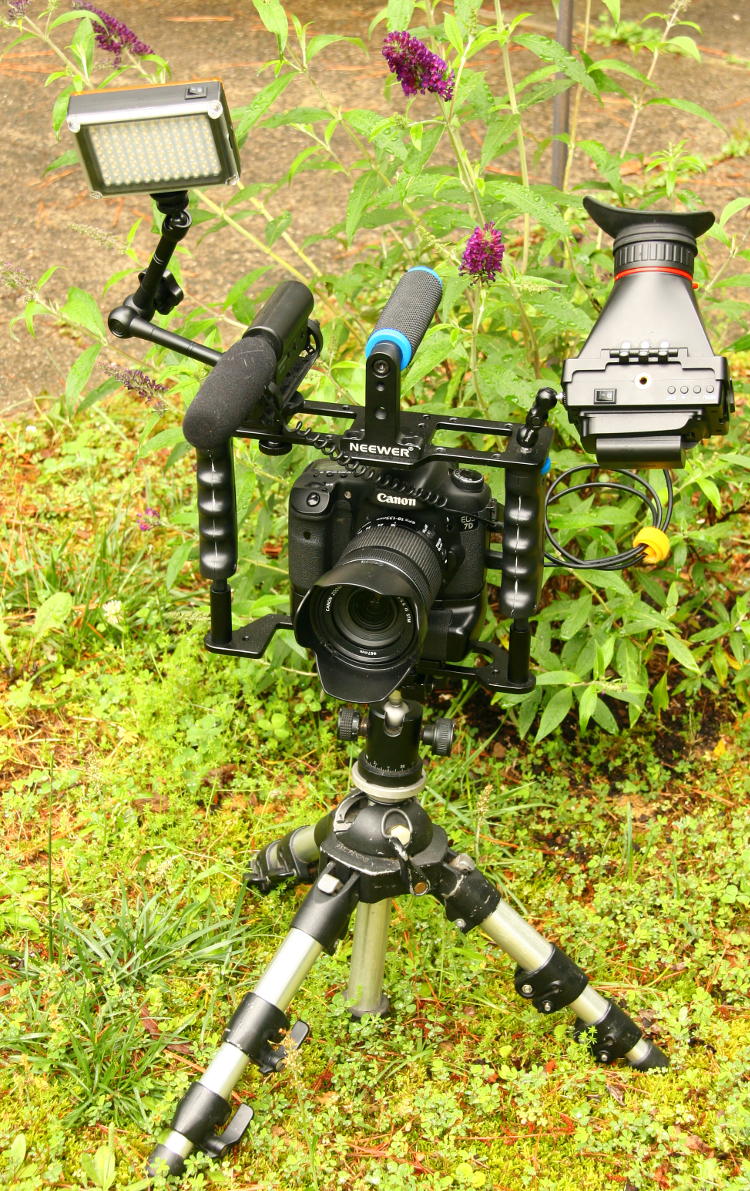
I had the long lens with me, and it probably would have helped with a handful of images, but I never bothered switching to it, instead keeping solely with the Canon 18-135. You can see the Takstar mic with the ‘dead cat’ wind guard, which worked reasonably well in the circumstances, not getting in the way and cutting the off-axis sounds in half at least. And this was the first real workout of the second option for improving video, which I’ll go into in a later post. Overall, it worked pretty well – when I didn’t forget to turn the mic back on…

Some of the birds were more cooperative than they should have been.

the author engaging a northern pintail Anas acuta in one-sided conversation while it perched on a railing, shot by The Girlfriend
This northern pintail (Anas acuta) seemed uncomfortable while I was explaining the myriad issues with the concept of free will, for unknown reasons. But at least it was mellow enough to stay put, and was even joined by its mate (probably) for a nice portrait:

male and female northern pintails Anas acuta posing for nice portrait on railing
They were pretty chill, allowing me to get a small variety of poses before we let them be – I don’t think they ever flew off. This is a fairly common species in North America, so not the rare or exotic images that would have been better to obtain, but hey…

I also snagged something quite expressive from the fish eagles.

probably mated pair of African fish eagles Haliaeetus vocifer looking as if captured in the middle of a quarrel
I mean, you can’t beat those faces, from species that really can’t change expression much anyway, and I couldn’t resist calling this, “When we get home…”

But my favorite is the one below. I really wanted to do more fartsy, portrait-style images rather than ‘cataloging,’ but the opportunities weren’t there very often at all; downward angles, fences in foreground or background, clutter, and fleeting clear views all conspired against doing a lot of good compositions, not helped by being there with three other people who weren’t likely to be patient with spending a lot of time chasing after specific images. Yet this image of a Guinea turaco (Tauraco persa) came together nicely, and I’ll take it.

Guinea turaco Tauraco persa framed with defocused red flowers in foreground
The other posts regarding Sylvan Heights Bird Park:

Too cool, part 11: Sylvan Heights Bird Park

Sylvan Heights continued

Under the wire

That latest one was over eleven years ago – we need to do better than that…

Participation trophy

It’s plastic, with cheap gold-ish plating that’s already wearing off, but it’s the thought that counts, right?

This means I responded to the forecasts that there might be a decent aurora borealis display early this morning, and went out to try my hand. The temperature was near freezing and the LCD display wasn’t showing a lot, so I wrapped it up after 45 minutes at the most.

view to north showing perhaps only the faintest hint of aurora borealis display
I was a few kilometers north of my previous attempts and thus might have been getting more residual light pollution from the town I was now closer to, or this might have been from someone’s lights even closer – that’s what the sharper white glow is from, I suspect. Really, far too many people have lights on everywhere now. Anyway, if there’s aurora light coming through in this 29-second exposure, it’s not impressive.

I took the same frame and increased saturation by 100%, just to see what appeared, and again, not much:

same frame with saturation doubled, still inconclusive
It’s possible this display was mostly green, and I have more in here than I suspect – I haven’t seen anyone else’s attempts yet. But if you look close, you may see some faint bands of pink in there, which I’m not convinced is not simply a residual of the color borders from the town lights. Basic answer: not worth the effort.

You might also have noticed the streak from an airplane in there, down low to the right, of which there were far too many to be found for 1:30 AM. Seriously.

time exposure of northern sky showing at least two aircraft crossing the frame
I waited out several of them, which can take a while – in fact, that’s why the initial frames of this post have one in there in the first place: I didn’t wait long enough. It was too dim for me to make out by eye, but 29 seconds at f3.5, ISO 1600 captured it.

And it really is a little more pinkish down there below them, though that could also be some residual taillight glow from cars that had recently passed. Still not enough to care about.

While waiting for both planes and cars, I turned to the west to do the sky in that direction, which was considerably darker, even though the trees bordering the road blocked the view close to the horizon.

night time exposure low to west showing Orion disappearing into trees
Orion is just disappearing into the trees, but still semi-discernible in there – that’s Betelgeuse, one of the ‘shoulder’ stars, showing up brightly just below and left of frame center. Meanwhile the bright one right at the upper edge is Jupiter, cruising through Gemini. Really, it was pretty good viewing condtions once you avoided the light pollution.

Perhaps the best one, overall-fartsy-wise, was this:

night time exposure of northern sky and edge of roadway with streaks from passing truck lights at edge
I quickly re-aimed the camera as a truck blew past, capturing the running lights on the trailer rather nicely – it could do without that damn barrel in there though. I should have waited at least until the headlights passed it, or simply dubbed it out and never told you about it. Still, it seems to say, “Lonely Road” fairly well, and the exposure was short enough not to get any noticeable streaks from the stars. Not that it could have had a lot, anyway; Polaris, the axis of rotation for star streaks, sits high in the center of the frame, with Ursa Major cut off a little too much to easily spot.

Prompted by the aurora predictions (more than any actual evidence of it,) I went out later this morning, when it could actually be called ‘morning,’ and did some solar filter images, showing that we do indeed have a nice collection of sunspots up there:

sunspots responsible for aurora on Jan 20, 26
Sunspots by themselves don’t generate auroral displays, but they’re associated with solar flares pretty often, which do, so generally you’ll find some if there are auroral predictions. These are distinctive enough that you might see them without needing a solar filter, through a natural cloud haze or perhaps even at sunset.

Meanwhile, the pics and video from World Waterfowl Day are on their way – still processing, and as long as I’m not interrupted too often today, I’ll have them shortly. And there’s still another video to follow, too. We’re getting there…

Tip Jar 3: Preparedness

I’m spinning this one out only a few hours before it’s due to post, so few (if any) illustrations will be forthcoming, but few should be needed anyway. This week, we’ll talk (ironically perhaps) about preparedness, and what you should have with you at all times when doing photography, and what is certainly helpful, and what’s optional.

So, the must-haves that you should never be without:

Adequate bag(s) or pack(s): It’s easy to say, “A big enough bag for all the stuff you need,” but there’s a lot more to it than that. Adequate padding and space, sure, naturally, but you have to carry this comfortably too, and in a way that won’t give you problems down the road. The old standby of the large bag with a shoulder strap is, thankfully, just about gone now, since it was a terrible idea; too much weight on one shoulder, very bad for your back, unstable, and occasionally needing to be set down to find something within. Now, while backpacks are better for carrying, balanced and optimizing your weight-carrying posture, they’re terrible for accessing, always needing to be taken off to do a damn thing. I trade back and forth between a sling bag, essentially a backpack that can then swing down to one side to allow access without removing it, and holster/beltpacks. The sling pack still puts a lot of weight on one shoulder, though it’s more optimized than a shoulder-strapped camera bag; mine is often offset by a large lens case slung from the other shoulder, so at least the weight distribution is more even on the spine. Also, bending over with a sling bag can still allow it to swing forward and down, unless you attach the accessory opposite-shoulder strap, which defeats the purpose of the sling bit.

Belt packs are better in a way, allowing much better weight distribution without any drag on the shoulders, and about as quick access to everything as can be achieved, but they drag on the waist instead, often slipping downwards slowly and usually trapping heat and sweat. I have offset these with suspender straps, which will even allow you to open the belt for a while and air things out, but overall, the sling bag remains in more routine use. This is certainly a season-to-taste topic, with no perfect solution.

Spare batteries: One at the bare minimum, two are recommended – since I’m always using a battery pack/vertical grip on all cameras, those take two and I maintain two in reserve. Once swapped, the dead pair are immediately recharged as soon as I get home, then put back into the bag ASAP. There’s nothing more annoying than cutting a session short because the camera’s dead.

And if you notice the interval getting shorter between needing a charge, it’s time to replace those batteries.

By the way, this also applies to accessories like your flash/strobe, remotes, and so on. For portrait sessions, for instance, have at least two full sets of batteries for the lighting. Voltage testing these ahead of time isn’t a bad idea either; too many of the packaged batteries have a dead one among them, and that will drain the others and stop things quickly because a dead battery will get reverse-charged when in sequence with good ones.

Spare memory: While it hasn’t happened in a while now, I’ve seen far too many memory cards fail, so keep at least one in reserve. Swapping them from time to time helps keep you informed of their status, too, though I’m not sure it does anything for longevity. Don’t be too hasty if a card does fail, and keep it in a safe place until you can tackle it with a decent recovery program – many times, most of the data can be recovered from the card, though I draw the line at re-formatting it and putting it back in use; that’s simply asking for trouble. Keep all cards in protective cases when not in the camera, and keep the contacts clean.

Flash/strobe unit: This is if the photographic style or job warrants it, like portraits or product photography, though these quickly become a kit of their own and carried in separate cases. When I expect to find macro subjects, for instance, the flash, arm, and softbox rig are a necessity.

Cleaning materials: Mostly for lenses, but a small towel or soft cloth isn’t a bad thing to have in the bag. While the various lens pens are handy in a pinch, they’re far inferior to lens fluid and proper cleaning papers or microfiber cloths. Keeping said cloths in a plastic bag to prevent grit and debris contamination is paramount, and if you drop one on the ground, don’t use it without a thorough washing.

[This, by the way, can be problematic by itself. Standard laundry detergents almost always leave a residue in the fabric that you’ll transfer to your lenses, never quite getting them pristine. I’ve heard baby shampoo as a solution, but I haven’t found any of those rinsing perfectly clean either. The best I’ve achieved is a thorough wash and multiple rinses, hot and cold, then a soak in alcohol and blotting the cloth between two towels, drawing the contaminated alcohol away.]

Weather protection: This may simply be rain-proofing your bags, but ideally, rain-covers for the main equipment and clothes for yourself that cover the range of conditions predicted and possible for your outing or session. Any of my warmer jackets/coats always have gloves in the pockets, and the heaviest have wool hats as well. Footwear is suited to terrain (and bags/packs to match.) Sunscreen as warranted, though due to leakage, carrying this in the same bag as the equipment is asking for trouble. In fact, liquids of any kind where they can reach the cameras/lenses is a no-no. And if your bags do get wet, get all equipment out of them as soon as possible and let them dry thoroughly at least overnight, but two full days is better.

What’s helpful to have:

A selection of lenses: This is the toughest decision at times, because they all add weight, but then again, you want to be prepared for any eventuality, and with nature/wildlife, this can often be a lot. There’s a balance point, but at the least, lenses that cover the range of focal lengths you’re most likely to use are top of the list here. Then, you can consider whether you carry that specialty ultra-wide, the fast portrait lens, the macro, and so on.

Flash/strobe unit: When not included above, this still becomes a good idea. Another weighty item that nonetheless comes in handy in unpredictable ways sometimes. Here, the more versatility that you can manage from a single unit, the better. If you’re likely to go longer periods between uses, though, remove the batteries, which have a tendency to trickle down when in a unit, or corrode.

Video microphone: If you do video, this is almost a necessity, since the on-camera mics are prone to poorer quality. Always check power switches before stowing, and keep a wind guard (dead cat) handy.

Remote release: Another item that can unexpectedly have uses. Wired or wireless, your call, and you may have use for several, but try to have at least one if you can.

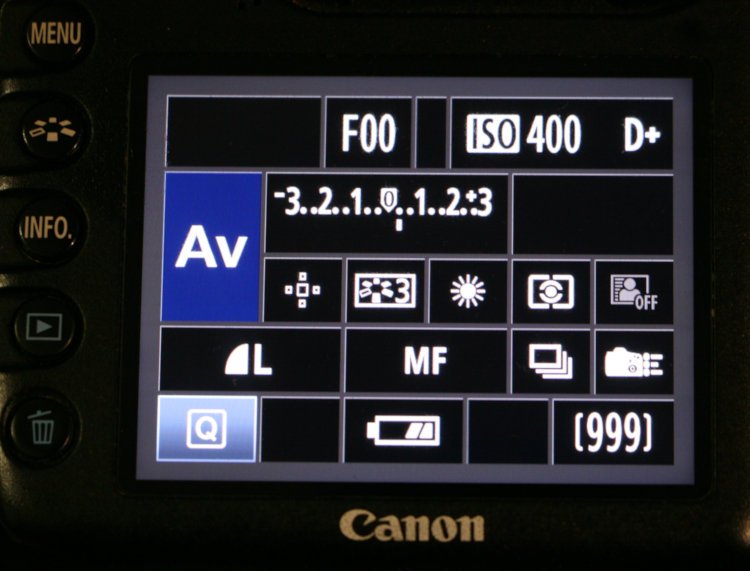
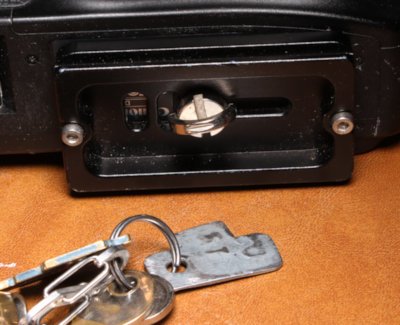
Spare tripod plate(s): Typically for a quick release head, these can work loose or occasionally be forgotten when switching things out, and inexpensive enough to keep a spare tucked away.

Spare body/bodies: Overkill to some, but necessary to others – if you’re on a paid gig, especially one with singular conditions like a wedding, keep another camera handy, in your car is good enough. The big failures or unexpected damage can happen, and you’re absolutely screwed if you can’t complete the job to contract. This will also apply to lighting and crucial accessories. It’s not a bad idea to go over the equipment before a contracted job and think, What happens if this dies?

Tape, small tools, cord/monofilament, knife, etc: Whatever you think you can get away with, weight and available space-wise. Stupid things happen, and sometimes, you’re saved by taping down that cracked battery door long enough to finish the job. I perpetually carry a small folding knife and pocket flashlight, even when not shooting, because when you have them, you find how often they’re handy.

What can be useful, but probably not necessary to carry everywhere:

Extended cleaning materials: Blower brush, cotton swabs, alcohol, and so on. Most times this is better to leave at home, to be used before heading out on a session.

Chargers, adapter cords, card readers, manuals: For extended trips, you’ll want these, but if you can leave them at your hotel room or in your car, that’s best.

First aid: Same as above, though there have been times when a bandage or two in my bag would have been welcomed. They don’t last long in such conditions, though, so swap them out as needed. Painkillers too.

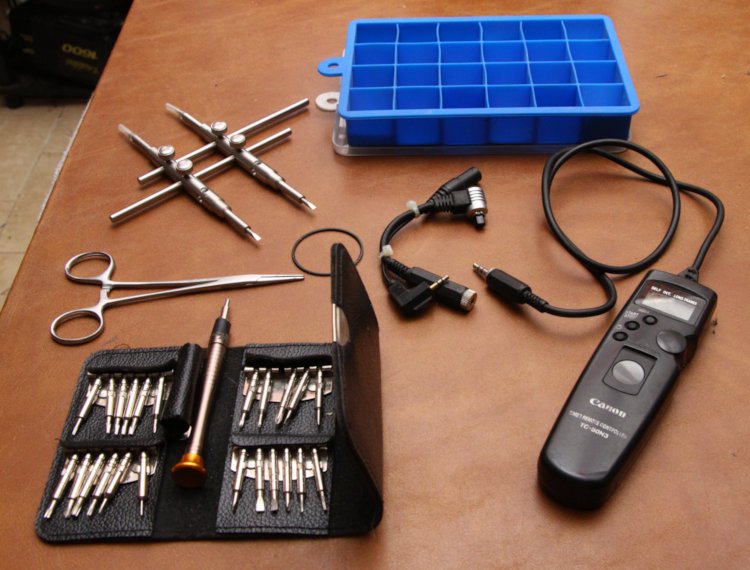
Extended tools: Meaning full screwdriver sets, specialty camera or tripod tools, and so on. If you’re traveling, they can be handy to have, especially if you’ll lack the ability to buy an emergency tool someplace. The one I’ve found that I needed more often than expected has been the hex-wrench for the tripod head.

Studio lighting: Unless the shoot specifically calls for it, in which case you probably don’t need to be told it’s necessary. But secondary lights on adequate stands are sometimes invaluable.

Go over the job/session in your head, well in advance: Step by step, day by day, subject by subject. It’s impossible to be prepared for everything, but you’ll kick yourself for not being prepared for something that you should have expected. As a personal example, I have a kit box for traveling, about the size of a shoebox, that contains my macro aquarium, ziplock bags, film cans, pipettes and eye-droppers, a small net, and some macro studio stuff to do macro work on-demand. These are all things that I have handy at home, but won’t find easily when traveling, and it’s been collected through experience.

There may be some things in here that I should have included, and certainly, variations that never occurred to me because I don’t shoot certain subjects, so you’ll have to fill in a little on your own. The main advice is, think about your tasks and goals and conditions ahead of time, and account for those first. Plan for problems. But then, pare it down to what you’re willing to carry, eliminating those things that you can either work around (like the ultra-wide lens) or cope with doing without, at least until you can return.

But yeah, a porter or three would be nice…

On their way

it kinda looks like a wood duck...
I’m happy to report that I, we really, did get out and do something for World Waterfowl Day – a lot of somethings, actually, enough that filling you in on it properly will take a little time. This translates to, uh, 472 images and 52 video clips, though relax – you’re not gonna see all of them.

We have company over right now, through Monday, so I’m finding the time when I can, and thus it still might be a couple of days. It’ll be worth the wait – you can trust me on this. In the meantime, you can ponder what the above critter is if you like. I’ll be practicing my editing to get those damn twigs out of the way…

Your weekend plans

[I’ve had this image sitting in the blog folder for a little over a month, for a post that never materialized, so it’s being put to use now, even though I should probably get something better.]

Canada geese Branta canadensis clustered on backyard pond
Short notice, I know, and then again, you already know about the holiday anyway and don’t need this, but Saturday, January 17th, is World Waterfowl Day, the day when we get images of waterfowl from every major geographic region across the world. Okay, I’d like to see anyone that could make that work, so maybe we’ll simply concentrate on the waterfowl that’s within easy reach instead. This isn’t too tall an order, since water is within easy reach of 90% or better of the world’s population, and with it come fowl. I’m pretty sure that’s proper sentence structure…

We have tentative plans for that day and right now, the weather looks amenable, so we’ll see if those come to pass. Failing that, we have waterfowl that practically come to the back door, so we can probably work out something – shit, we spend a hell of a lot less time in the backyard now because the ducks are almost always there, but they spook at the sight of anyone out there and we hate chasing them off, even temporarily. I may be spending more time in the upstairs bathroom, is what I’m saying…

It would also be a good day to get some nest boxes installed, if you have the opportunity and location, or scout out potential natural nest locations so you’re prepared in the upcoming nesting season, or to do a birding hike along any waterway you have access to – be creative.

green heron Butorides virescens stalking forward slowly on submerged branch
But why am I telling you this? You already know what you’re going to do – don’t you? Of course you do, forget I asked. And I’ll be back Sunday, or perhaps a day or so later, to illustrate what I got up to. Meanwhile, enjoy the day!

It’s called fashion – look it up

Just had to post this one. This guy’s been rockin’ the kerchief for a couple of weeks now, I think…

Carolina anole Anolis carolinensis showing incomplete shed tatters around the neck and shoulders
This is in the greenhouse, specifically on the foxglove plant that he seems to really like, since I’ve found him there (and scared him off while watering said plant) numerous times. In fact, several days ago when it was quite warm and I’d left the greenhouse door open for air, I found him not too far outside on the lawn, and recognized him from his kerchief since I’d seen it multiple times before; I figured he’d be happier in the greenhouse and shooed him back inside with surprisingly little trouble. Of course, when I went out later on with the camera, he was nowhere to be found. Spotting him again today, I made sure to get pics.

odd nested circular pattern in attached shed skin on Carolina anole Anolis carolinensisThis is, naturally, evidence of a fairly recent shed, only he’s never managed to dislodge it completely and possibly has no motivation to, since it’s about as out-of-the-way as it can be. But I noticed something odd in the old skin, shown here, an oval pattern which didn’t seem to fit. Now, if it were a snake, I’d say this was an eyecup, since snakes shed their eye coverings with the rest of their skin, but anoles don’t do that. Ear, perhaps? No, that’s an opening too and should only be a hole in the skin. Then piecing things together along that spinal ‘seam,’ I realized it was probably from the parietal eye (I’d always called it the pineal eye, another term for it but apparently not the preferred one,) which is a simple light-sensing organ centered nicely on top of the skull, not in focus in the image below but sitting just opposite in the frame, in between the grey areas just aft of the proper eyes:

attached shed skin on Carolina anole Anolis carolinensis showing shed parietal eye cover opposite parietal eye
By the way, this one is so used to me now that he barely responds when I enter, even when I’m walking back and forth – though as I said, he doesn’t appreciate water crashing into the pot that he’s snoozing within.

1 2 3 326