On composition, part 33: Impressions

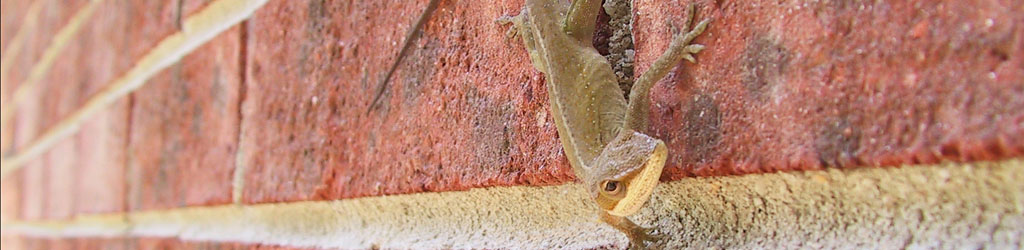
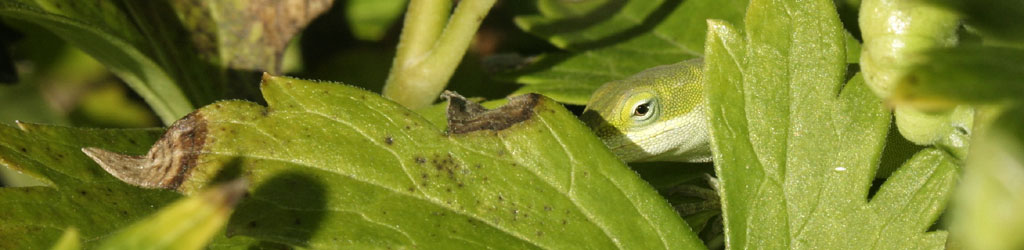
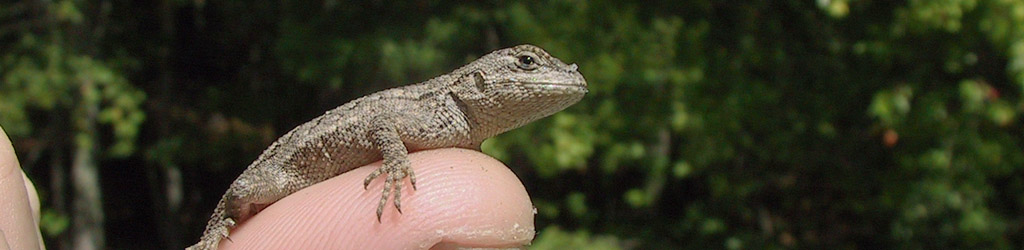
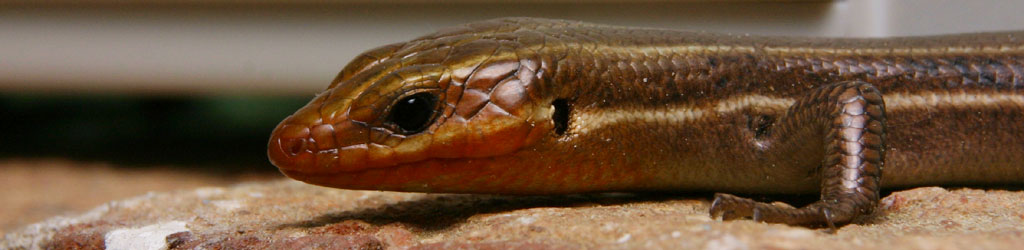
Contemplative Carolina anole Anolis carolinensis
Recent tasks brought this one to mind, an aspect of composition that can have significant effect but often remains entirely subconscious, so let’s talk about the subtle and tricky topic of impressions.

First off, I’ll say that from my own perspective, I more often stumble upon an image that provokes a certain impression, more so than I’ll actively aim for it, much less create it; there are certainly circumstances where I recognize the potential and intend to incorporate it, but it’s more often that I’m reviewing images afterward and am struck by how it makes me feel, or what it seems to say, or most especially, what the subject’s expression makes us believe they’re thinking. When it comes to wildlife, this is usually entirely wrong, but that doesn’t mean that these impressions still can’t serve a purpose, even just for amusement.

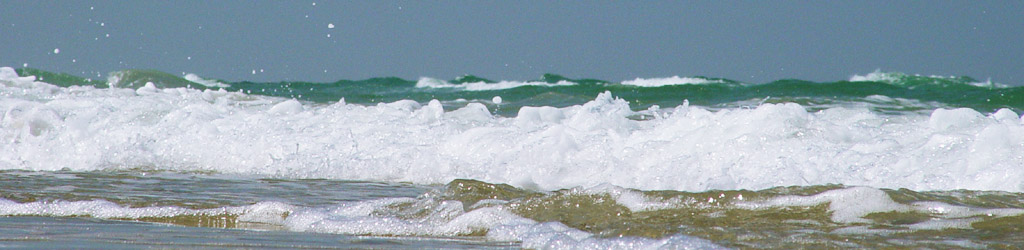
Wrightsville Beach wetlands channel
The first portion of this that we’ll tackle is the disconnect. While we know where we are and what’s happening when we’re taking the photo, the conditions and surroundings and so on, the viewer only sees what we’ve included in the frame, which can be representative of the true conditions or not, as we see fit. It’s often not too hard to present a placid and pristine natural setting by studiously avoiding having any aspect that says otherwise within the frame, never revealing that right behind us runs a major interstate highway, for instance. What goes to the edge of the frame goes on forever, is what I’m fond of saying – not quite accurate, perhaps, but the idea is that the viewer believes what they see represents what was there.

And this can be important to just about any kind of photography – we don’t just see the subject, whatever it may be, but the setting as well, and this should carry the impression that we want to convey. A hawk sitting on the edge of a building is no longer either nature or wildlife photography – I say that not from arrogantly defining the terms, but only from how others will view the image. But it works fine to illustrate urban wildlife encroachment, or adaptation, or simply surprise – what’s that doing here? But overall, even if we’re only illustrating the markings of a reptile, the image works better if the setting expresses an accurate habitat.

Then there’s expression, and while it is often challenging enough to get a human model to effectively communicate, “pleasantly surprised,” this is exponentially harder to produce from any animal subject; it’s usually a serendipitous discovery rather than an intentional effort when capturing the image, especially when such a large number of animal subjects do not use such expressions in any way. Yet there are still some things that we can do to help this along, changing our shooting angle or watching for the head tilt or shift of eyes. A simple little thing like the head shifting forward slightly can convey intensity of attention. And of course looking upward is positive, optimistic, unthreatened (unless there’s some aspect of ‘cower’ involved,) while looking down might be predatory, or disdainful, or simply depressed. It can help a lot to recognize how we might interpret these things as we see them. Take it from me, however: getting down to eye-level with your subject greatly improves your chances of generating a specific impression.

lone juvenile green treefrog Hyla cinerea looking unconvincingly earnest
The initial task that brought this topic to mind illustrates many of the factors involved. A friend needed paired images that said, ‘True,’ and, ‘False,’ but should ideally be matching, abstract yet interesting, and easy to discern quickly and from a moderate distance – there were additional details in that they couldn’t be mistaken for any other images that we were already using, in colors or shapes, but the initial criteria were tricky enough. I mean, what image comes to mind when you think of, ‘True?’ And of course, I have no such categories in my stock folders and could only pick through thousands of images trying to find ones that could be interpreted in those ways, mostly in the Scenic/Abstract folders.

[Was I successful? Well, we’ve settled on a handful of images that can work, but I don’t think either one of us is satisfied yet, no images that make us say, “Yeah, that works!” I’m still not just keeping my eye out while reviewing images, but thinking of potential new concepts as well.]

single long-stemmed rose washed up on beach
It’s often easier than that, though. Light color expresses temperature pretty well, since we know (subconsciously, mostly) that overcast days limit the red and yellow spectrum of sunlight, so light that is mostly blue spells out, ‘cold.’ Which also means that orange light is considered, ‘warm,’ something that too many TV and film directors use rather hamhandedly. Contrast and shadows provide their own impressions, sometimes of direct sunlight or, ‘being in the spotlight,’ sometimes specifically not. Blurring means motion or speed, also communicated at times with windblown hair or fur. Sunrise conditions almost always say, ‘quiet,’ among anything else. And if you’re planning on expressive images of abandoned buildings, you’d better bring along a little doll to discard into a corner someplace.

Okay, try to avoid the clichés when you can, but admittedly, clichés can still express what you need them to, and if the idea is to provide an immediate and unmistakable impression, sometimes a cliché is handy. Monochrome images dance exuberantly back and forth across the border between ‘trite’ and ‘expressive’ – simply converting to B&W often isn’t enough by itself, but selecting the right image for it can definitely work.

Being able to recognize something that provides a distinct impression is very handy for accent pieces and background illustrations – for art prints on a wall of course, but also to hint at an underlying mood. Yet, for commissioned works or advertising purposes, you often have to create those impressions. Just street photography can be tricky in eliminating all of the factors that might provide a negative impression (if that is not your explicit goal): trash, worn paint, cars that need work, people who are obviously not happy, and so on. When shooting weddings, I knew I had a roughly thirty-second window of capturing the couple’s first dance, when the guests were all looking on with smiles. Past that time, attentions wandered, people turned away or started quietly conversing among themselves, even sneaking a little food, and having that in the shot simply doesn’t work. And believe me, your eyes will go straight to that one person. For any photography, spotting the subtle little distractions and keeping them from your frame is important, but doubly so if you’re trying to foster a distinct mood or idea. You have to see everything, as well as nailing your timing. Candid groups of people can be especially hard, and photographers may often take lots of frames hoping to capture one where nobody is forming a distraction to the overall idea.

two edits of seagull against sunset clouds
We can’t forget what you can do in post, either. If you need to foster more of an impression than the original provides, or simply see the potential, a little editing in the program of your choice can make a huge difference. The parts above about color temperature and contrast will likely provide most of what you need, but some selective lightening or darkening can alter things nicely, something that cinematographers know all too well. And here is where you can occasionally remove those distractions that you missed when taking the photo. I’m never a fan of altering images beyond cropping or slight color corrections, preferring to get the intended image right the first time, and so I don’t push people in this direction, but at times it serves a purpose. Always remember that changing images that contain people is inherently asking for trouble, and alterations are widely frowned upon for journalistic uses, where it becomes “editorializing’ rather than ‘witnessing.’ Tread carefully, but preferably, not at all.

So there are some ideas to get you started, but by no means a complete list or the best examples (I never claimed to be perfect.) It’s often trickier than it might seem, but when it works, you know it. Give it a shot, and be creative.

[And if you have any decent ideas for ‘True’ and ‘False,’ let me know.]

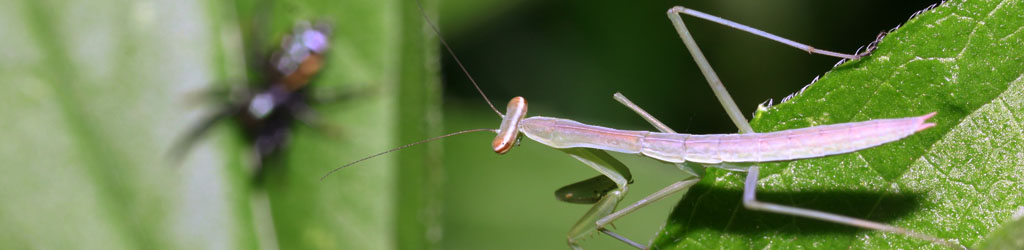
Chinese mantis Tenodera sinensis looking appalled
Chinese mantis Tenodera sinensis looking sorrowful

On composition, part 32: Post

backlit leaf clipped to red channel in greyscale with contrast increase
By that, we mean, “Post-processing,” which some may argue doesn’t really apply as composition, but it all depends on how you use it, doesn’t it?

I’ll lead off with saying that getting the image that you want in-camera, while your chosen subject is right there in front of you, is not just preferred, you want it to be an integral part of your shooting – it’s really hard to go back and get something that you missed. Even if the location is close by, the light will have changed, the foliage will be different, and so on. Examine all the possibilities that you can think of while you can – experiment, change positions and angles, try different settings or metering methods, whatever it takes. And don’t trust the preview on the little LCD to tell you anything crucial; take more images with little variations to be sure.

But the way you treat the image afterward, back home at your computer, can have a significant effect on your images as well, and there are certain skills that should be developed for this. Composition is not just what you have in the frame, but also what you leave out, and even the positioning in the frame will determine whether something is your main subject or not. I have a whole page and video on cropping, so I won’t repeat too much here, but there are definitely times when the original image isn’t strong enough as taken, yet can become entirely different with a little creative cropping. On occasion, you will suddenly discover the possibilities within that never occurred to you while taking the photo – including sometimes finding a hidden subject.

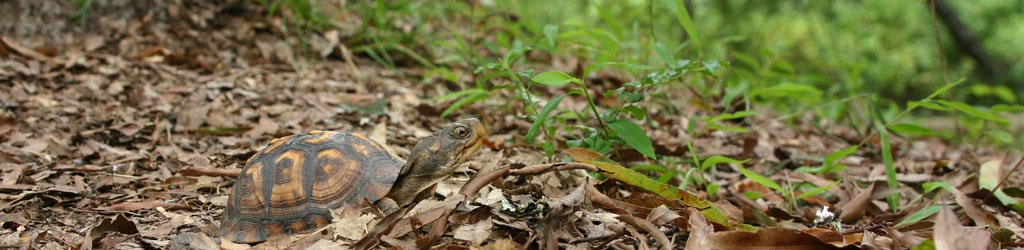
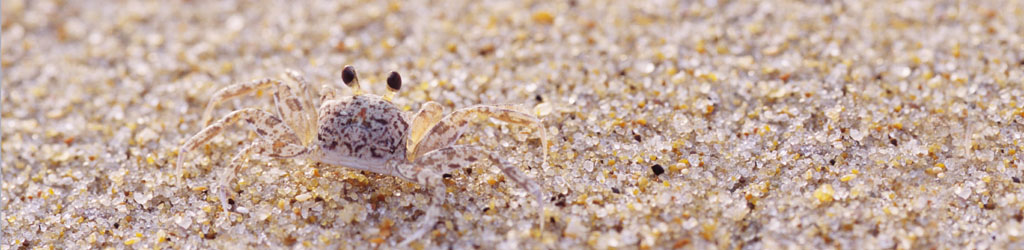
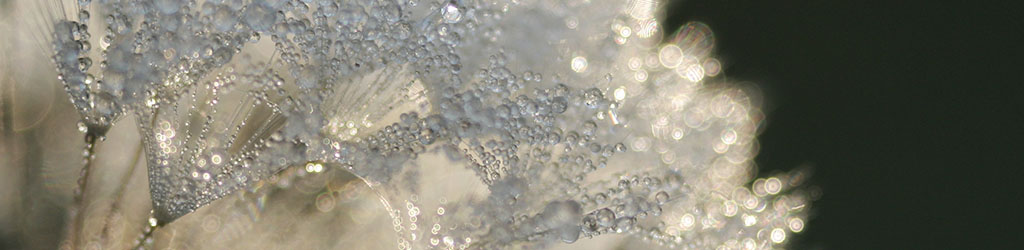
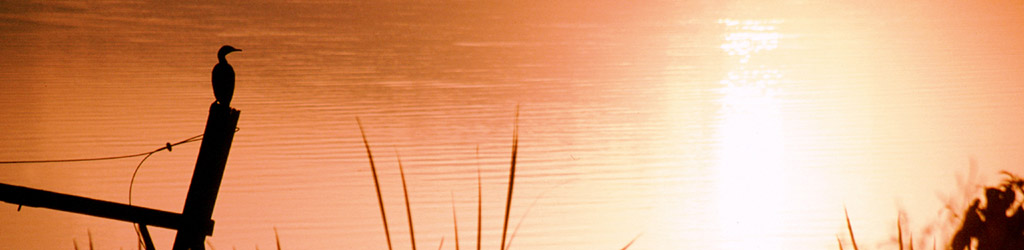
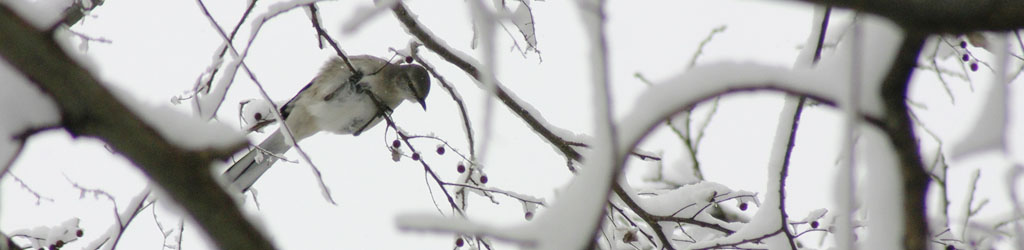
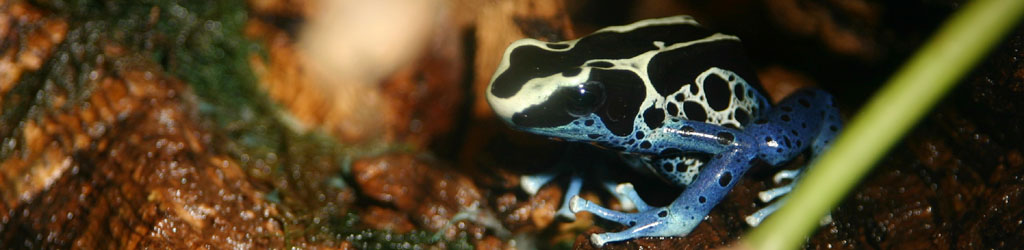
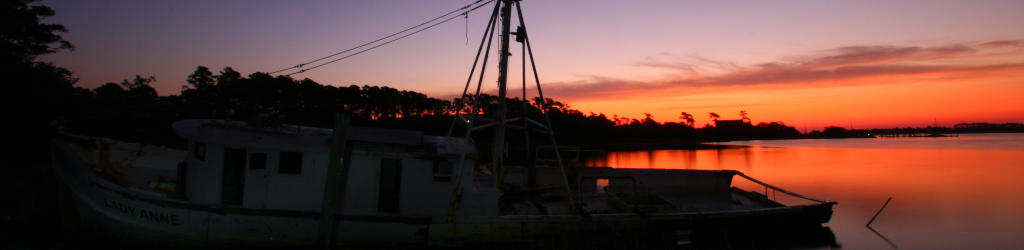
End usage dictates a lot of this, too. We might see the potential in shooting the image vertically, but then a desire for something horizontal pops up, or we need to fill a particular space, or a client wants a specific frame size. Weddings and portraiture especially have demands for 8×10 or 11×14 formats, neither of which fits the standard 2×3 (8×12, 11×16.5) ratio of the typical SLR frame, so we need to know how to accommodate these, without ever forgetting to leave enough space to crop down while we’re actually shooting the images. When a client wanted a selection of images in panoramic or banner form, something that I had rarely ever considered aiming for, I was forced to find out how many images that fit their other criteria could also be turned into panoramics. But it led to the banners at the top of the pages here now.

It’s well worth it to have decent photo editing software on your computer, and learn how to use it for the most common needs of course. Is it necessary to have the bestest and most elaborate package? Not ever, in my experience – I’ve used Adobe Photoshop right alongside lightweight and freeware packages like GIMP, as well as several ‘consumer’ programs, and presently use GIMP for all of my needs. Many packages are intended for graphics professionals doing elaborate creations, with only a fraction of their tools and filters aimed towards photography itself, so why pay for things you won’t use? Below I’ll break down different tiers of functions, for better than 90% of the edits you would perform.

But first off, Optimize your monitor. Making sure that your display is as accurate as possible will help you in editing, and really, if you’re doing anything with photography (or artwork, or design, blah blah,) you really should have this locked in. My old page on adjusting your monitor is here, but I fear that it is sadly outdated now; I would at least recommend finding both a ‘typical’ image with a great range of colors and light levels, and a good gamma image that gives step transitions between full white and full black – these allow you to know when your display is as good as it can get. Recheck this at least every six months, because monitor settings wander, and of course after any graphics hardware or software updates. Also, make sure that your viewing/editing position is as close to straight on to the monitor surface as possible, since most monitors present a color and gamma shift when viewed at an angle.

Some basic functions you should definitely have in your arsenal:

Cropping and Resizing. Already covered in detail, and really, any program can perform these more than adequately. The biggest difference that I’ve seen has been in upsampling, making an image larger than the original, and there are variations in the algorithms used for this. If you end up doing this a lot, it might be worth the search for software that produces the best results for you.

example of subtle color correctionColor correction. Again, typically covered by most programs quite well, though using this effectively becomes almost an art form in itself. Many programs have a Curves function which allows you to strengthen or weaken colors within particular brightness ranges, which might seem confusing until you learn how it works. Briefly, I’ll point out that sunlight and shadows actually have different color registers, and you can mimic or reduce the effect of these as needed: for photos taken in bright sunlight, the shadows will lack some of the red and yellow color registers that are present in the highlights, so you may want to reduce this effect, or accentuate it, depending on the image and usage itself.

But there’s also the bare fact that most artificial light has a color cast to it that you may not desire, or you’re trying to improve skin tones, or you simply need more contrast or saturation. There is no way I could provide a decent guide to this, especially not in a single post, but I’ll offer two bits of advice. 1, Practice, a lot – it’s not a simple thing to learn. And 2, Make Subtle Changes, less than you think you might need, at least at first. We get used to seeing things and can keep pushing changes farther than they should go, thinking that it continues to improve; instead make smaller changes, then set aside the image and work on something else for a short while. When you come back, see if you still think it needs tweaking, and in what direction – initial impressions count for a lot here.

By the way, while many programs have something called Auto-Levels, not once have I ever seen it do a good job. It might help you visualize where a color shift is happening, but like most automatic tools, it’s not very good – you can easily do it by hand much better.

Cloning/Rubber Stamping/etc. I think every program calls it something different, but the gist is, copying a very small portion of the image over into a different area, mostly to cover up dust on the lens/sensor, dust or hairs on the scan, and the occasional trash that sneaks into a photo – I’ll do it for display prints with a bit of high-contrast schmutz that was present, like a yellow leaf that draws too much attention. Doing this well is harder than it might seem at first, because we tend to tune out the color and gradient shifts that occur across a surface or in the sky, and thus copying from the wrong area leaves an obvious bright or dark smudge, no better than the dust we were trying to eliminate. While it takes practice, it’s very handy, especially when dealing with old images or doing restorations.

Resolution Control. This is mostly for printing, since online usage should be solely by pixel dimensions, but printing requires a certain resolution – my general rule is 300 pixels per inch for the finished size. Having the ability to do this easily makes your work flow a lot faster, but it’s not that hard to do some simple calculations for end usage as well. Do not confuse the dots per inch (DPI) of most consumer printers with pixels per inch, since they are not interchangeable – DPI mostly relates to each color ink that gets laid down, and to make all the colors in a decent print from 3 to 8 ink colors, some layering and combining is required, so DPI will always be higher than PPI, which relates only to the fine details that we want to see.

Sharpening. There are a lot of filters/functions to accomplish this, and umpteen different ways to use them – doing some online searches and experiments will help. The most common one is the confusingly-named Unsharp Mask, which is sufficient for most uses, but the finer details can be tricky. My basic rule is, first get to your final resolution, whether it be for printing or web use, whatever. Then enlarge the image on your screen to 200% or better, and perform your sharpening tests there. If halos are forming around high contrast areas, you’re going too far and need to back off a little. Just remember that no digital tricks will correct bad photos – sharpening is for light enhancement only.

illustration of Dodge tool in GIMPDodging/Burning. This is a method of selectively lightening or darkening very specific portions of an image, usually in the shape and size of whatever ‘brush’ you like. Definitely handy to draw attention to, or away from, areas in the image that got too little or too much light, very easy to do with nature photography. But so you know, perhaps one out of every 35-50 images seen on these pages have been treated in this way – sharpening takes place only a little more often, about half of those just to compensate for reducing details in the web resolution version of an image.

Those are the basics, which I’d insist on having and knowing. Now a few advanced functions.

Layers and Masking. These are invaluable for compositing, retouching, laying in text, and so on. Doing work on a different layer can allow you to turn it on and off, or even make it semi-opaque, as needed. Masks are even better, because they allow you to do this selectively, in only small portions of the frame, and can alter it repeatedly. Very slick.

Paths and Stroking. Essentially, a method of doing precise work, such as painting a straight line or specific curve, without trying to do this with a mouse or touchpad. I do this very infrequently and keep forgetting the steps, but in certain specific cases it’s a huge help.

By the way, graphics professionals and artists swear by drawing tablets, but all will admit they’re a tough thing to get used to initially. I don’t do it enough, or elaborately enough, to merit both the expense and the space needed, but I’ve tried them in the past – I can see the benefits, and also agree with the learning curve. If you’re just doing photographs, you likely won’t see the benefit, but if you’re doing anything freehand like painting or drawing or even selective dodging/burning, you might get a lot more use from one.

High Dynamic Range, or HDR. A method of combining two or more images that have exposures in the range that you prefer. Often enough in photography, we can expose for the highlights, like the sky color, but in doing so lose the shadow details, because photos just don’t capture the range that we can see with our eyes. So HDR takes an exposure for the highlights, and another for the shadows (and so on,) and combines the best bits of each. This used to be done by hand with those layer masks, but now some programs do it automatically. I personally consider it cheating, and it very often looks fake to anyone familiar with how light works – useful, perhaps, in advertising, but mostly what is shows is the inability to use light properly or seek the correct conditions. You do you, however.

example of stacked image
This is actually a two-frame stack; one had the eye sharp, and the other had the nose sharp
Image Stacking. Very similar to the above, but used more often in macro and astrophotography. In macro work, depth-of-field drops very short, just a trait of high magnification, so multiple images are taken, all with focus shifted just a little farther away, so one image has the eyes sharp, another the ‘shoulders,’ another the ‘waist,’ and so on, and the sharp portions of each are used to make a single image that appears to have much higher depth-of-field. For astrophotography, it enhances very faint objects while ignoring the dark sky, and is considered a standard tool anymore. I’ve done a very limited number of the former, and none of the latter – I still consider it cheating, but for illustration purposes it can be handy, with full disclosure of course. It’s making composite images, pure and simple, and while it does not introduce something that wasn’t actually there, it’s more a computer function than photography, and drastically misleading to anyone attempting such images on their own.

I guess my basic rule is, if there’s a specific illustrative or informative goal, then fine, go for it. But if you’re intending to do ‘art’ or showing off your skills, well, you’re not, are you? You’re just showing off the software that you use. Learning to do it without digital tricks is much more skillful.

Other creative/artistic filters and effects. By these I mean the pre-packaged effects like Mosaic and Canvas and so on. On rare occasions, using one of these in a limited manner might help you create a vision, but realize that everyone familiar with the same program will probably recognize the effect instantly, and will know that all you did was click an option – this includes 90% of art directors and contest judges. If you’re trying to do something unique and talented, that takes some effort. Use the computer to help you, but don’t count on it to do anything.

That’s all I can think of right now, but it’s probably enough.

On composition, part 31: Format

This is somewhat of an odd one, but actually pertinent to not what you take photos of, but how you use them afterward. It’s something that I face constantly, mostly subconsciously, when doing the blog, so let’s bring it out in the open now.

If you’re doing a gallery show, or a book of your own or something similar, you can pick and choose the formats, the proportions and ratios (height:width,) and even the media that you like, which can give you options for dynamic range and textures and so on. But most of us don’t do that often/at all, and instead we’re displaying photos on social media (*blerk*) or on websites and blogs and so on. And these often impose subtle influences on our work, which we can take advantage of with a little forethought.

For instance, while computer monitors tend to be horizontally-oriented, the ‘landscape’ idea of width being noticeably greater than height, smutphones are most often the opposite, held vertically largely through force of habit (also influenced by the software thereon.) This blog, like many, is a columnar layout, which tends to favor vertical photo layouts over horizontal – I can keep the same pixel-width for most images to ‘fill’ the column, but for horizontal images, this means the vertical dimension (and thus the overall size of the image) is smaller. So vertical images just display larger and more impressively, which doesn’t bother me too much because I lean more towards vertical compositions anyway. Panoramic style images, where the horizontal dimension is better than twice the vertical, suffer the most of course.

fishing boats seen in front of rising sun, North Topsail Beach
This has an affect on the subject matter, because while the original photo may have been composed horizontally and well-balanced to use the frame to advantage, when constrained down to a particular display, the main subject might get reduced down so much that it has minimal impact, perhaps even losing crucial details. Then, we end up deciding if we chance this to keep the strong composition that we created, or crop the image down, losing various surrounding details, to enlarge to subject/focal point enough to retain the details of that. I do this too often: trying to decide if I want something fartistic (keeping the stronger composition) or illustrative (allowing more detail to be seen on the subject.) It often depends on the point of the post – what I’m saying with it, what I need to show, and so on. Even with insect subjects, I often try for portrait angles and decent layouts, including the surroundings dynamically and so on, but when it comes to trying to illustrate, the composition often goes out the window to slap a subject in the center of the frame with little else to be seen.

And of course, if we’re trying to accommodate smutphones (I’m usually not, because they’re stupid and because I write too much to hold the attention of the smutphone crowd,) then we’re further constrained by the layout and the size of the screen itself, not favoring anything at all where the detail drops smaller, just because it simply won’t be seen. Yes, the user can pinch and scroll and get the effect we might have been after, but this is a) if they choose to make the effort, which isn’t the case too often, and b) if the effect isn’t altered or even ruined by ‘zooming in’ on small portions of the the image.

A little cheat in here: On the occasions that the image displays a lot of detail that simply doesn’t work well when constrained by the online dimensions, you can upload a much larger version to reside on the server and provide a link to this that anyone can click on. That way they can get the full effect as desired, but you don’t wreck the page layout.

Scrolling can be an issue. An image with a strong composition and a vertical layout can lose the impact when it stretches offscreen so the entire image cannot be seen at once, and because of our left-to-right, top-to-bottom culture, photos with the strongest part of the image towards the top almost present a disappointment through scrolling – the act doesn’t reveal any surprises, any improvements. It’s sometimes better to compose in such a way that the strongest element is towards the bottom of the frame, so the act of scrolling results in a discovery of sorts.

unidentified mantis on Dracaena grass
Worrying too much about this is pointless, however; there are too many formats, too many ways to see something online, and getting the same effect from all of them is impossible. We can’t require a browser width or ratio, we can’t force someone to use their phone horizontally (which is a shame – more on this in a moment,) we can’t pick image sizes or dimensions that work either way. And usually, the impact isn’t significant no matter what we do, amounting to a minor affect on impact and impression to the viewer – we can aim to give our images an edge, but it’s a minor little edge.

ring-tailed lemur Lemur catta portraitLess-than-column-width images, which may be placed alongside text (or ads or whatever,) present their own little foibles. Many images have a ‘direction,’ most noticeable if there are eyes in the image looking left or right, but even just the subject placement or the lines of the composition can influence us to believe it’s facing ‘left.’ As such, we typically want the direction to lead us ‘into’ the page or text, facing the center rather than the outer edge, though on occasion (like a book layout,) such implied direction can lead us on to the next page. Overall, however, picking the placement of the image to take advantage of this direction is better. Know, too, that people will usually see the image before they read the text alongside, so if the text really should precede someone seeing the image, don’t place it alongside, but above – sometimes well above, if the ‘surprise’ or ‘reveal’ is crucial.

[I have this thing constantly where, with text alongside of an image, I want to convey a description or idea before moving on to the next image, but don’t always have enough to fill the adjacent column space. This means either injecting a page break, leaving a big empty space below the text to get to the bottom margin of the image, or getting more wordy to fill that space. Sometimes both.]

I find myself now, while out shooting, thinking about how I’m likely to use particular images and trying to accommodate those uses. However, I also recommend being open to other uses as well, because we may always run into a client that requires a different format. While many subjects might lend themselves towards just a vertical composition, we can lose a sale if the image won’t work horizontally. Also, as I discovered when shooting weddings, the common print sizes restricted how I could use the frame: an 8×10 print is a different ratio than the camera produced (which translates more to an 8×12,) so ‘filling the frame’ would prevent it being used as an 8×10 print without cropping off something crucial, so shooting a little wide – letting the subject be a little smaller in the frame and including more space outside – allowed for cropping to common print sizes, as well as occasionally converting a vertical composition to a horizontal one, and vice versa. I’ve even discovered after the fact that they sometimes work better that way.

Don't shoot phone video vertically dipshitHowever, shoot video horizontally. Always. All video players are horizontal, so playing a vertical video always results in large blank areas to the sides, as well as reducing the video detail down to the shorter dimension of the player. So what if the subject is vertical? Every last filmmaker has been coping with the same idea for the past century and has always made it work, even making their screen ratios wider, so we can manage to do the same. Use a vertical pan if necessary, but turn that goddamned phone sideways.

Something that’s almost impossible to accommodate is dynamic range and gamma. Dynamic range is the range of brightnesses available throughout the image, from pure black to pure white, and gamma is closely related but refers to how the monitor/screen/jumbotron renders it. Everyone doing photography should have their monitor pretty carefully color-corrected and adjusted for the best gamma results, but this doesn’t mean that every viewer has done this, or even knows what it is. [One of the reasons that I recommend against judging exposures by the LCD on the back of the camera is that gamma is often not ideal, nor is it adjustable.] So while we may have an image that relies on subtle variations, these may be lost to an unknown percentage of viewers. There’s not a lot that we can do about this, other than either avoiding using such images or simply not worrying about it. The third option, which I employ from time to time, is to tell people how much they’re missing out if they can’t see all the details…

Edit 03/27: I can’t believe I missed this, but there’s a concept that’s used a lot and demonstrated to have a noticeable impact, and that’s the “strong open, strong close” idea. Basically, it helps to open and close our post/page/gallery/etc with compositionally, artistically strong images – good first impression, good last impression. Of the two, I’d say that the strong close is more important, and something that we can ‘build up to’ through the other images or text. And of course, the larger these can display, the better – not the place for a half-column image. As with everything, this shouldn’t be treated as a rule, but having the tendency is better than not having it at all. We can choose our images, and even the pacing of the text, with this in mind.

Are there ideal dimensions? Like, how big should an image measure? In short, there’s no simple answer – smutphones of course have ridiculously small screens while monitors have been getting far larger, diverging the display options tremendously. I’ve fixed a maximum width for the blog at 750 pixels, up slightly from the old standard a few years ago of 730, and I could probably go larger easily, but something to remember is that even people with huge monitors don’t often use a browser at “full screen,” nor are a lot of websites capable of accommodating this anyway – many are constrained in pixel width (which I don’t recommend, because it serves to keep your site displaying small when the monitors get bigger.) When sending by e-mail, my maximum dimension is 1200 pixels, allowing people to see detail as needed while still not glutting an inbox with enormous file sizes. When hosting one’s own site, bear in mind that space is potentially an issue, but even if ‘unlimited,’ load times for pages or galleries or even back-end stuff grows with larger files, so best not to go any larger than necessary. Especially when uploading to any outside hosting site, know what the display dimensions are and keep your images (and most notably videos!) sized close to this – perhaps slightly larger to account for their compression algorithms, but definitely do not upload full-resolution, full-size images or video to such hosts – all you’ll do is waste time and space. Even for websites, keeping the resolution down below a certain level helps prevent ‘right-clicking’ and image theft, especially of anyone thinking of making a print from your work.

All that said, I hope that this at least provided some pointers and guidelines, and if I missed anything, don’t hesitate to say so. Good luck!

American sweetgum Liquidambar styraciflua leaf on dark water with starburst reflections

On composition, part 30: Timing

brown pelican Pelecanus occidentalis banking with wingtips against sun
The moment someone talks about timing when discussing photography, most people immediately think of tripping the shutter, getting the photo at the key moment that ideal action or positioning occurs, and this is certainly one aspect that’s important, and thus, the first that I’ll discuss – which tells you there’s more coming along, too.

Timing the shutter trip is not just about reflexes. First off, recognize that the speed of the button press does not increase with exertion; we’re talking a movement of less than a millimeter on every camera made since 1985, so slamming, squeezing, or really, doing anything other than a gentle press will do nothing for your timing, and a whole lot towards moving the camera, changing your framing and/or inducing motion blur. Don’t get excited, don’t tense up. Just a subtle little touch – that’s all it takes.

More, timing relies on anticipating the moment, and occasionally, the minimal delay between that button press and the actual capture of the image – in this era of electromagnetic aperture controls, mirror actions, and shutter curtains, most cameras from the last ten to fifteen years have release delays so small they won’t affect anything except the most demanding of subjects, but older cameras may have noticeable delays, and really, the only thing to do about this is get used to it and compensate accordingly.

This is assuming that you’re ready to trip the shutter at that very millisecond, which requires that you’re paying close attention and prepared for the (perhaps unexpected) action. Generally, this should be the case the moment the camera is raised to your eye, but it’s startling how many people are simply ‘looking’ and not ‘ready to take the shot’ when they do this. Finger on shutter release, AF and metering active (usually this is done with the initial ‘half-press’ of the shutter release,) and subject aligned as desired. It’s more a mindset, really, the internal voice telling yourself, “I’m ready – show me what you got.”

A quick note about trusting frame rates. Current cameras can rip off a lot of frames quickly if you hold the shutter down (and have that option set in the first place) – as many as ten frames per second (fps) on the top-end models, but usually between 2.5 to 5. This means it’s tempting to just let the camera crank away when something interesting is happening, and hope that one of those frames captures the precise moment that you want. It’s a bad habit, one that I often warn against. Let’s say that you want to capture the contact of a foot with the ball in some sporting event, and to freeze action, you have a shutter speed of 1/250 second. With a rate of 10fps, you’ll still only capture 10/250 of of the action, or 1/25 of the action every second, or 4% if you like. And a typical kick takes place in about 1/4 second, so now we’re down to about a 1% chance. Granted, there’s probably a bracket of acceptable periods of contact, so let’s be extremely generous and say your chances are as high as 10% – is that enough? Better to simply wait for that particular action and trip the shutter right then.

Additionally, periodic things like a bird flapping its wings can actually coincide with the frame rate, so while you might be hoping to capture the bird with its wings raised high, you may get a sequence of frames with them in the exact same position; I’ve done this several different times. At the very least, insert slight pauses in the sequences, lifting off the shutter release for a fraction of a second to try and break this pattern – because, yeah, trying to time the flapping wings is exceptionally hard.

Anticipation is a very big thing that applies to countless subjects, the readiness that something will suddenly become a lot more photogenic, that some behavior or action or emotional response appears that makes the photo many times better than without. In some cases, this is a knowledge of the subject. In my present pursuits, I can often spot when a bird is about to take flight, because they physically prepare for it. When I was shooting weddings in the past, it was recognizing people, the earnest storyteller who would eventually reach a punchline, the sudden delight when someone new walks up. Behavior is more predictable than we often believe, but it takes observation and recognition of trends and tendencies.

wedding bouquet a hair too low
… just a fraction later than ideal
Some of it, too, is planning and awareness of conditions. Again, presently, it’s knowing there’s a patch of clear blue sky that the flying bird will eventually pass into, or the head angle that will give a sparkle to the eye. With the past weddings, it was knowing the happy couple would reach an ideal spot in the entryway arch, or that the falling bouquet would appear best a meter or less above the heads/hands of the wedding party. This position means this will appear in the background, or the light subject will pass in front of a darker background (thus delineating it better) when it gets to this point. Not seeing this until it happens will often mean it’s too late to take advantage of.

Much of my macro work is done at very high magnification with a very short depth of field, handheld because setting up a tripod is both too slow and far too difficult in most situations. The flash takes care of motion blur, but not camera motion, the trivial wobbles and shifts in my position that cause the subject to wander in and out of that short depth-of-field, so crucial to these photos is the ability to trip the shutter as I lean back into the range of sharp focus. The same may be said for action shots in natural light, especially with a wide aperture that, again, shortens the depth-of-field, let’s say the sports doofus (I really couldn’t care less about sports) approaching the camera. Rather than relying on autofocus to try and tack a subject that continually changes distance, which sometimes works and sometimes doesn’t, you can set focus manually at the range that the subject will enter and trip the shutter as they hit this sweet spot. Some camera bodies, with Nikon notably, have this built in, usually called ‘trap focus,’ but I have never had the opportunity to try this out. If you’ve developed the skill on your own, you can do this with any camera, without having to switch settings.

fishing boat against sun on horizonTiming of conditions is another important aspect. Sure, it’s easy to know that sunrises and sets are ideal times (sometimes, anyway,) but it helps to know that the light and sky conditions will change noticeably within minutes or even seconds, as well as the chance that something photogenic will enter the frame; the sailboat may have only a moment or three when it turns at the right angle to throw a reflection from the hull or catch light through the sail, as well as when it passes across the glitter trail, the reflections of the sun on the water. Yet, changes can occur at any time of the day, such as when the breeze moves the leaves or stalks in the right direction, or tosses the fur of your subject just right. And the light can change, sometimes suddenly on partly-cloudy days, which changes the reflections, the color cast, the contrast, and the shadows, all factors in how the photo looks. Colorful subjects look better in lower-contrast light, like hazy or partly-cloudy, while textures look better with higher contrast and sharper shadows, so turning towards those subjects as the light changes can give you much better results.

I often tell my students that those fluffy white cumulus clouds that we all drew in grade school are very short-lived, especially around here; within the hour, they typically either vanish or thicken up towards overcast. And their position in the frame makes a difference too, filling in a bare patch of sky or appearing alongside (but not behind) our chosen subjects. The sun angle makes a difference on how blue the sky appears as well, tending to be deepest exactly opposite the sun, so midday is often not the best time to be out shooting.

Which brings us to the hour of the day. Mornings are the time for fog, dew, frost, and the first bird activities of course, so even without the performance of a nice sunrise sky, there are often subjects to be exploited. Evenings see the last bird activities as they forage before finding a place to roost, as well as returning boats or, if you’re into that kind of thing, the emergence of human nightlife. Dusk will occasionally reveal the early forays of the nocturnal species, but if you’re willing to go looking by flashlight (or ideally headlamp,) you can find the night dwellers, often species you will never see by day.

black-capped chickadee Poecile atricapillus fledgling leaving nest boxAnd then there are events, which may be as specific as an astronomical event or even just a flash at sunrise, or something particular in the lifecycle of a species, like the moment a fledgling leaves the nest box. For these, adequate preparations are necessary, such as knowing the exact times as well as being in a good location to witness the event, or it might take staking out a particular subject with the knowledge that it’s going to happen sometime soon; patience and readiness are the bywords here, perhaps testing your dedication to the pursuit because some of these things are only slightly predictable. For the black-capped chickadee (Poecile atricapillus) here, it had hung around the opening of the nest box for perhaps ten minutes, chattering excitedly for parents that were resolutely refusing to come by or answer (because that’s the way they convince the fledgling to commit,) before it abruptly bailed the box and started figuring out how controlled flight works from ground level. Its sibling, on the same day, took better than 40 minutes to get up its nerve, even though it was all alone in the nest box now. And while I captured this one (barely, and not very impressively,) after the long delay, the latter still leapt from the box while my hand was away from the shutter release.

It doesn’t matter how practiced you are, it doesn’t matter how ready you are – you will miss shots. These aren’t failures, they’re practice, the development of the skills necessary to improve your chances and your percentage of keepers. No pursuit is improved over dwelling on the missed opportunities – you just learn what you can, recognize that the dice didn’t roll your way this time, and keep your goals in mind for that next opportunity. But if you can give yourself an edge, that can only help.

Good luck!

USAF Air Demonstration Squadron Thunderbirds mirror pass

On composition, part 29: Captive animals

Florida panther Puma concolor coryi showing displeasure
On this particular day, a new Florida panther (Puma concolor coryi) had been introduced into an enclosure next to this one, out of sight but not out of scent, and my photo subject here was being very territorial by voicing its displeasure frequently and photogenically

An amusing (or maybe pathetic – I keep getting them confused) side note before I begin: damn near every time that I mention captive animal photography on the blog, I make some kind of defensive comment about it as if people are routinely, derisively pointing out that real nature photographers wouldn’t shoot captives, and all of their images are of wild specimens deep in the jungle, or something. First off, nobody even comments either way, but in my recollection I think one person made such a remark, like over a decade ago back on a newsgroup, and that person was obviously trying to be an ass anyway.

Still, while there is a better sense of accomplishment from capturing images in the wild, there remains plenty of reasons to pursue captive specimens, among them:

  • Simple stock shots (that sell for a few dollars and wouldn’t make good business sense to spend a few thousand getting)
  • Better portraits
  • Captives behave better and provide more ‘relaxed’ images
  • Details and traits that are near to completely impossible to capture from a distance
  • Amusing and/or expressive shots
  • Documenting facilities and attractions
  • Yes, of course it’s easier, but if we’re doing this to impress anyone with our prowess or globetrotteriness, we’re probably not too focused anyway. So have at it. And while you’re doing so, here are a few tips.

    Nobody wants to see the walls, fences, other visitors, and so on in the background, nor reflections from the glass in the foreground. Eliminating these can be a challenge, though. We’ll start with glass.

    chimpanzee with glass reflectionsWear a plain black shirt and/or pants – This won’t completely eliminate the reflections that you yourself will make, but it helps.

    Shoot from the shadows, or a darker corner, etc – Helps to reduce the same.

    Shoot close to the glass – For preference, with a rubber lenshood pressed directly against the glass to eliminate all reflections from your side.

    Pick the cleanest spot you can find – Again, this is often the corners, but can occur up higher too. A soft cloth can help with finger smudges on your side, but most times it’s the other side that’s the filthiest. I’ve tried pantomiming to get a chimp to clean their side, but it didn’t work.

    Shoot straight on through the glass – Perpendicular to the surface, as much as possible. Glass bends all light that comes through at an angle – that’s what a lens does, after all – so angles always distort, to some degree, and they’re made much worse by the nature of camera lens, which capture light from a broader field than our eyes do. Just forget about curved glass. Seriously.

    Get the flash off angle – To prevent it bouncing straight back into the lens, but also keeps it from bouncing off any back walls/glass. This usually means a separate strobe unit and an off-camera cord, and can often require someone else to hold and aim it.

    Have a black blocking cloth – Only if you have an assistant (and this usually means you’re dedicated to getting some particular shots,) but a thin piece of black cloth can be held up to block stray reflections, or behind the back side of the aquarium. etc. Also useful when doing studio work.

    arctic fox Vulpes lagopus too close to fence
    And then there are fences.

    Shoot where there isn’t any – Well, duh, but look around carefully – sometimes there’s a small gap or a higher vantage that can be exploited.

    arctic fox Vulpes lagopus with fence almost entirely blurred
    The fence is still there, but almost blurred out of existence – note the back of the arctic fox (Vulpes lagopus)

    Shoot with a low depth-of-field – So, larger aperture. This explains how it works, but briefly, things can be blurred almost out of existence. And to help,

    Shoot close to the fence – Like, right against it if you can, but definitely centered in the opening.

    arctic fox Vulpes lagopus without visible fence lines
    The fence is still present, but now it’s so subtle that it won’t ever be noticed

    Longer focal lengths – This assists both of those efforts above.

    If you have a choice between light and dark fences, choose dark. Very Sithy. Light exposes the image, so the lack thereof is easier to overwhelm with the other things in the frame. I wouldn’t recommend bringing a can of black spray paint though.

    Then we have walls. First off, if you have the classic red brick walls with grey mortar, forget about it – you’ll never get them to disappear entirely.

    Get them in shadow – Especially mottled shadow, which helps disguise any patterns.

    Get them further off – Basic rule of depth-of-field: You will blur the background better if the focused subject is closer to the camera than it is to the background.

    Again, longer focal length – Just helps reduce depth.

    Find a spot where the wall is partially obscured – By plants or branches, other animals, etc. Small changes in position can make a huge difference.

    So, on to some general pointers.

    Framing becomes much more key with captives, and paying strict attention to the background – don’t remain too tightly focused on the subject. Be especially aware of situations where, for instance, other visitors in bright colors may appear in the shot. But you have a huge advantage in many cases, in that you can easily shift position to change your background, something impossible to do from a blind in the wild. When you can, pick a complementary background color or detail, or at the very least get something smoother and lower contrast.

    Do the same thing with light. When you can, pick the angle that gives the best shadow rendition and shaping, and when using an external flash, think carefully of your subject, the details that you’re trying to show, where shadows might fall, and so on. This is where the otherwise horrible practice of “chimping” comes in handy, which is looking at the LCD afterward to see what you took. The LCD will tell you virtually nothing about an image, except how the flash worked for you. And even then it won’t tell you if shadow or highlight details were captured or lost. On-camera LCDs suck, really.

    Patience is, naturally, a virtue. Captives will not always be photogenic, but if you’re really after a decent frame or three, this can mean waiting a while until the specimen does something interesting – I shouldn’t have to say this because it’s a standard part of nature photography anyway. Just be prepared to chill out, or occasionally return when the chances are better.

    Many species, especially birds and mammals, are well aware of how many people are gawking at them, and the noisier the people, the worse it is – this often minimizes the behavior that you might see, or drives the animals further off. Avoid crowds (and especially crowded days,) and when possible, wait for people to move on. Generally, when the animals are behaving this way, it doesn’t take long for the crowds to get bored. Once it’s quiet, you may start to see much more interesting opportunities.

    A few species seem to like the attention, however, and becoming familiar with them can help. Then you can stake out a prime shooting position before the passel of schoolkids comes by and provokes this kind of showoff behavior.

    First thing in the morning is best. Most places where you can photograph captives, there’s only so early you can arrive, and it’s often after feeding time and the ‘first wakening’ behavior, but beating the crowds, the heat, and the midday naps works a whole lot better no matter what. Animals are usually more active and playful, more expressive and investigative, and less likely to shun the areas where you can shoot from. In zoos, for instance, get there at opening and make a beeline for the farthest exhibits where it takes more time for the crowds to arrive.

    Also, pick good days. Spring is almost universally mating time for species, and so coats and plumage are often the most vibrant, the behavior more distinctive. Days that won’t get too hot are better, and a little chill in the air can make animals more active. Overall, slightly hazy conditions control sharp shadows and contrast better than brilliantly sunny days. And then, picking days that see the fewest visitors often helps; it varies a lot by locations, but Tuesdays and Thursdays often see the fewest school groups and families, with Saturdays being the worst of course.

    Be considerate. I can’t count the number of times that I’ve seen photographers, especially as a group, ‘dressed the part’ and blocking others from the viewing areas, taking up a lot of space with tripods, and generally being snobby. If you’re in a zoo or whatever, get over yourself – it’s a public place and everyone else has just as much right to be there, regardless of how important you might think your pursuits are. No one cares, and no one’s impressed by your photo vest. If you’re any good at all, you’ll get the shots you’re after despite the other visitors, and without interfering with them – that’s part of the challenge. Or you can pay for an exclusive visit. I’m sure your sales will support that.

    Yes, I’ve seen plenty of other visitors ruining shots and being obnoxious, and find it annoying. But a) that’s what comes with a public place, and b) why emulate them? We should be bigger than that.

    Familiarity with the species and exhibits may mean multiple visits, and let’s face it: not every day is going to be productive. We can accept that easily in ‘the wild,’ but have a harder time when it comes to places where we believe that shooting should be easy. The best shots rarely are, and are very often a mix of luck and perseverance. But knowing our subjects and conditions helps a lot too, and even a little bit of behavior. Pay attention – do some of the bird species perk up when particular calls can be heard? Do the otters not like eye contact? Do cooler days make the giraffes more active? Does the plumage or coat change? (Like the arctic fox above, which looks dirty brown in the summer months.) All this knowledge can give you an edge.

    tiger Pantherus tigris in poor shooting conditions
    Some places simply aren’t designed with photographers in mind, and it will be impossible to eradicate all evidence of captive photos. Sad but true, and a little research ahead of time can save you a wasted trip. One place near me offers an expensive ‘photo tour’ which allows you to shoot through special photo ports in the fence on your side, but does nothing about the fences and walls in the background, and so isn’t worth the money in the slightest. Very clever positioning and angles may still net you some usable images, but a lot fewer than from places designed with more natural-looking enclosures.

    However, nearly all such places run on donations and visitor income, so even a handful of useful images (or none at all) may still provide benefit to conservation or rescue efforts, and if we have the audience to draw greater attention to them, even our shots with fences in the background are useful to them. It doesn’t have to be all about us.

    Captive Macro – I almost forgot this important aspect, but having a little more control over macro subjects can help a tremendous amount. Such efforts may run from a simple sprig of plant life in a clamp that can be positioned, up to a full aquarium or terrarium under a bank of lights with a custom background. But having an insect or smaller reptile (or even mammal) where it cannot escape, and/or may be positioned a little better than it might pose in the wild, can be a huge help, especially if there are particular details that you’re trying to illustrate. A simple tabletop setting of surface (plant, leaves, soil, etc,) a background – which might be just an appropriate photo print, and flexible lighting options is worlds better than trying to accomplish the same thing in situ.

    With arthropods that have a tendency to fly off, for example, doing this within a bathroom, or in a small aquarium with good glass sides, can mean recapturing the specimen is a lot easier. Some insects will immediately land when the lights go off, and can be found by flashlight for recapture, but either way, a bathroom generally has much less space and fewer hiding places when something does escape.

    Backswimmer Notonecta portrait with swimming hairs
    I’ve harped on this countless times in the past, but an aquarium is hugely beneficial when it comes to small aquatic subjects, and is damn near the only way to shoot them. Even a cheapo plastic tank from a department store becomes perfectly useful when one side is replaced by a sheet of higher-quality glass, and the transparent sides allow both a choice of background (at such magnifications, the only thing needed is an appropriate color, because details will probably not show at all,) and a wide range of lighting angles.

    Additional lights become much easier to manage, as well. A bright LED desk lamp can serve as a focusing and modeling light (to see how the shadows will fall,) while secondary strobes can be made from any flash unit that has a slave foot attached, and light strength can be managed with inexpensive fixed units by distance and positioning – a ten-degree or so turn will cut the light by a full stop. Plus you have the ability to use AC-powered light units – there are plenty of inexpensive AC slaves available. You will also have the options of light tents and wide diffusers without having to create your own portable units.

    So with all that said, jump in, and good luck!

    Macro photography, part 13: More than illustration

    day lilies in varying focus
    Once again, we’re going to delve into this deal where I tell you to work on mastering something that I haven’t mastered myself – do as I say, not as I do and all that. Except, I don’t really believe that anyone masters anything in photography; there are simply different levels of skill, so let’s use the word ‘improve’ instead, and we can all stand to improve, so my ass is nicely covered now. But yeah, don’t aim to emulate me – aim to surpass me. Fair enough?

    What I’m talking about is a trait that macro photography falls into far too often, which is simply illustration. Illustration is all well and good, because we’re often fascinated by seeing the little details on critters and plants and so on that we don’t normally see in our big hulking everyday world. But illustration has a relatively narrow range of uses, and there’s no reason to view macro photography any different from scenic or fine art or even portraiture, and these can even be combined; we can produce illustrative images that are still fartistic, even able to be sold as art prints.

    little flower against lily pads
    The shadow was an important element, but I also chose a position to put a single pad behind the entire flower to frame it, avoiding the dark areas
    In fact, this can be easier with macro work than it is with other aspects of nature photography, because the scale is so much smaller and easier to manipulate. With small subjects up close to us, we can easily maneuver around them for different angles, selecting from a variety of backgrounds and framing options, and even change the backgrounds to suit us at times (for instance, by placing a better leaf back there.) Macro subjects often can’t get away as easily, or move as far, and can even be coaxed into position – try that with any given bird subject. Even altering the lighting is a whole lot easier. Given all of this, it seems odd that so much of macro photography reflects a fairly simplistic approach, though I suspect this is just what we’re used to seeing and so we reproduce it without thinking about it. So my advice is, whenever possible, don’t just take the photo, but compose it.

    The first part is even a useful aspect of illustration: choose a background which works best for the subject. In many cases, a small change of position may place a color that contrasts better behind the key facet of any subject, making the details stand out better. Natural elements in the background can serve to frame or highlight the subject. And the same rule still holds true through all aspects of photography: be aware of what’s back there and if it’s distracting or not. Remember that, even though we’re typically working with a greatly reduced depth-of-field because of the magnification, this does not mean that the background is always blurred into insignificance. Distracting colors and harsh contrast are still going to show up, even if wildly defocused, and patterns such as fences, brick walls, and distinct edges will still be visible – depending on our aperture settings, a whole lot more visible than what we’re seeing in the viewfinder as we focus, since the aperture typically does not stop down until the shutter is tripped. Thus, what didn’t show too clearly as we framed the shot suddenly becomes a more noticeable part of the image, so this is where the depth-of-field preview function, if your camera has it, comes into play.

    The smaller apertures and commensurately reduced light often requires us to use supplemental lighting rather than natural, yet the light from a flash/strobe drops off quickly and can render the background into darkness easily, making most of macro works look like it was taken at night regardless of when it was actually taken. There are multiple ways to help prevent this, and having a second, brighter light just to illuminate the background is one of them. This starts to sound like studio work and a lot to lug around, but portrait photographers do it all the time; we tend to think nature photography is ‘field’ work, and while we might have a lot of lenses, lights and stands are not part of the idea. But you use what it takes to get the images that work.

    Another option is to get low enough to use the bright sky as a background element, and this can also produce some dramatic angles at the same time. Or you can ensure that your background is close enough to be illuminated by the same main lighting unit, which can sometimes be achieved easily, or sometimes might require doing captive work in a tabletop ‘studio’ setting, which can solve a lot of other problems as well. This raises the question of how much ‘staging’ is acceptable for our work, and I’m not going to answer that one for you – it’s a personal decision, and might even depend on end uses. I’ve covered the topic before a few different times anyway, so I’ll link to them below.

    juvenile Chinese mantis Tenodera sinensis taking more water from a leaf's surface
    There are another two aspects to consider: habits, and ‘personality.’ Habits are self-explanatory, for the most part; capturing some behavior, or even some transitional trait, just adds to the interest and uses that the images can be put to. Personality is a little different, since most of our subjects don’t really have any personality to speak of, but humans are a species that can infer it from simple details, such as head or eye position, and capturing an image that seems to indicate some particular emotion, attitude, reaction, or whatever, can make it a lot more appealing. This means being alert to the possibilities, and being willing to get the right angle to emphasize such ideas. Seriously, even an insect looking up tells us something, or as I said, seems to. But we’re not going to get this impression by shooting down from above.

    copes grey treefrog Hyla chrysoscelis looking menacing somehow
    In a lot of cases, this takes either waiting for the subject to achieve some particular pose, or maneuvering around until a perspective that produces a wanted expression is obtained – which a lot of subjects won’t be too cooperative about. I’ll admit that most of my ‘expressive’ images are more happenstance than planned, capturing a fleeting moment, but many still required both a decent angle and the dedication to be shooting enough images and watching for opportunities. Don’t abandon a subject too quickly, and especially watch the eyes; they give us the most recognizable ’emotions,’ and may also twitch only momentarily to catch the sunlight and get that extra sparkle.

    By itself, macro work is a tool for fartsy images, because there remain some great subjects and effects only available at high magnification – dew and raindrops, for instance, and the sparkles off of them or the panoramas visible through them. The delicate and sometimes intricate shapes and details of flowering plants, or even just the transition of colors among individual autumn leaves. The latticework of spiderwebs that becomes visible with the right light. The iridescence that may be found in feathers, or insect wing sheathes. Even the camouflage patterns or mosaic textures of reptile skins can be fascinating; all it takes is being open to the possibilities, and maintaining a watchful eye.

    Malachite butterfly Siproeta stelenes ready for action
    Some related posts:

    The first post about staging images, and the second.

    Using a macro tank for aquatic subjects.

    A few examples, part one.

    And part two (or is it part one?)

    One of my favorite anole images.

    A gallery example.

    Another.

    One more?

    On composition, part 28: The story

    It’s been a while since the last composition post – I think I’ve covered nearly everything now ;-). But at the risk of talking out of my ass, I’m going to tackle an aspect of composition that’s often very important to get a good feel for, and I say this because I’m not as accomplished at it as I should be, and nowhere near as accomplished as many others. There are definitely some genres of photography that benefit more from having a story within the image itself (rather than, as my weekly posts have it, a backstory told orally,) but almost every genre can benefit from the ability to express one – it feeds that thing inside us that’s interpreting the image, not as a collection of colors and contrast, but as a scene, or idea, or yes indeed, a story. Yet, in many cases, it can be exceptionally tricky to pull off.

    staged photojournalist illustrationThe first part that I’ll talk about is perhaps the easiest, which is illustration. Just about every photographer ends up tackling such a thing at one time or another; some of us do it routinely. But even product photography requires a certain skill to portray the product in the best manner possible – sometimes this is angle and lighting, sometimes this is the right setting or background, and sometimes this is elaborate staging. When we’re trying to show something in particular, it’s important to give the correct impression to the viewer, and the first step is knowing what this should be in the first place. Following close behind is detaching ourselves from the sense of place that we have, just being there, and recognizing whether or not the viewer can get the same sense (or, even better, an entirely different one that we nonetheless express, falsely as it were.) That might be a bit confusing in the abstract, so let me provide an example. We know, from simply being there, that we’re at the beach, or someplace late at night, or whatever, but the image doesn’t necessarily express this unless we include the necessary details therein. Conversely, many of my macro shots, while done in broad daylight, still look like they were done at night, because the aperture and shutter speed reduce the ambient light so far that it doesn’t expose the image very well, while the flash unit provides the main lighting for the subject, yet fails to reach the background. But even showing someone at their profession or hobby takes having an adequate representation of those within the frame. For an artist, it’s not enough to show them drawing on a canvas; we should have a variety of artistic tools visible as well. If we think of an image illustrating a pilot, we ask, what kind of pilot? Commercial, military, bush, glider? Only the knowledgeable viewer would be able to tell these from a glimpse of controls and gauges, so we need to provide more details to inform all of the viewers of what they need to know. Even the subject’s basic appearance and expression counts for a lot – a portrait of a nurse is likely to require an entirely different expression from a portrait of a judge, to give the impression that we want to give. And of course, knowing how to evoke these from a subject, especially so they look natural and not forced, is a huge skillset all its own.

    black ant pyrrhic victory
    [By the way, there are a couple of websites dedicated to bad stock photos, where the photographer put together several elements that they thought would express a particular idea while having no clue themselves how these elements were actually used – labware for scientists, for instance. Some kind of blue water always appears in a beaker or testtube somewhere, because chemicals are blue, right? There’s this curious balance point in such instances, because the photographer wants to adequately express the idea of the laboratory scientist, even to the uninitiated, while the reality isn’t very expressive in itself – yet if the sale is aimed at anything actually scientific, like a journal or textbook, the image becomes ludicrous. And we really want to see people’s eyes – it’s just our nature – but they’re not visible when a microscope is being used correctly, and that image probably wouldn’t sell. It’s fun.]

    tourists trapped by snoozing Amercian alligator Alligator mississippiensisMuch harder is the genre of photojournalism, which is what most people think of when we talk about an image with a story. In most cases, we have no ability to stage any portion of the shot, or even mess with lighting, so we have to take it as it is and still get the message across. This means framing and timing become the most important aspects to control, sometimes the only things we have control over. Many times, it means anticipating some particular aspect – action or expression, mostly – and firing off the shutter the moment it happens. An acute awareness of everything in the photo is often necessary. I often tell my students about my wedding photography days, when I was after the ‘first dance’ of the newlyweds. There is actually a very narrow timeframe when the elements tend to come together, because if the guests are in the shot, you want them all looking at the happy couple with delight or warm expressions – one guest looking away, or bored, or eating, is going to spoil the mood of the shot, and this becomes more likely as the seconds pass. Meanwhile, try to find a shooting angle which shows both faces of a couple that are facing one another. And a decent background. And good lighting. These are the kind of things that beginning wedding photographers rarely realize are the skills they never thought to develop. Which is why I say that you save money on a photographer at your own risk.

    [If you’re noticing that I’m not illustrating this post with many people shots, the primary reason is that I don’t post people without express permission, unless they’re unrecognizable or in a public place – but I also don’t photograph many people anyway.]

    ruby-throated hummingbirds Archilochus colubris squabblingWe read the expressions of any given animate subject (and some inanimate ones,) and nearly every photo can benefit from having something more expressive, more emotional, than simply a straightforward shot. Sometimes it’s simply a matter of observation, and finding the right angle, but most often it takes timing and anticipation. It’s easier with people of course, because they express the emotions that we’re familiar with and we often know when they’re due to arrive. With animals it’s usually very different – most times it doesn’t occur unless the animal is relaxed and acting normally, which is much trickier for wildlife, but can even be a chore when the family pet knows we’re up to something. But for most species, they don’t actually express the emotions we recognize, and when we get something that appears expressive, this is more often than not simply a mistaken impression – which still works just fine, we just can’t anticipate or even provoke it.

    And then there’s the scenes, the happy accidents that tell us something just from the details, the items in the image that have their own meaning or mood. A flower lying on the concrete can be simply trash, or it can have its own story (strictly imaginary, but that’s okay too,) depending on how we approach it – angle, lighting, and surroundings. We might wait for someone to walk past the flower, and shoot them receding in the middle distance from a low angle – in reality, the factors are unrelated, but the viewer puts them together and forms the story of the rejected lover or whatever. In such cases, we need to be alert for the possibilities and the moods that any given element might provide, and exploit them as needed. Remember that lighting plays an important role here, setting mood or even hiding distracting details, so knowing how to manipulate this to our advantage is a useful skill. Referring back to the macro comments above, know that you can underexpose an image intentionally and use a flash unit to provide specific light onto a subject or portion of the frame, rendering the whole thing shadowed with attention (the brighter light) drawn to just one region; the same thing in reverse can be done by strategically blocking the ambient light where needed.

    The more of an emotional response we can provoke from the viewer, the more memorable our photos will be – for good or bad, it must be noted. Being able to evoke those ‘thousand words’ from our images can add a lot to the impact that we have.

    The author's promotional self-portrait - now you know why he's not doing as well as he'd like
    I’m throwing this in here, even though it falls more into the line of ‘career portraiture’ than ‘story,’ but as I said, I don’t do enough stories myself. Realizing about ten years ago that I had no images of myself that I wanted to use on the site, I set about to take one. The setting was pretty carefully chosen to reflect ‘nature photographer,’ using the little splash of fall colors that I had available. The light was muted, which kept the shadows under control, and from the right angle to do just enough shaping of my lumpy forehead. The branch in the foreground conveys a sense of discretion, of hiding in the foliage a little, as does the color of my shirt; the leaves actually fall into good positions for framing without blocking or interfering with anything. And while I liked this pose and used it, my arm is actually blocking the camera itself – that could be a spotting scope on the tripod. It would also have worked better to have a little light hitting the lens to give a bit of color in there. Had I been viewing this as the photographer, however (you know what I mean,) I would have changed some aspects: how the shirt was hanging, chin higher, left arm, things like that. But for this version I at least dubbed out the damned pine straw hanging on the foreground branch…

    Sunday slide 49

    great blue heron Ardea herodias in top of tree overlooking misty valley
    So to begin with, this is another where I can’t quite remember where it was taken, but since there are no big hills in the area and I hadn’t been to the mountains when this was shot back in 1998, I have reasonable certainty that it was taken overlooking a lake. I don’t think I’d yet discovered Falls Lake, so I’m going with Jordan. I’m sorry I can’t be more specific; I know how important this it to you.

    But I’ll take this opportunity to mention something here, especially for all those who are thinking that a long telephoto lens is going to do wonders for their photography. In some circumstances, you will actually get better results without it. You see, had I used a much longer focal length (which I didn’t even have at the time) to bring this great blue heron (Ardea herodias) much closer and larger in the frame, a lot would have been left out. For starters, most of the color, which occurs down low. At a certain point the background becomes nothing but white and the setting a kind of spindly tree. While the branches do an excellent job of framing the heron, it’s still not a strong composition by itself, but backed off like this is and showing a broad expanse, we get more of an isolated feel; the heron is not quite obvious, though easy to find, but definitely all alone high in the air. The autumn colors now visible tell us the time of year, and the vaguely visible hills/trees in the distance tell of a foggy morning. Now, we have a cool, quiet, almost forlorn feel to the whole scene, which is a scene, and not just a pic of a heron.

    Sure, it’s always nice to see more details of the bird, and we tend to believe this speaks of our skills when get wildlife “up close” – which is occasionally true, but speaking as someone who’s been within a few meters of wild herons many times, not exactly accurate. Sometimes the fartsy print comes from creating a mood or a scene that someone wants to put on their walls, and that very often takes more elements than just a bird, or indeed, and other singular subject.

    So while there are certainly uses for long telephoto lenses and bringing a subject much closer, we shouldn’t neglect the possibilities that any focal length may provide, or the factors that might express more to the viewer.

    On composition, part 27: Seeing ghosts

    spiderweb with spider and dewdrops and background spiral
    There appears to be, at least to me, a fundamental difference between how we view photographs and how we view ‘real life.’ It might say something interesting about our perceptions, but that’s a philosophical post for another time. When out someplace photogenic, for instance, we tend to notice certain things and yet entirely miss others, even when they fall within the frame of the photo that we’re taking. And we’re probably more alert to the details when we’re taking photos than otherwise. There’s a trait called “inattention blindness” that’s often very easy to demonstrate, with more than a couple of online videos showing how it works. From a photography standpoint, it’s how ‘photobombing’ can take place, where someone can show up in our photos because we never noticed them when taking the shot.

    variable reflections and framingWhen we view the photos themselves, however, we tend to see most of the details. I suspect this is because, in the open world, there’s too many individual objects to pay attention to, and we pick the ones that our brains tell us are important. There’s also undoubtedly the visual aspect, most especially of depth perception, where we focus on something in particular and other things, out of focus, just don’t attract our attention. A photo is just one object, however, and we tend to think of it as ‘complete’ – what’s in there is intended to be in there and thus has some importance to the scene, mood, idea, whatever. Depth is flattened, with distance and separation between elements lessened or even eliminated, so background trees can easily blend into foreground bushes. It’s something that I warn my students about routinely.

    But let’s take a look at that process, and most especially, seeing the unseen elements and using them creatively. One way that I demonstrate the difference is, when alongside some body of water, asking a student what color the water is. Usually the answer is something like, “Kind of greenish brown,” but for a photograph, this only applies if that’s the color register that’s going to appear in the image itself. Depending on the angle and the lighting, the water may reflect the sky or the background foliage, or show the color of the creek bottom, or even be inky black from reflecting nearby shadows – it’s easy enough to have combinations of these. By recognizing this, you can occasionally have the background of choice by changing which angle you’re shooting from and thus what the water is reflecting in your frame.

    It’s not just water, however. Any portion of the background can become a useful element in the scene you create. Very often, it helps to position your subject against a contrasting background, or one that frames or surrounds it, while avoiding background elements that might interfere – the classic “pole out of the top of the head” is a prime example. As often as not, this means positioning yourself instead; crouching down can put a subject against a bright sky and eliminate clutter from background foliage, and for small subjects, you can even place a large leaf to change your background (or, in the macro studio, use a photo itself to provide a natural-looking background instead of the tabletop or garage walls.)

    depth of field comparison images of skink
    It’s probably obvious that the background behind the skink’s head could easily have been dark and thus wouldn’t set it off as well, but the difference in depth of field shows how this affects the impact too.

    One of the harder aspects to manage is how the background will render due to depth of field, since most cameras routinely maintain the widest aperture, for clarity of vision and improved autofocus, up until the shutter is actually tripped; what this means is that depth of field will be the shortest available at that focal length and focus point in the viewfinder, but the image itself may render entirely differently. And while our eyes don’t have infinite depth of field, they focus so rapidly that we often consider everything to be in focus when examining the scene before we take the picture – it can be hard to know just what level of focus and blur is ideal. A lot of cameras have a depth-of-field preview option and it helps to know how to use this, but the view in the viewfinder/LCD is far removed from the finished image in size and resolution, so there usually still remains some guesswork.

    dragonfly atop pond leaves casting shadow beneathWhat’s more fun, though often challenging, is to capture subtle details that don’t immediately leap to the viewer’s eye, but can be found on closer examination – there’s a certain delight in the discovery, and a recognition of your efforts to put together a clever image. Initially you may miss these yourself, but over time you’ll develop an ability to notice small details, or realize that a different approach might yield something twice as interesting. In a lot of ways being able to see things that others miss is a mark of a creative photographer, and can make the difference between a nice photo and a captivating one. It also helps to know what kind of effects you can produce, either in-camera or by editing; some scenes are obviously interesting, while others may become interesting with the application of a certain technique. This might mean adjusting exposure to make something darker and moodier, or boosting contrast to make it stark. It might even mean using a reflector or a focused light source to brighten a particular aspect of the scene and draw more attention to it, or simply converting it to monochrome or sepia tone – a faint hint of sepia and a bit of extra grain can instantly age a photo fifty years, but this often works best if you think of it when taking the original image.

    The way that you frame (or subsequently crop) the shot can have an affect on how easy it is to see that extra element, since we’re used to expecting the important parts of the image to show up in certain areas – not too close to the edges, for the most part, but also balanced to a degree. If the subject seems too far off to one side or edge, we’ll be looking through the rest of the frame to see if there’s something else that was captured, and you can use this trait or intentionally thwart it if you like, sneaking in another element that falls too far from ‘proper’ framing to attract attention immediately.

    butterfly with background leaves matching antennaeThere’s also a knack to seeing a particular element – a certain shape, or a certain color, or just a specific object – and realizing that it would work best when composed with another element, such as a contrasting color or complementary shape, then seeing if this can actually be accomplished; a simple example would be a yellow flower with another color blossom offsetting it from the background, which could require a significant shift from a ‘normal’ position to line the two up, but the end result is magnitudes better than the flower among neighbors of the same color, which is what everyone else sees.

    Naturally, there’s the opposite side of the coin, where we have to see the subtle and unnoticed elements that we don’t want in the image in order to keep them out and avoid distractions – again, the photobomb effect, but it also applies to bits of trash or electrical wires or other things that we’ve tuned out but become far too noticeable in the resulting image. Granted, this is a pretty fundamental aspect of composition and it might seem like I’m belaboring the obvious, but it’s also true that all of us still miss things like this on occasion. It helps a lot to examine the surroundings in detail before even taking the camera out, so when the ideal subject or conditions or what-have-you captures our attention, we’re not wasting time looking over the entire frame to see what we don’t want in there – we’ve already chosen the vantage or angle that works best and is free from such detritus. As the bird crosses the sky, we already know that there’s a nice opening through the branches right there, or the clouds are optimal here, and can trip the shutter at the ideal moment even as we pan to maintain focus on the bird. Alternately, we might already have the lens aimed at a good spot (fixed on a tripod perhaps) and can nail the pic as the subject enters the precise portion of the frame. A little forethought can help a lot.

    As we close, I’ll direct you back up to that opening image of the spiderweb. Yes, the spider was obvious and intended, a counterpoint to the focused dewdrops on the web, but what wasn’t intended was the spiral in the background, a bit of iron scrollwork on the porch behind the web. The resulting image was entirely different from how it looked in the viewfinder, due to aperture and flash, and I wasn’t expecting to see anything other than darkness back there. But the spiral is located very well in the frame, and forms a complementary curve with the most prominent strand of the web, not exactly lined up yet still tracing the same decreasing ratio – a nice addition to the image that was pure dumb luck on my part. Still not enough to offset the creepiness of the spider perhaps, but hey…

    Jim pic 47

    This is the last of the trip photos of Jim’s that I’m going to feature, though there’s actually one other image that will appear shortly. For now, we’ll take a look at this rather critically.

    First off, I doubt that Jim is considering this his strongest composition so I don’t feel bad featuring it in this manner, but let me ask you: What do you think of it? Take your time.

    view across pastures and rolling hills, Badlands South Dakota by James L. Kramer
    Here’s my take: I kind of like it, especially with the placement of the tree and the distinct feeling of depth, gently rolling hills giving way to distant mesas. Can you hear the wind? While it almost looks like pasturage – I can see some animal trails through the grasses – there are no fences to be seen, perhaps the reason why Jim shot it vertically. The image is almost perfectly bisected, with the entire upper half taken up with only a gradient blue; the few clouds even enhance the feel of great distance. But I think the emphasis on the sky might be overdone, and I know I would have sought after something very close to put into the lower foreground; that’s personal style, however. On top of that, the color is a bit muted, no fault of Jim’s, but it still makes for a somber composition.

    The big question is, how much did you agree initially, and how much did my saying all that alter how you were viewing it yourself? We’re pretty bad about being influenced by what we hear from others. What if I’d spoken instead about a “wonderful feeling of isolation and solitude”? What if I’d used the words “desolation and loneliness” instead? Or perhaps said something about hosting the spirits of Native Americans from times past? Did you take that literally, or metaphorically?

    I might bring this up again in a later post, when it’s not directly associated with Jim’s images (who, I might add, did not provide any influences at all when sending these over – I know for a fact that he prefers people to define their own impressions.)

    Meanwhile, I’m also struck by how much fun it would be to horse around on a dirt bike across that landscape for a few hours…

    1 2 3 7